Conditional Blocks: Designing for Unpredictable UI Flows in QA Test Automation
My role
- Research
- Conceptualisation
- Design
- Prototype
Tool used
- Figma
- Figjam
Project info
- B2B SaaS
- Low code QA testing platform and QA services
Visit the website
Overview
About Rainforest QA
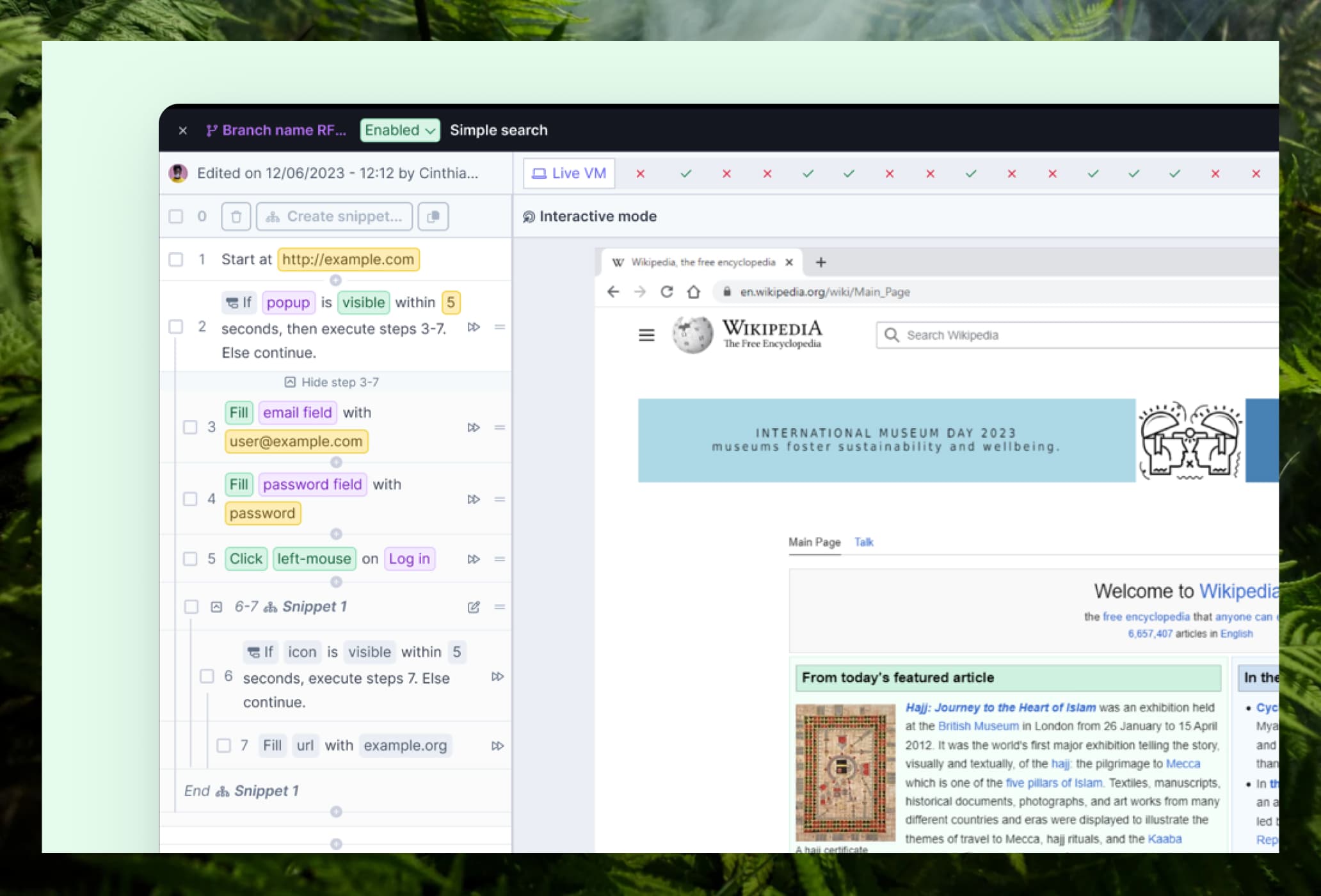
- Rainforest QA is a no-code test automation platform
- Users can easily creating test steps with predefined actions such as clicking, scrolling, or typing
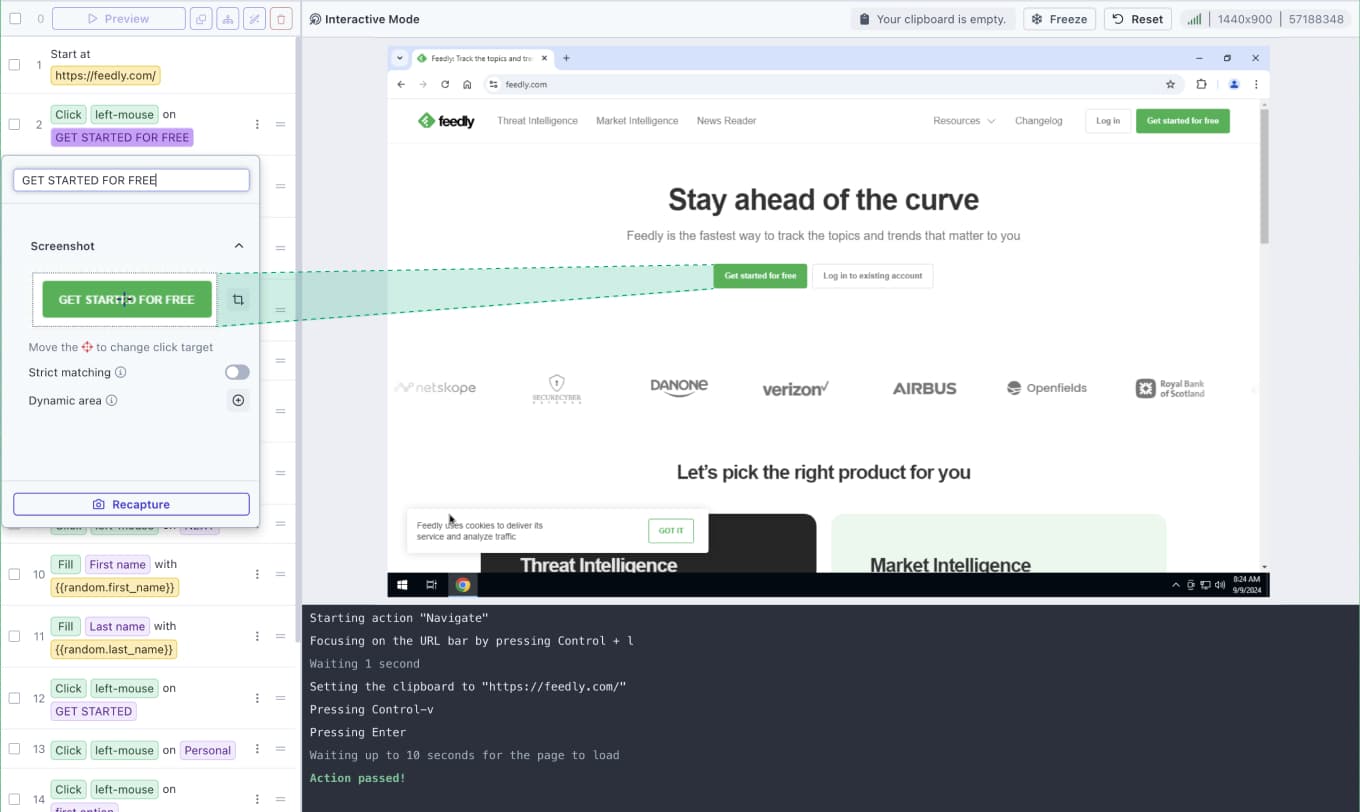
- To identify UI elements like a login button or password field, users can capture screenshots from a live preview on a virtual machine (on the right).
- During test execution, the agent scans the website to find elements that match the screenshots. Tests run from top to bottom, step by step.
- The target users are typically technical, developers and QA engineers who need reliable test automation without the overhead of building and maintaining a full testing infrastructure.
The Problem
- Some UI elements (e.g. Cookie banners, browser permission prompts, terms and conditions pop-ups) can appear randomly in the middle of the test run. When these elements appear, they can cover the entire screen or prevent the test agent to perform an action which cause the test to fail. Not because anything is wrong with the product, but because the test has no way to say: "if this appears, handle it, otherwise, keep going."
- Our target users are early stage startups. Their test data is often unstable. When test data gets used or "spoiled" in a previous run, subsequent tests fail. Users had no easy way to clean that up automatically.
- Conditional blocks had become the most-requested feature. Some users had churned because the lack of this feature.
Process overview
I worked with the PM to define scope and collaborated with engineers to make sure designs were feasible within our technical constraints.
Research
Understanding the problem before designing the solution through user interview and market analysis
Design
Defining scope and creating intuitive design solution using research data
Validation
Built an interactive prototype and ran usability testing
01 — Research
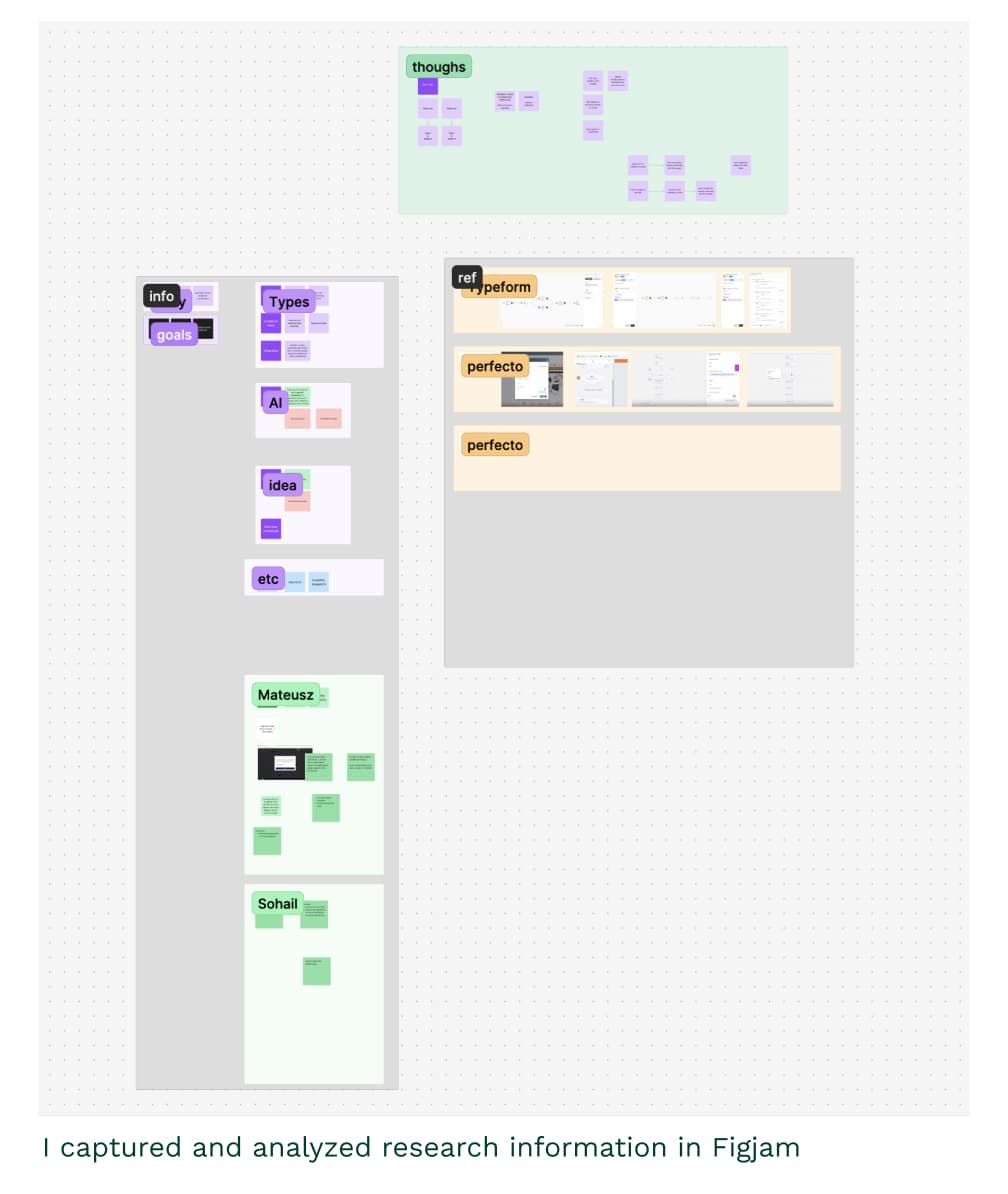
I had 3 goals:
- Understand pain points and current workarounds
- Learn about the real world use cases
- Answer the following questions:
- Should conditionals be a single step (if X, do Y) or support multiple steps (if X, do Y, Z, W)?
- Should conditionals be reusable across tests?
- Where should the conditional settings live?
We ran 2 targeted user interviews with customers who were actively blocked by the limitation. I paired this with competitive analysis of products handling similar logic.
What I found from users
- Multi-step conditionals are necessary: It’s common to perform more than 1 action inside a conditional.
- Reusability is essential: The same popup can appear across different tests. Manually copying conditional block into each test isn't realistic. Also, reusability means that the block can be easily maintained and updated.
- QA environments are unstable: Startup users rarely have reliable test data. One users mention that if the seed data has ran out, certain step can be skipped so the test doesn’t fail.
What I found from market analysis
The takeaway was that visual distinction and representing conditional through existing concepts that align with how users think about branching logic is what makes conditional logic feel intuitive.
- Typeform and Perfecto: Diagram-based, visually intuitive. We couldn't fully replicate this given our constraints, but it inspired the goal of making conditional blocks look clearly different from regular test steps.
- Testsigma: Text-based with color differentiation and familiar `if/else/else if` language. Quite intuitive even without visual diagram usage.
02 — Design
Challenge 1 — How do we help users to understand the test hierarchy?
Steps inside a conditional block are different from regular steps, they only run if a condition is met. This needed to be obvious. On top of that, we don’t restrict how users organize their tests. So there can be a conditional block nested inside a reusable snippet, or reusable snippet nested inside a conditional block, or multiple conditional blocks inside a snippet. The possibility is endless.
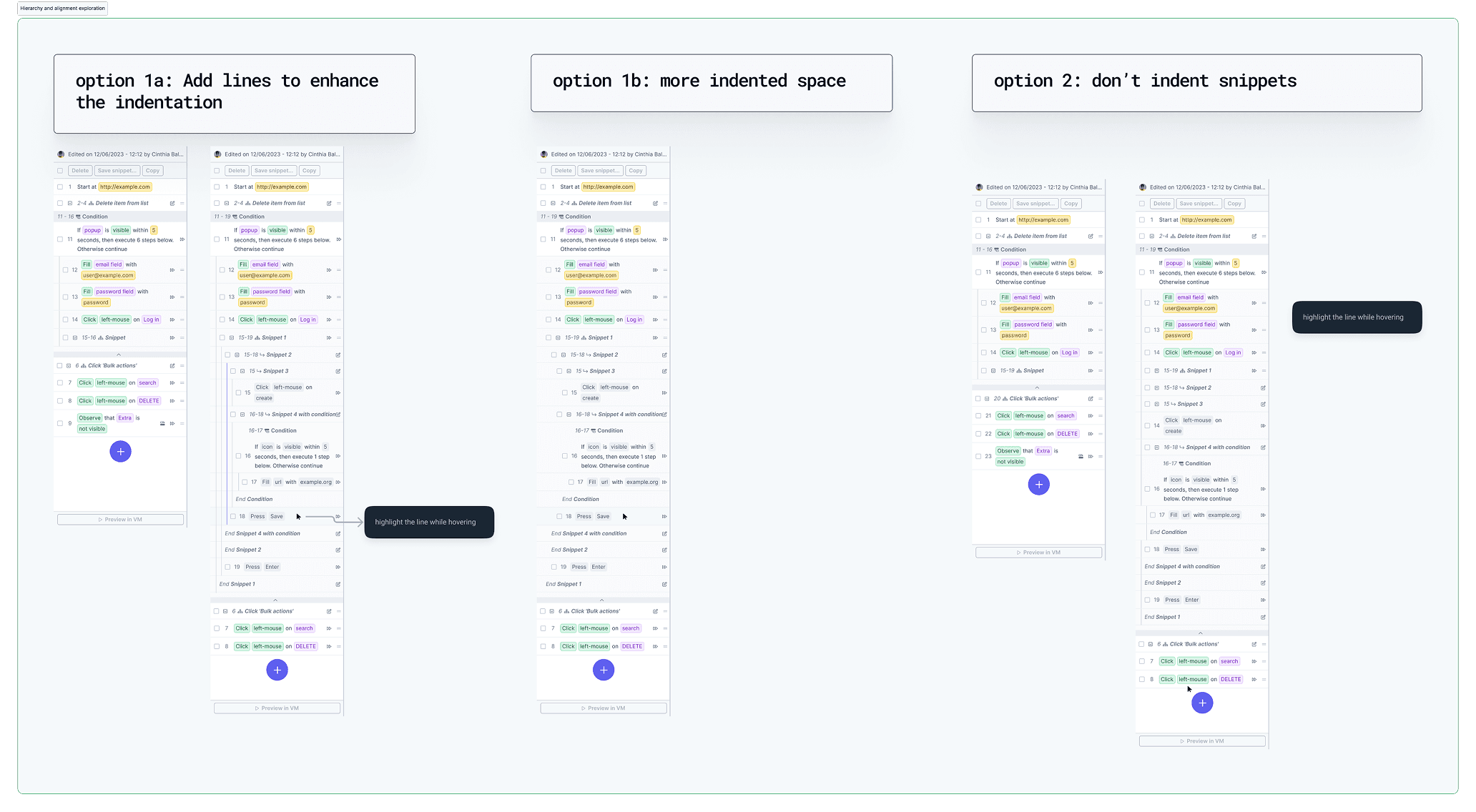
I explored 3 approaches:
- Vertical line + indentation (chosen)
- Additional indented space only
- Flattened (no nesting)
We chose vertical line + indentation for 2 reasons:
- Conditionals can contain multiple nested layers, so it’s important to make clear what belongs to what, otherwise it becomes confusing. Blocks are collapsed by default to keep things manageable.
- We had feedbacks from the existing reusable snippet feature that flattening everything made content hard to read. This was a chance to do it properly.
Challenge 2 — How do we show users which steps ran and which were skipped?
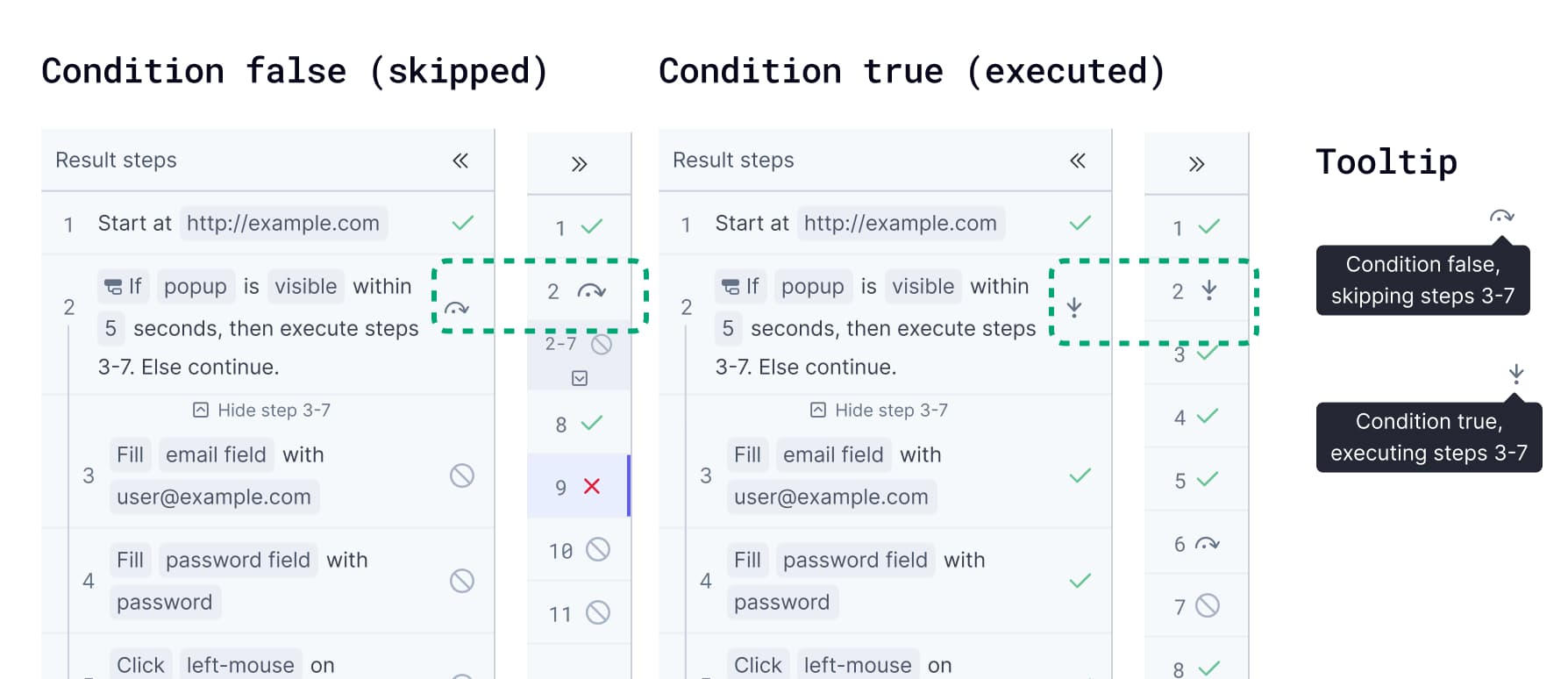
Users need to know when a conditional block is skipped because the condition wasn't met or when it’s ran when the condition was met. But I also didn't want to distract them from actual run failures, which are the most important thing to look at in run result page.
I explore a few options, such as true/false badge and skip/forward icon. Ultimately I went with skip/forward icon. The reasons are:
- Familiar to technical users (majority of our user base) since they are used in browser web tool
- Small enough to fit in the collapsed results sidebar
- Doesn't draw attention away from test result
- Paired with a tooltip for users unfamiliar with the icon
Challenge 3 — Solving reusability without adding complexity
The most common use cases were: closing intermittent popups (cookie banners, browser notifications, terms and conditions), and handling spoiled test data.
Based on the research, reusability was essential. The same conditional logic (like closing a cookie banner) would need to work across different test flows.
Rather than building a reuse system from scratch, we use an existing feature: reusable snippets. Users can place a conditional block inside a snippet, and that snippet can then be dropped into any test. This kept implementation scope small while fully solving the user need. It also meant we don’t unnecessarily introducing a new concept for users to learn.
03 — Validation
I built an interactive prototype and we then ran usability testing focused on two key flows: creating a conditional block from scratch, and interpreting the results of a test with conditional blocks.
What we found
- Users were able to create conditional blocks successfully. Some didn't get it immediately, but explored the prototype and figured it out. We anticipated some learning curve for first-time users and considered it acceptable since the the feature is quite complex.
- For test results, the icons weren't universally recognisable right away, but tooltips and context helped users reach the right conclusion.
- Overall, users were genuinely excited. Many said this was exactly what they'd been waiting for and were ready to use it in real projects immediately.
After launch
Impact
- Conditional blocks had been the most-requested feature. Some users had churned because it was missing. After launch, the response was overwhelmingly positive.
- Users reported that the feature directly solved their problem. Many adopted it in real projects right away, not just as something to try, but as part of actual test workflows.
- Internally, the impact was also significant. Customer success and the product team could finally shift focus to other improvements, instead of fielding the same request over and over.
Reflection
In complex product, the hardest design problem is to make the design as simple and intuitive, not adding the most powerful features. Conditional logic is inherently complex. The goal was to give users the power without making making it feel heavy.