From Hidden to Discoverable: Redesigning Test Scheduling
My role
- Research
- Conceptualisation
- Design
Tool used
- Figma
- Figjam
Project info
- B2B SaaS
- Low code QA testing platform and QA services
Visit the website
Overview
About Rainforest QA
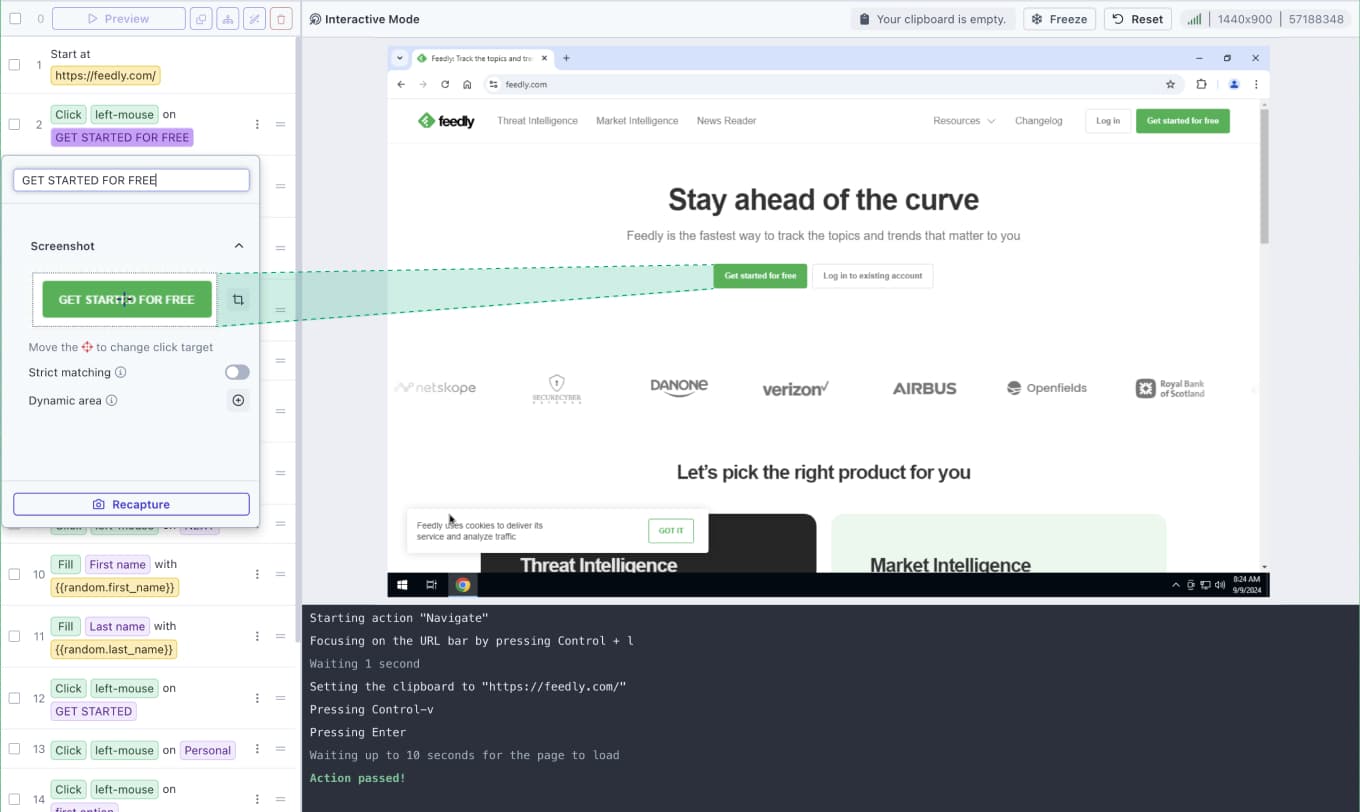
- Rainforest QA is a no-code test automation platform
- Users can easily creating test steps with predefined actions such as clicking, scrolling, or typing
- To identify UI elements like a login button or password field, users can capture screenshots from a live preview on a virtual machine (on the right).
- During test execution, the agent scans the website to find elements that match the screenshots. Tests run from top to bottom, step by step.
- The target users are typically technical, developers and QA engineers who need reliable test automation without the overhead of building and maintaining a full testing infrastructure.
How Tests and Run Groups Work
Tests are organized into Run Groups, collections of tests that run together, such as a smoke suite or a regression suite. Since users rarely run a single test in isolation, grouping is a natural part of the workflow. Scheduling means automatically triggering a Run Group to execute at a set time. For example, running a regression suite every day at 10 AM.
Where It Started
This project started with a data finding. Analysis showed that customer stickiness noticeably improved after users tried the scheduling feature. Users who scheduled tests were significantly more likely to keep using the product. Yet scheduling usage had room to grow. On top of that, the scheduling experience was an area the team had wanted to improve for a while. That gave us two strong reasons to act: a business opportunity and a long-overdue UX improvement.
The goals of this project were to:
- Increase discoverability and ease of use of the scheduling feature
- Simplify the existing flow
- Validate the assumption that accessibility was the barrier
- And ultimately improve customer stickiness
Design process
Audit
Mapped the existing scheduling flow to identify discoverability and usability issues
Ideation & User flow
Explored solutions, built a user flow, and aligned with developers and PM early
Visual Design
Translated the structure into final UI screens
01 — Audit
Understanding the Problem
Before designing anything, I audited the existing experience to understand what we were dealing with.
- It was hard to find. Scheduling was buried several layers deep. To reach it from the Run Group page, a user had to go to the Test page, select the Run Group tab, choose a run group, and then click Edit. From the Settings page, the path was equally indirect. There was no shortcut entry point.
- It was missing where users expected it. The visual test editor, the main Test list page, and the Run creation modal, the 3 places users naturally spend time, had no scheduling call-to-action at all.
- It didn't appear during onboarding. Scheduling is part of Rainforest QA's core workflow, but new users had no exposure to it during setup.
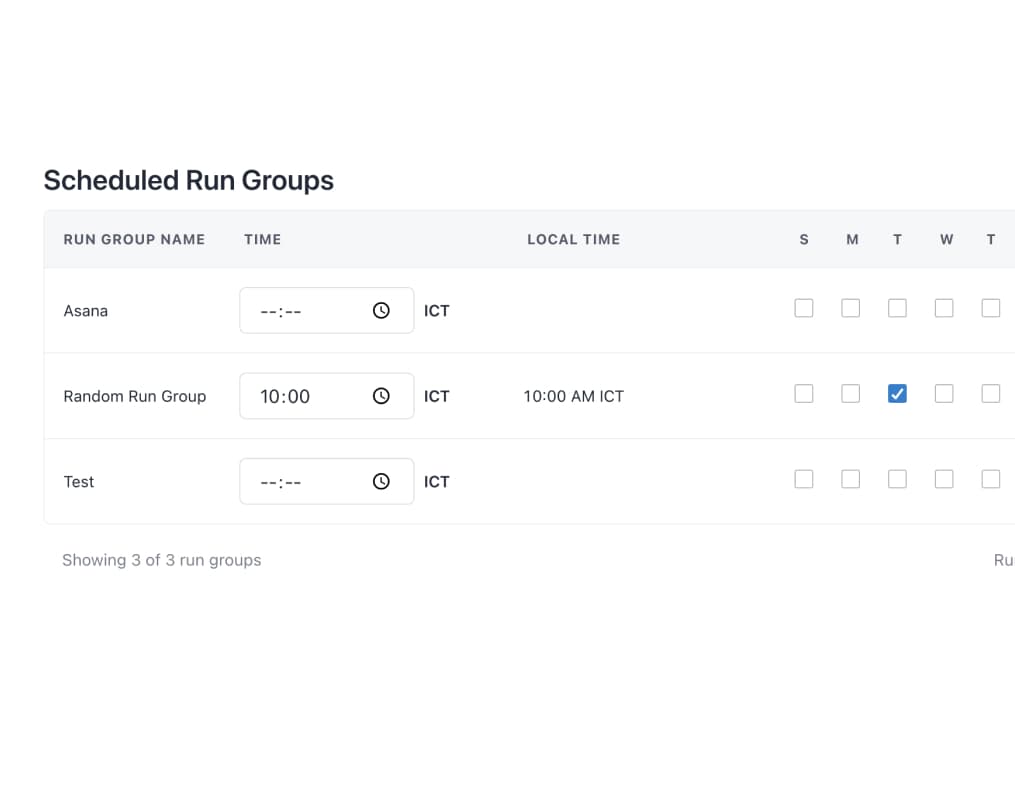
- It was too limited. Users could only set one run time per run group. This had been a repeated request from the users for more flexibility.
02 — Ideation & User Flow
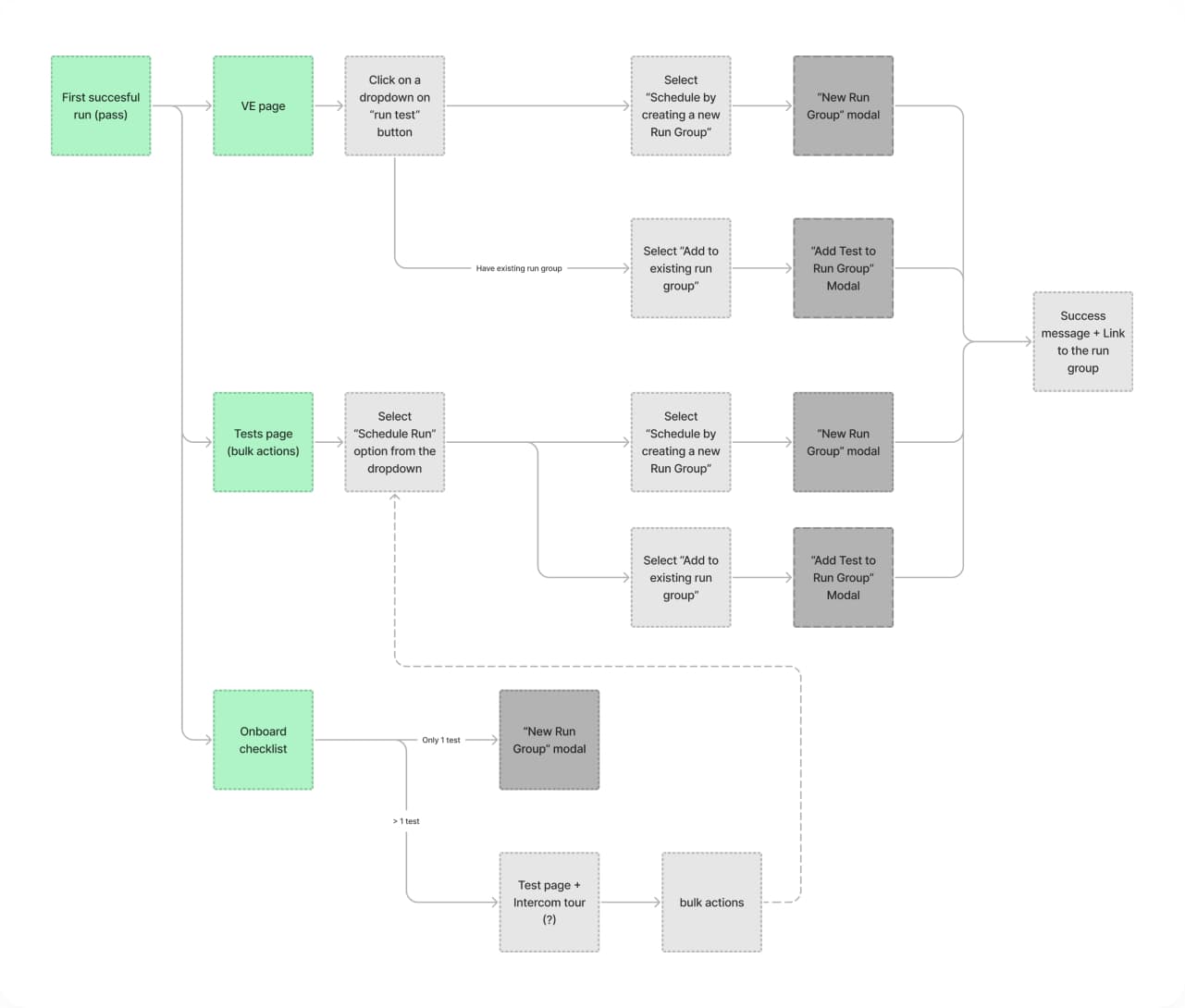
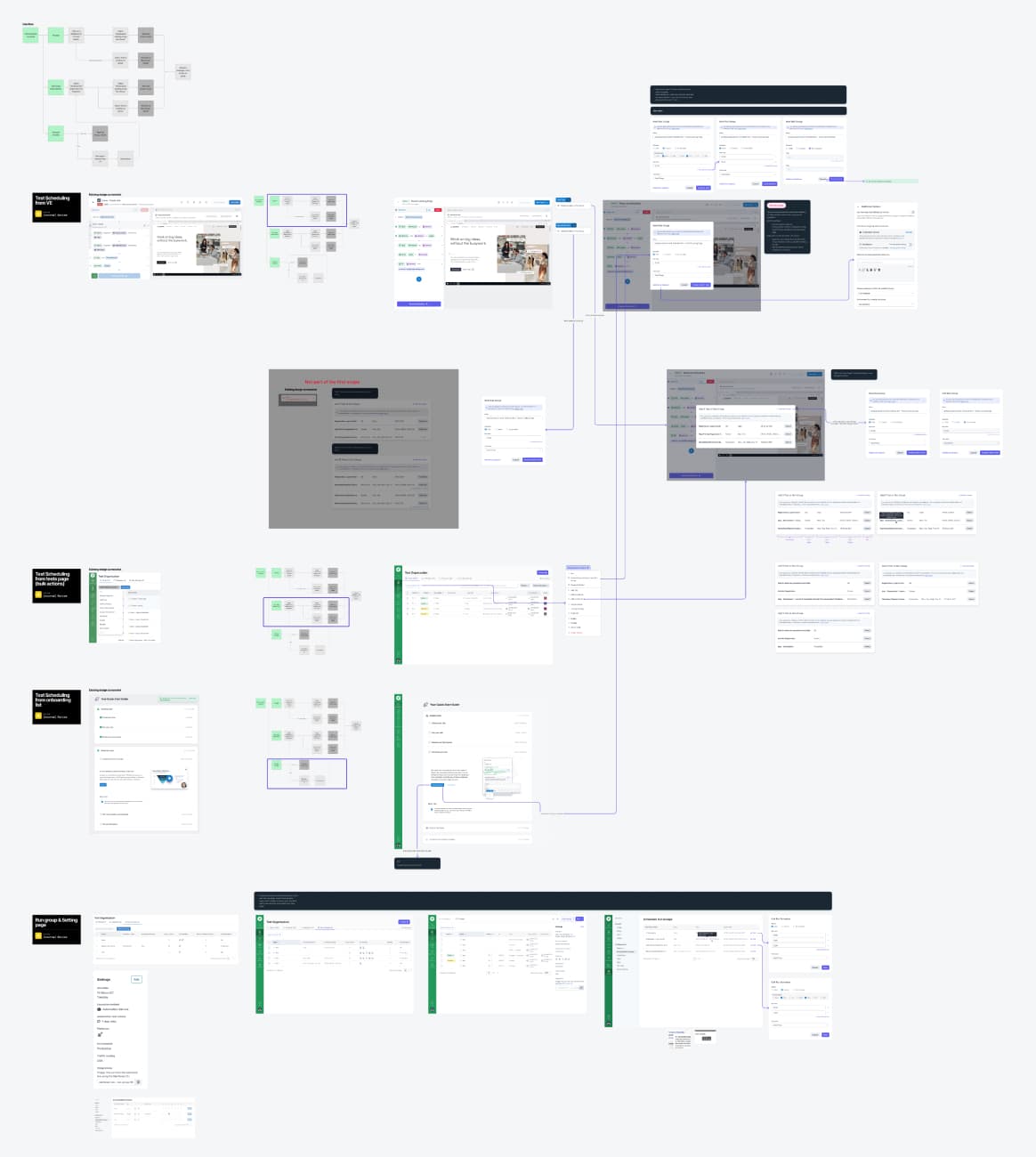
I started with a user flow rather than jumping straight to screens. A user flow is fast to create, easy to discuss with developers and PMs, and quickly surfaces structural problems before any visual work begins. It also gave the team a shared reference point for planning and estimating.
From there I moved directly into high-fidelity designs (skipping wireframes because we have a well-established design system). I reviewed the designs with the developer and PM, incorporated feedback, and iterated from there.
03 — Visual Design
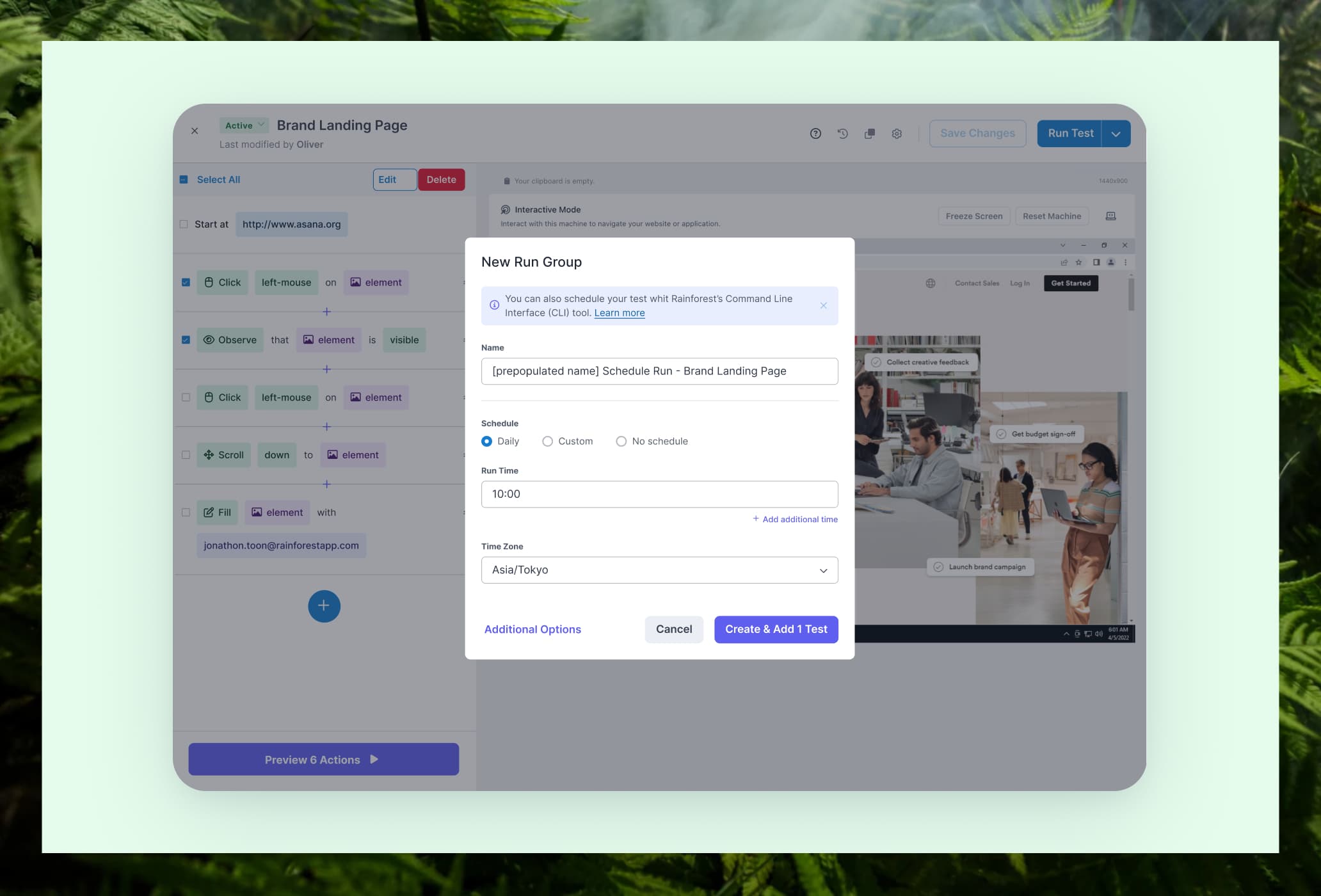
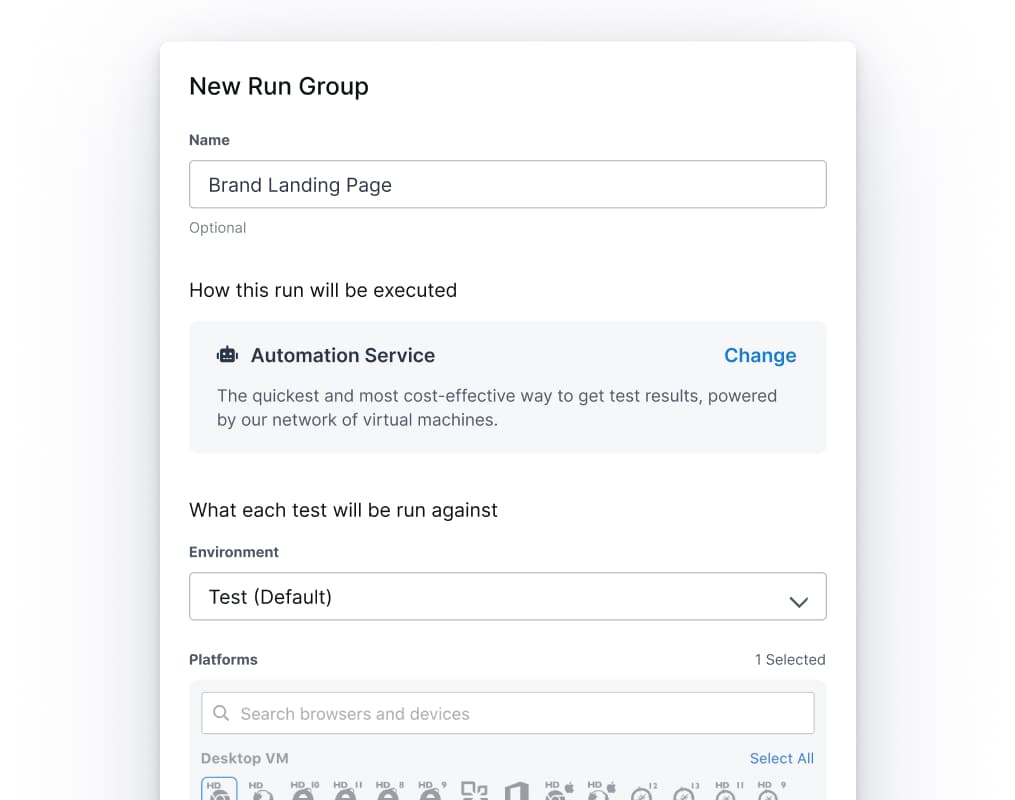
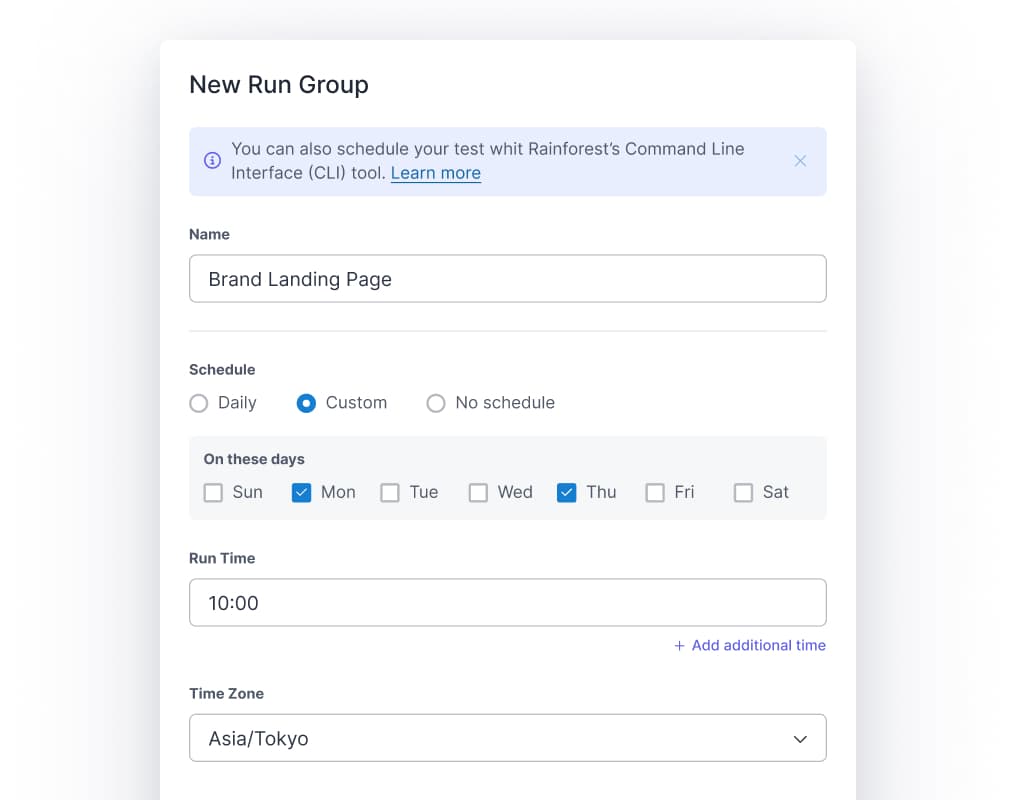
Scheduling added to the New Run Group modal
We added scheduling directly in the "New Run Group" modal, so users no longer need to create a run group first and schedule in a separate flow.
Before
After
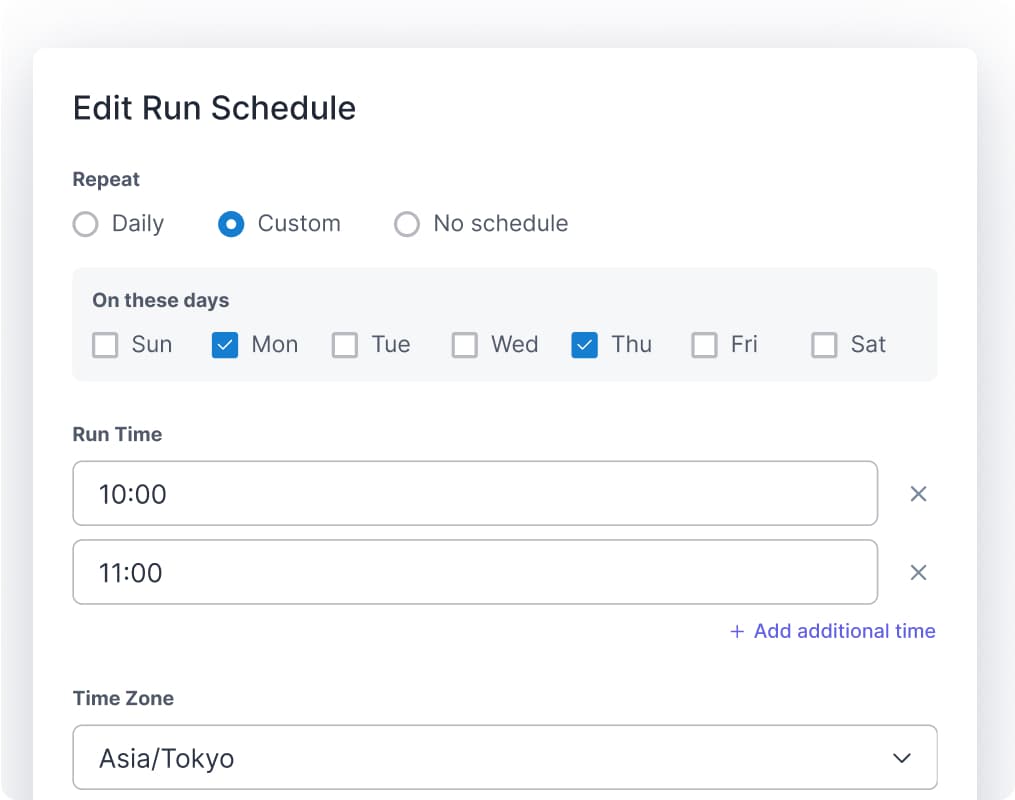
Multiple run times now supported
Users can set more than one run time per day per run group. To reduce decision fatigue, we set a sensible default: daily at 10 AM.
Before
After
Entry points added across the product
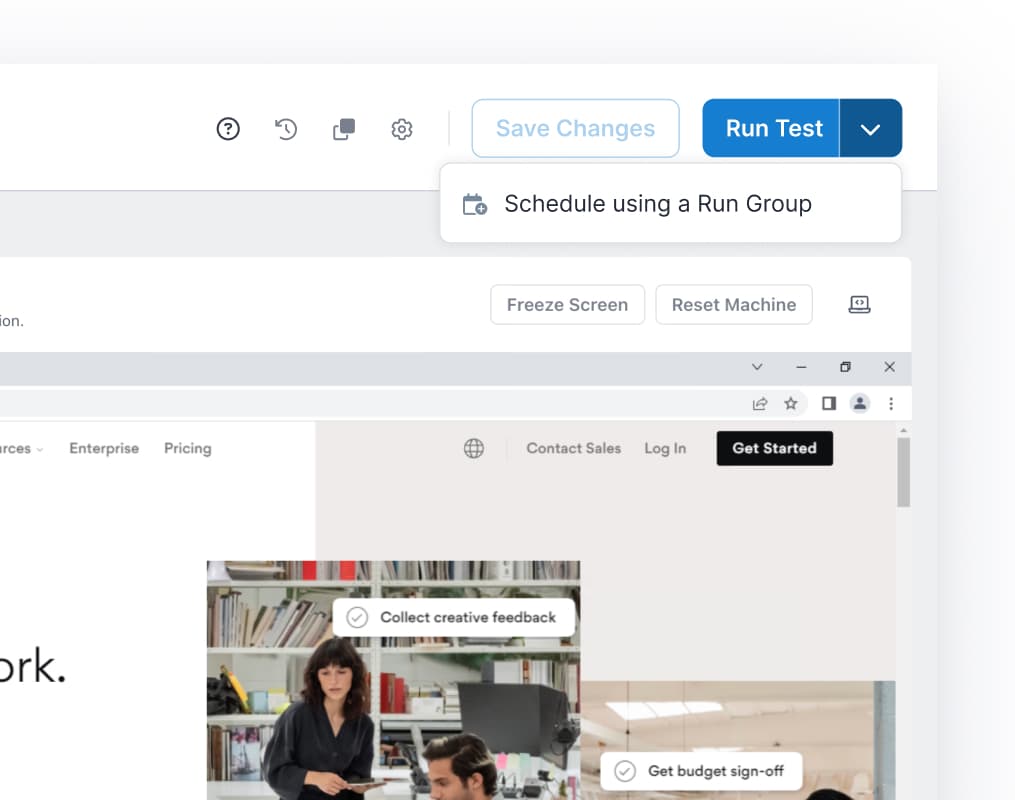
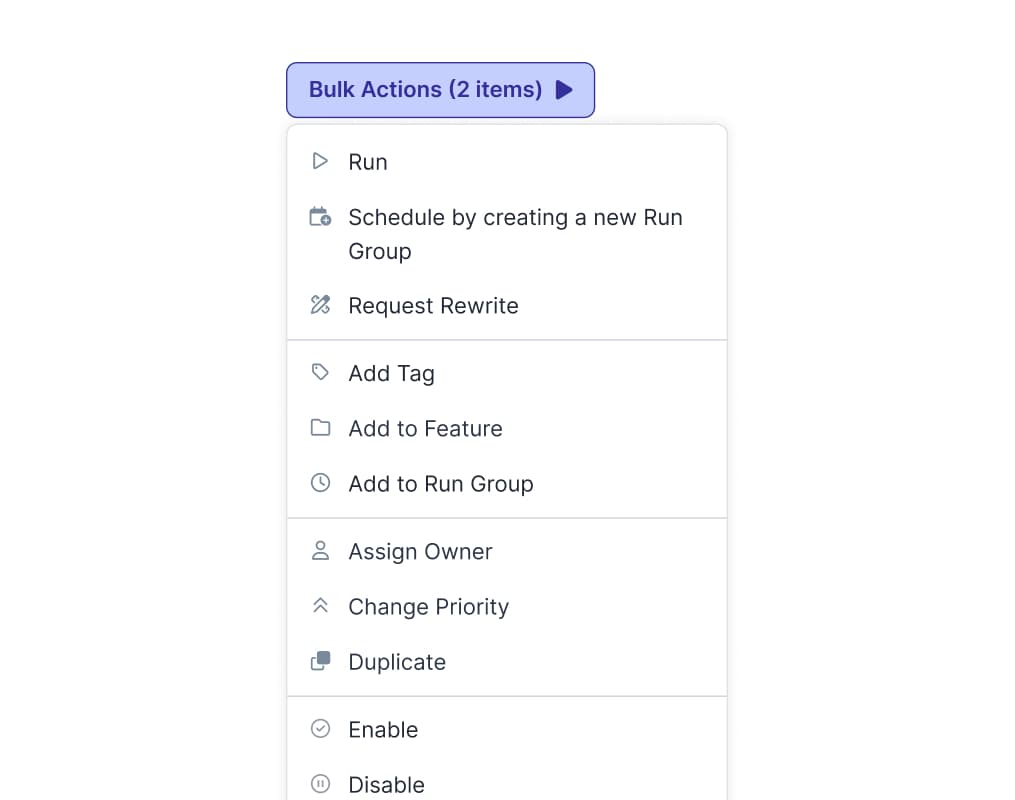
We added a "Schedule using a Run Group" secondary CTA on the test writing page, and a "Schedule by creating a new Run Group" option in the bulk actions dropdown on the Test page.
Scheduling is now reachable from the places users already are.
Test writing page
Test page
Onboarding now introduces scheduling
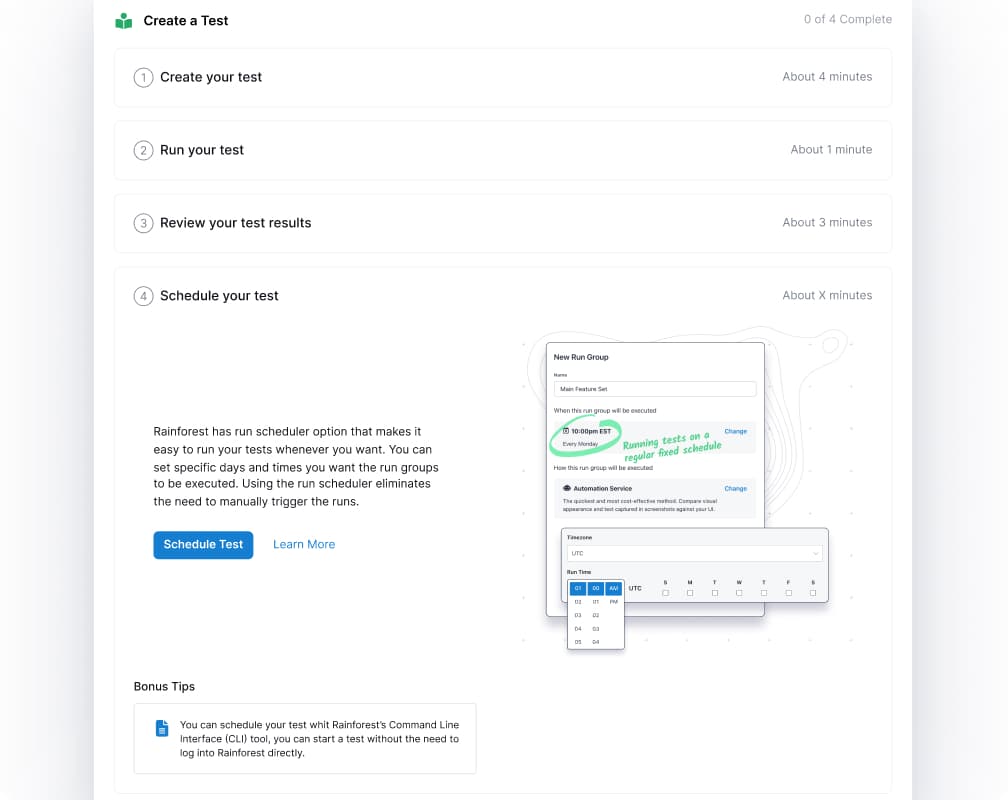
We added "Schedule Your Test" as the final step in onboarding, completing the core workflow loop: Create {"->"}{" "} Schedule/Run {"->"} Review Results. New users now aware of the feature.
Run Group creation streamlined
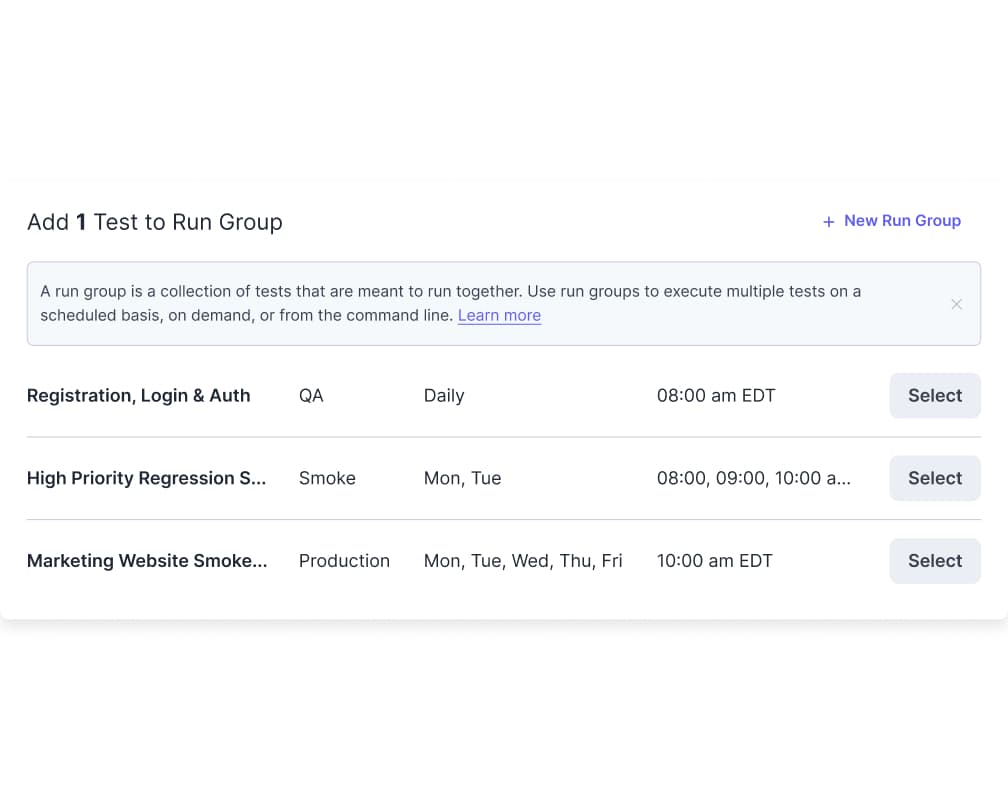
Inside the "Add Test to Run Group" modal, we added a "New Run Group" button. Previously users had to close the modal, create a run group separately, and come back.
After launch
Outcome
After launch, scheduling usage went up. The improvement was directly tied to accessibility. Once the feature was easier to find, people used it. Stickiness also moved in a positive direction, though the signal was not conclusive enough to claim a definitive win on that metric alone.
Users weren't avoiding scheduling, they just couldn't find it. Fixing the access was enough to change behavior. It also gave us a chance to address a long-neglected part of the product. The scheduling experience had gone largely untouched for a long time. This project brought it up to the standard the rest of the platform had set.