Designing trust into a secondhand marketplace for moms
My role
UX/UI designer
My responsibilities
- Wireframe
- Visual design
- Participate user testing
Tools used
- Overflow
- Sketch
- Invision prototype
Project info
- 0 to 1 product
- iOS Native application
Visit the application
Overview
MombieStreet is a startup built by parents, for parents. The founder is a mom who lived this problem herself. Babies grow fast, products quickly become unused, and buying quality baby items new is expensive. She and her mom friends were already navigating this the best way they could. But the available solutions were letting them down.
The Problem
Before MombieStreet existed, moms in Thailand were buying and selling secondhand baby products through Facebook groups. There was a strong demand and the community was active. But the experience was unreliable and often unsafe.
The founder's preliminary research confirmed 3 recurring problems:
- Products not matching photos: items arrived in worse condition than advertised
- Paying and never receiving the product: scams with no protection or recourse
- No trust layer: buyers had no way to verify who they were dealing with
The Users
The core users are mothers, specifically:
- Moms with toddlers or growing children: products pile up faster than expected, and selling them makes both practical and financial sense
- Soon-to-be mothers: buying secondhand means getting quality items like strollers and car seats at a fraction of the price
These users are thoughtful and protective. They are buying things that will be used on or near their children. Trust, product condition, and transparency are the foundation of the experience.
The Goals
With target users and their pain points in mind, the product needed to:
- Make buyers and sellers feel safe and protected
- Build trust at every step, especially for first-time users coming from bad experiences
- Feel warm, human, and caring
- Foster a sense of community among moms
Design process
Understand the requirements
Based on functionality requirements, I did the competitor benchmarked and preliminary research to gather ideas.
Wireframe
I quickly create wireframes to visualize the user flow and screen structure.
Validation
With the wireframe prototype, we did user testing for the main functionalities. Afterward, we refined the wireframe based on the testing results.
Visual design
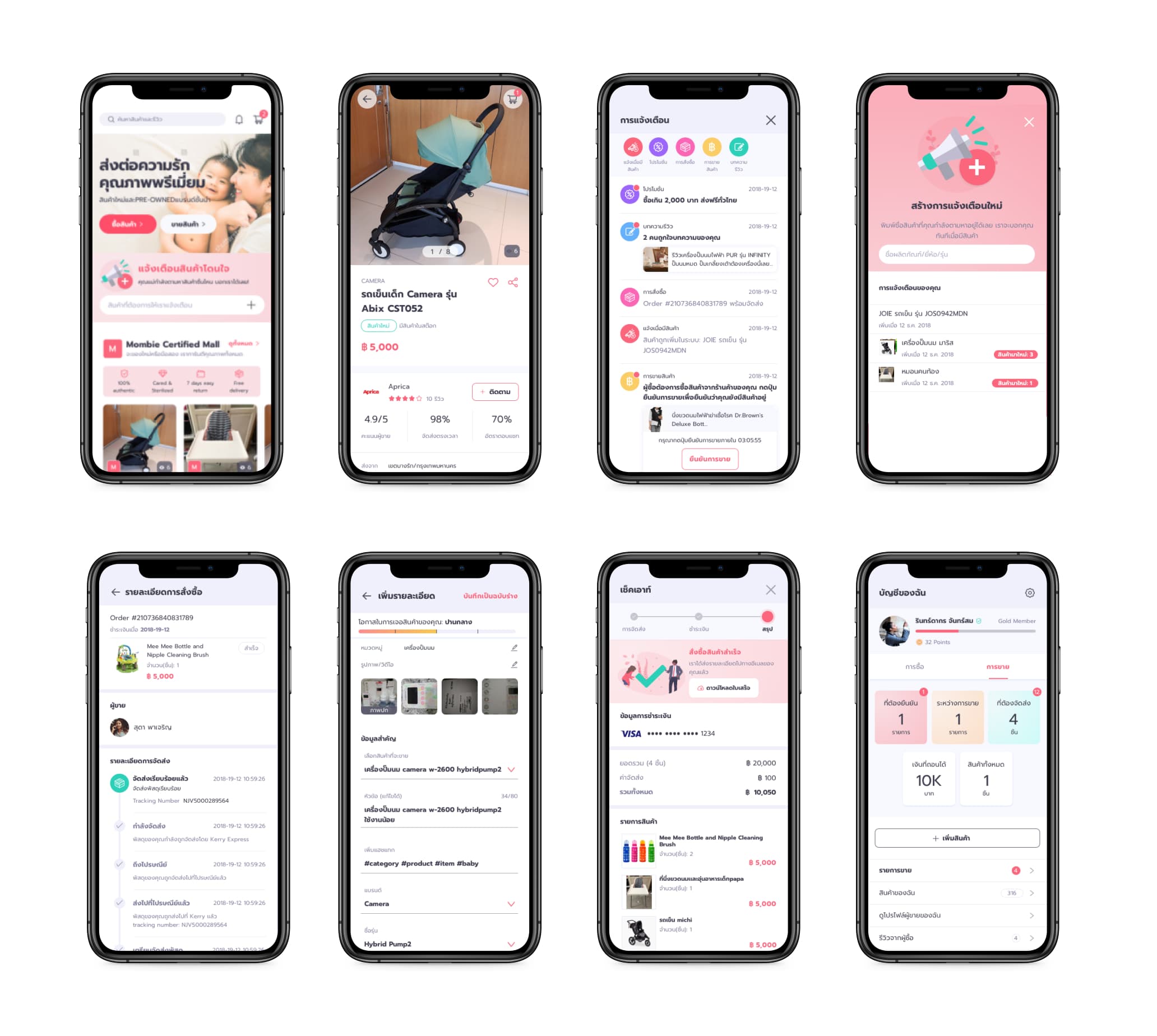
We came up with a UI style and color palette that would attract our target user group.
Design Approach and Constraints
MombieStreet was a small, family-run startup with a limited budget. This shaped how we approached the project. Instead of spending weeks on extended preliminary research, we made a deliberate decision to move fast. The founder had firsthand experience with the problem, had done preliminary research with real moms, and had an active community of users around her.
So we prioritized getting to an interactive prototype quickly and validating directly with real users. It let us put real screens in front of real moms early, learn fast, and spend the budget where it mattered most.
Wireframing and Key Design Decisions
I stayed in close contact with the client throughout wireframing, sharing updates regularly and iterating as we went. 3 core design decisions shaped the product at this stage.
Decision 1: Design for Familiarity
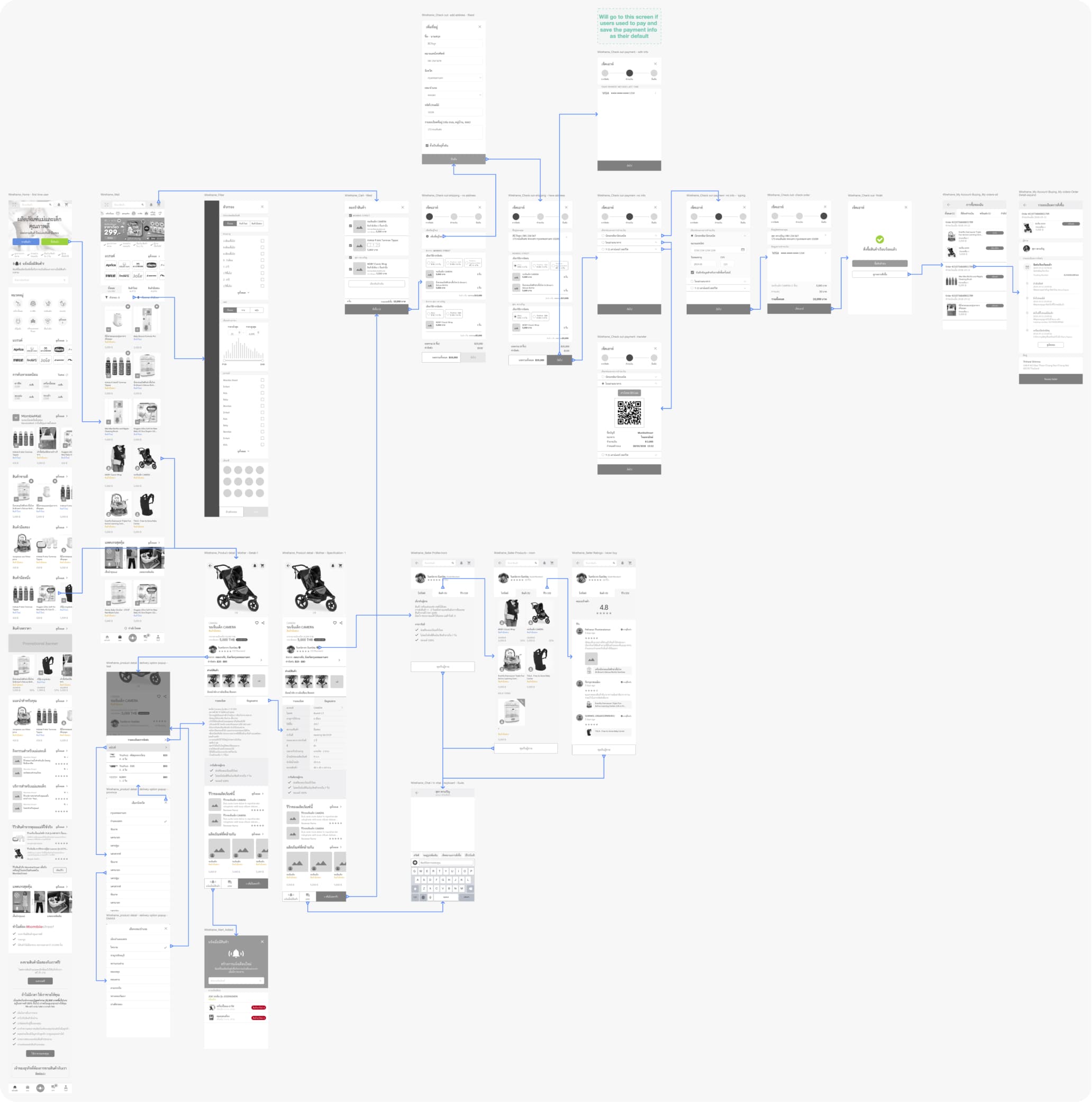
MombieStreet was a new product entering a market where users had no prior reference for it. To reduce friction, I mapped the experience closely to apps Thai users already knew well, Shopee and Lazada. The navigation structure, product browsing patterns, and checkout flow were all designed to feel familiar.
The goal was that a mom opening MombieStreet for the first time should already know roughly how to use it.
Decision 2: Build Trust into the Product
Since the core problem was trust and that many target users had been scammed or disappointed before, I included trust signals throughout the product.
This included:
- Seller ratings and reviews visible on product details page and above the fold
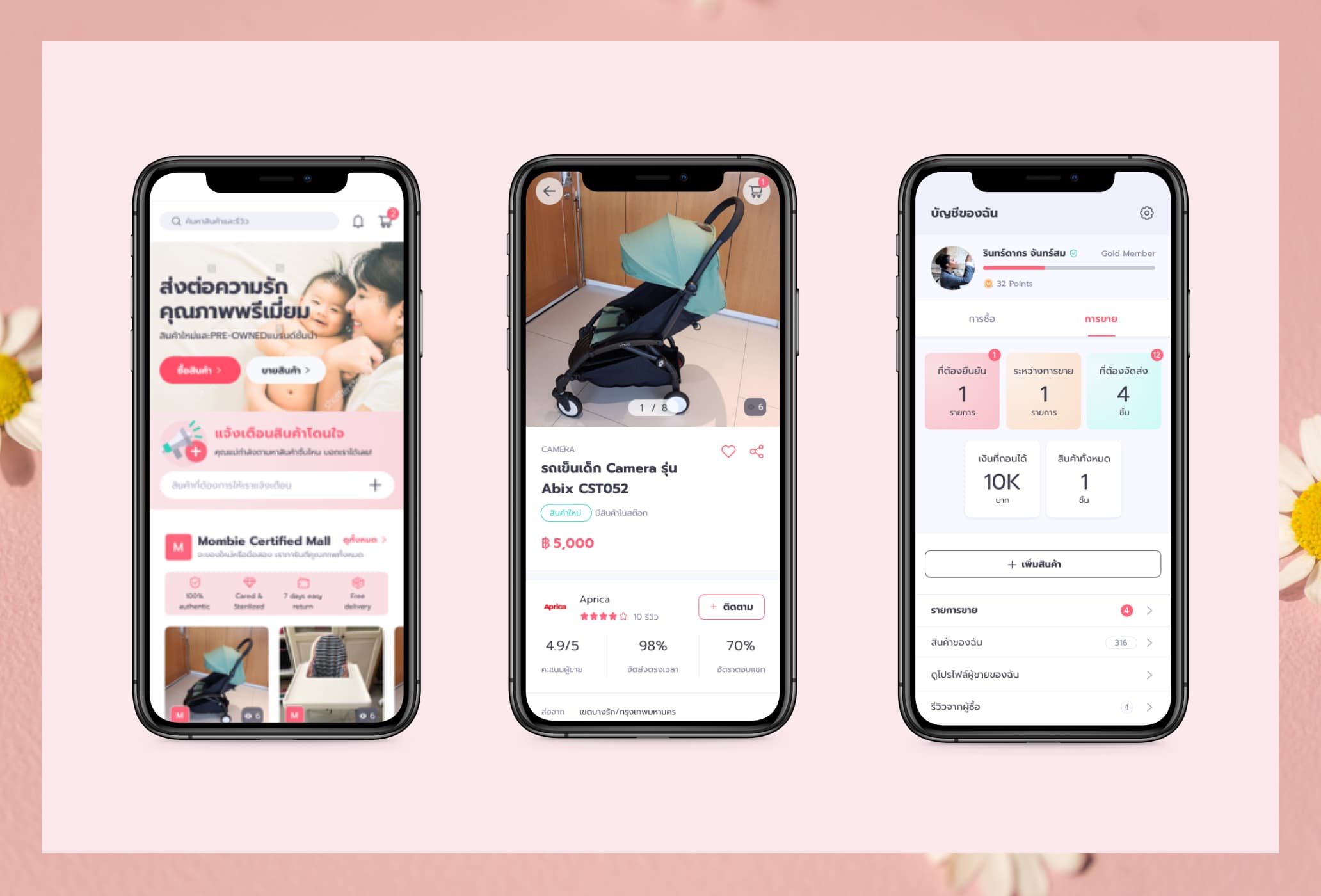
- Product guarantee section: Authentic, Cared & Sterilized, 7-Day Easy Return, Free Delivery
- Seller verification badge: verified sellers carry a visible badge, giving buyers a signal of credibility
- A dedicated homepage section explaining why users can buy and sell with confidence on MombieStreet
Decision 3: Make Selling Feel Manageable
The selling flow presented a real UX challenge. To list a product properly, sellers need to provide a significant amount of information (photos, condition, price, category, shipping details, etc.). The form could felt overwhelming.
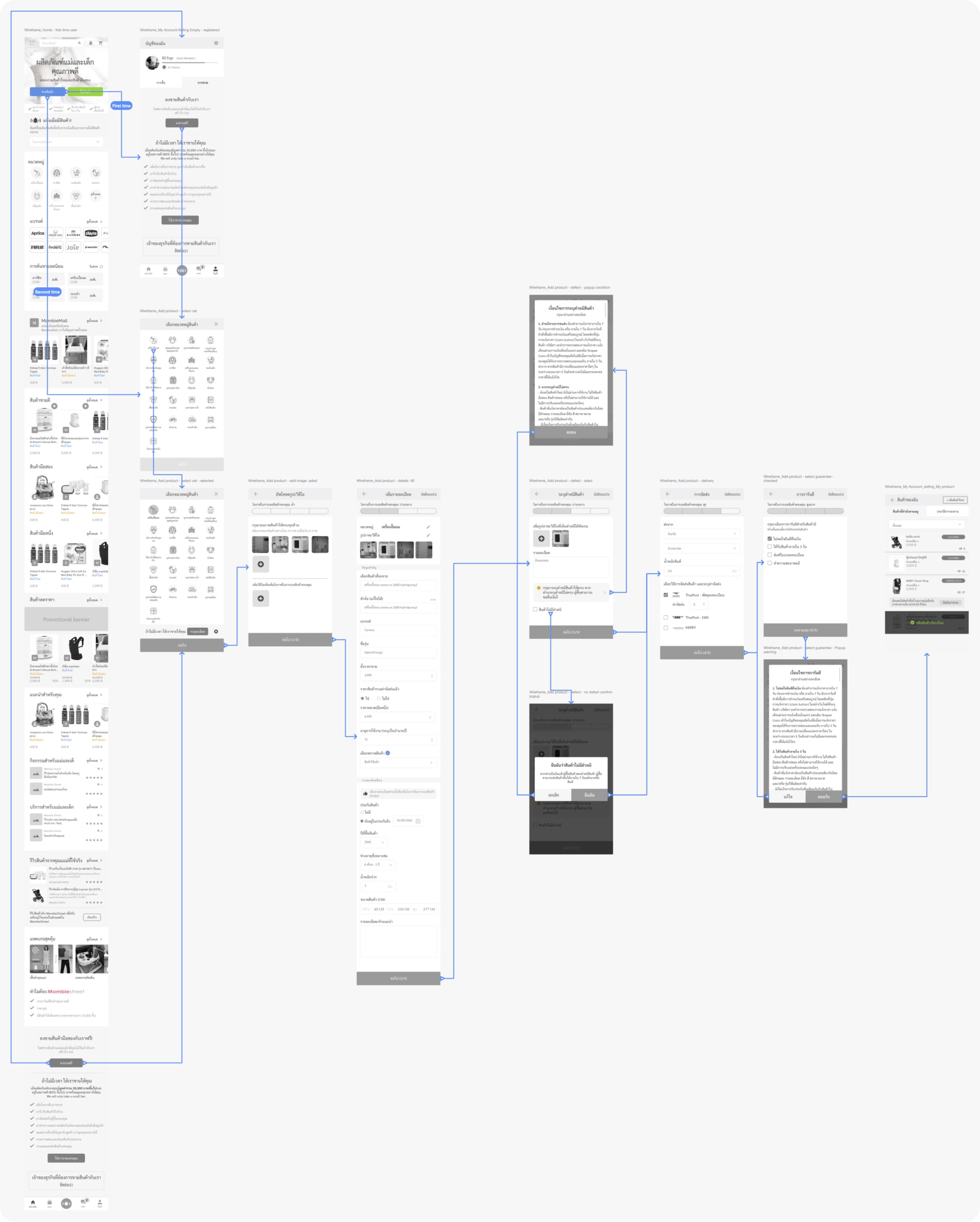
I broke the process into 5 steps, grouping similar fields together on each screen so sellers could concentrate on one thing at a time. Several sections were optional, but I added a small banner on each optional section explaining the benefit of completing it.
To further encourage thorough listings, I designed a gamified progress bar. The more information a seller adds, the higher their listing ranks in search results. This directly tied effort to outcome in a way sellers could immediately understand, the more complete your listing, the more buyers will see it. Sellers could also save their listing as a draft and return to it later, removing any pressure to complete everything in one session.
Buying flow
Selling flow
Usability testing
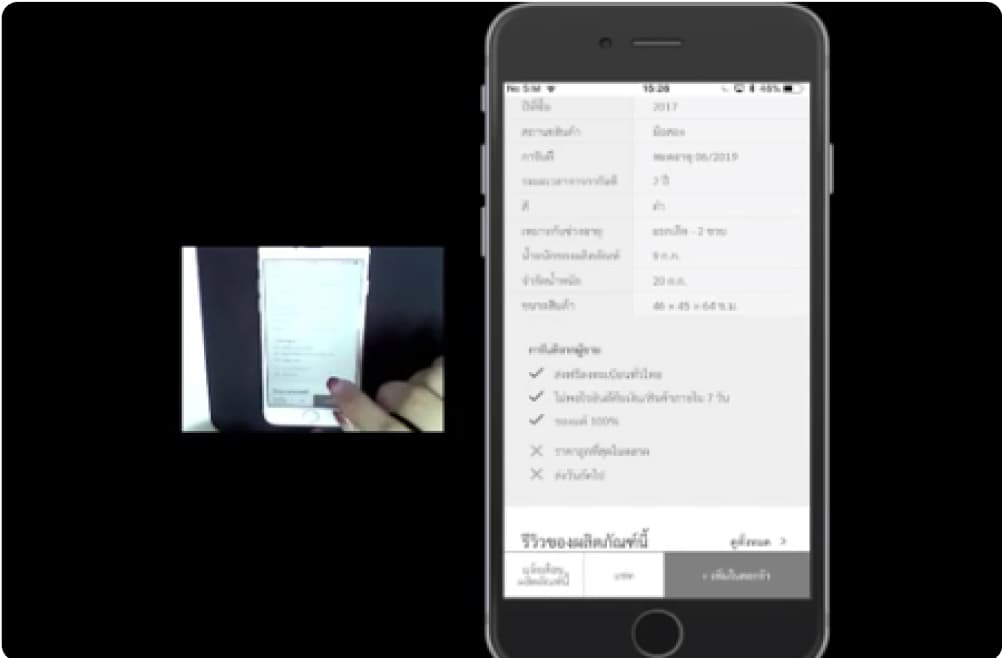
We ran moderated, in-person usability testing with 5 participants, a mix of current moms and soon-to-be moms. Each participant was given specific tasks to complete.
- For the buyer flow, participants were asked to search and browse for a product, view product details, add an item to cart and complete a purchase, and track their order progress.
- For the seller flow, participants were asked to add a product to their sell listing and view their active listings.
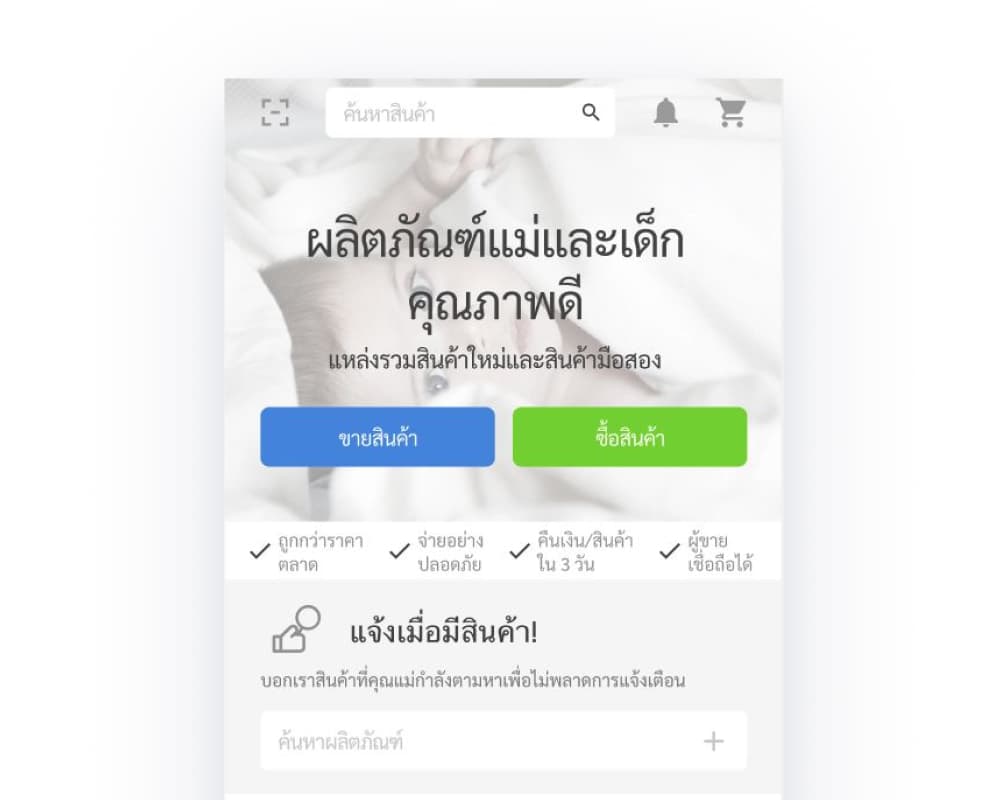
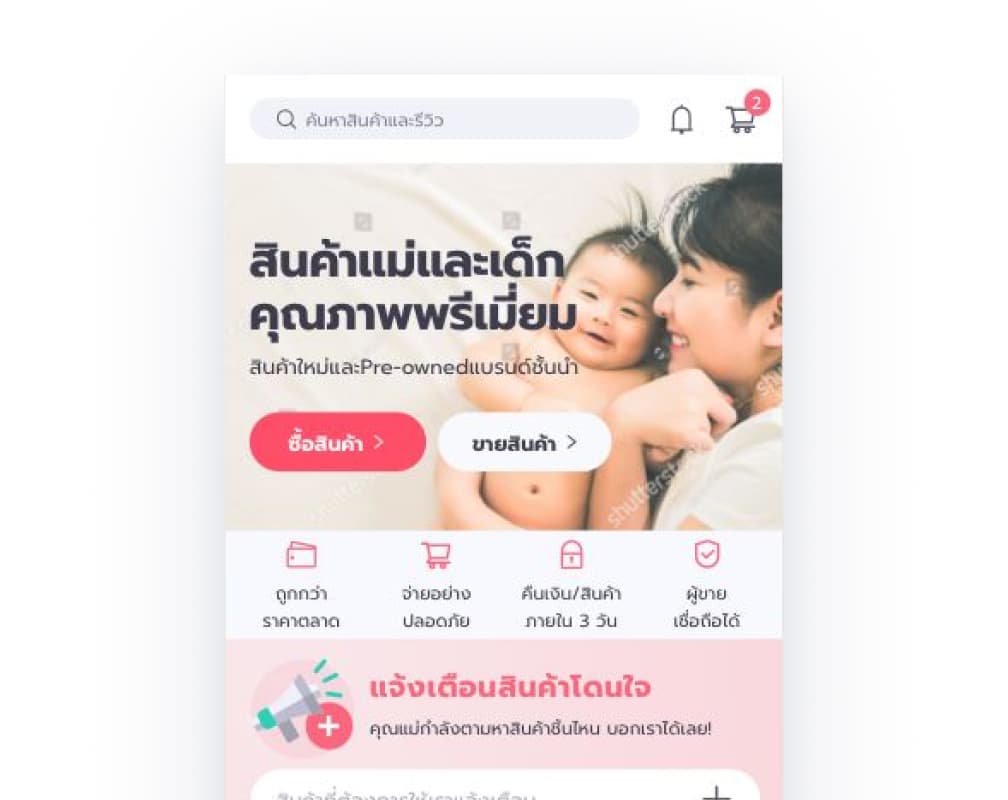
Finding 1: The search bar was hard to find
2 out of 5 users couldn't locate the search bar or took noticeably longer to find it.
We explored moving search to the bottom navigation bar, but that bar already has 5 items. Adding a sixth would have made tap targets too small. The bottom bar also changes contextually. On product pages it becomes an Add to Cart and Buy bar, so placing search there would have broken consistency.
Keeping search at the top also aligned with iOS conventions and matched what users knew from Shopee and Lazada. We added a background to the top navigation bar to improve contrast and make the search bar clearly visible throughout the app.
Before: search bar blended with the background
After
Finding 2: Shipping fees were a dealbreaker
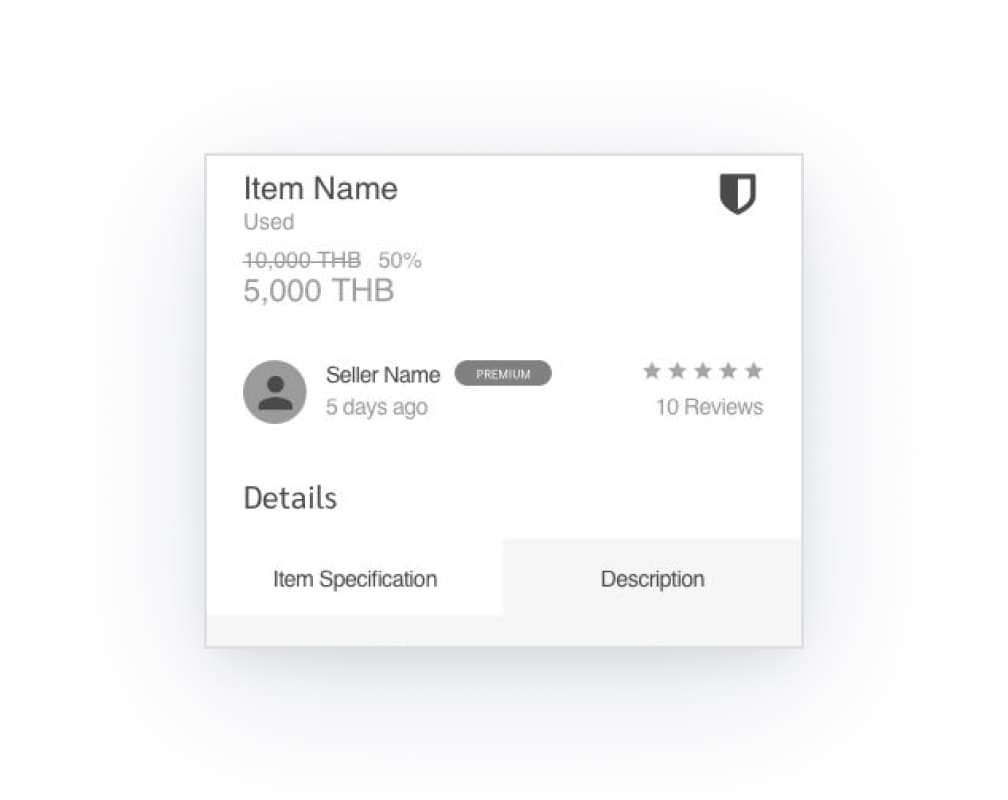
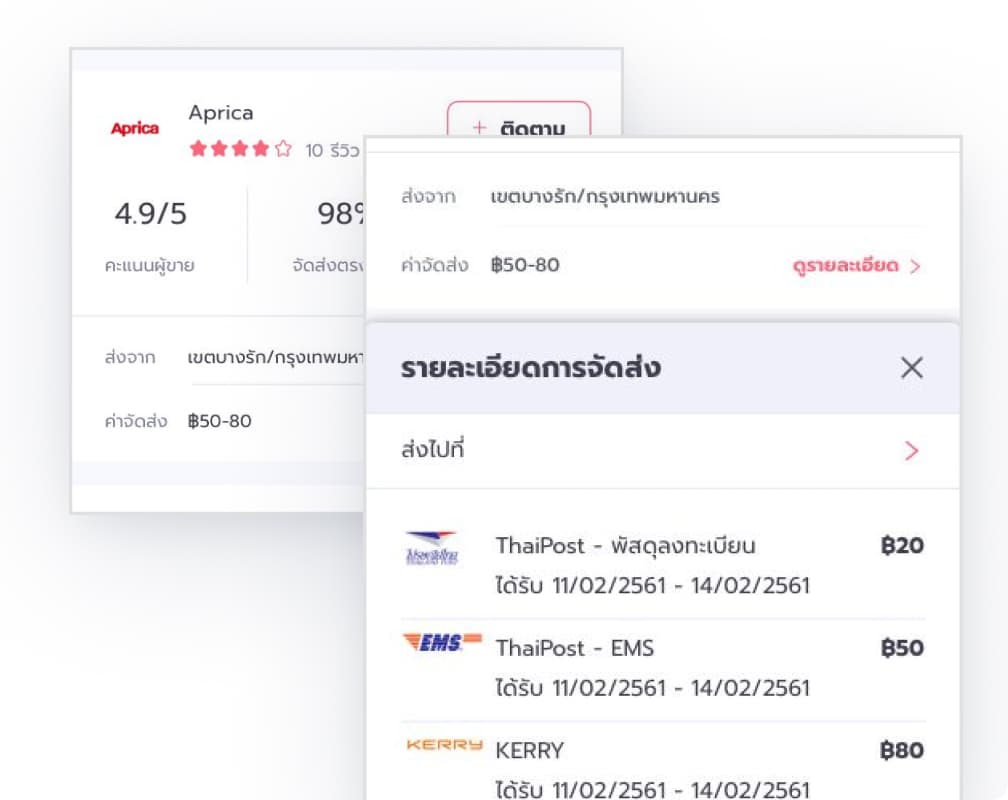
Users were comfortable with product prices but hesitated when they couldn't see the total cost upfront. Even affordable products felt like a risk if the shipping fee was unknown until checkout.
We added a dedicated shipping fee section to the product details page so users could make a fully informed decision before committing to a purchase.
Before: no shipping fee
After: include shipping fee details
Finding 3: Sellers didn't know they needed to confirm a sale
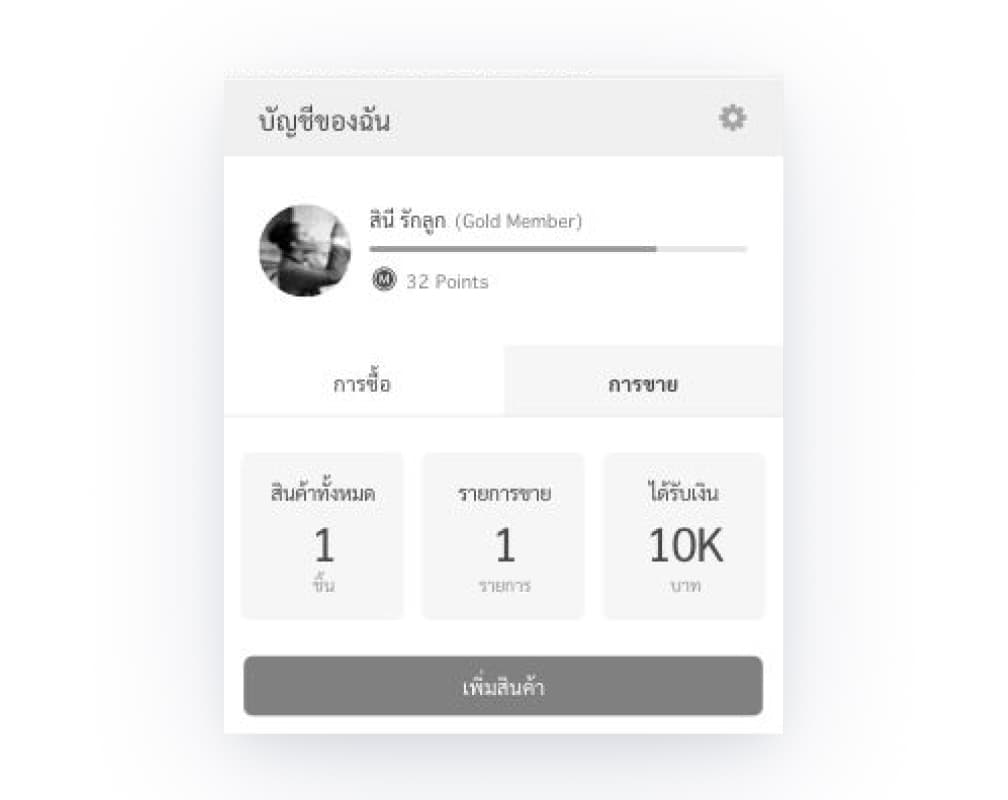
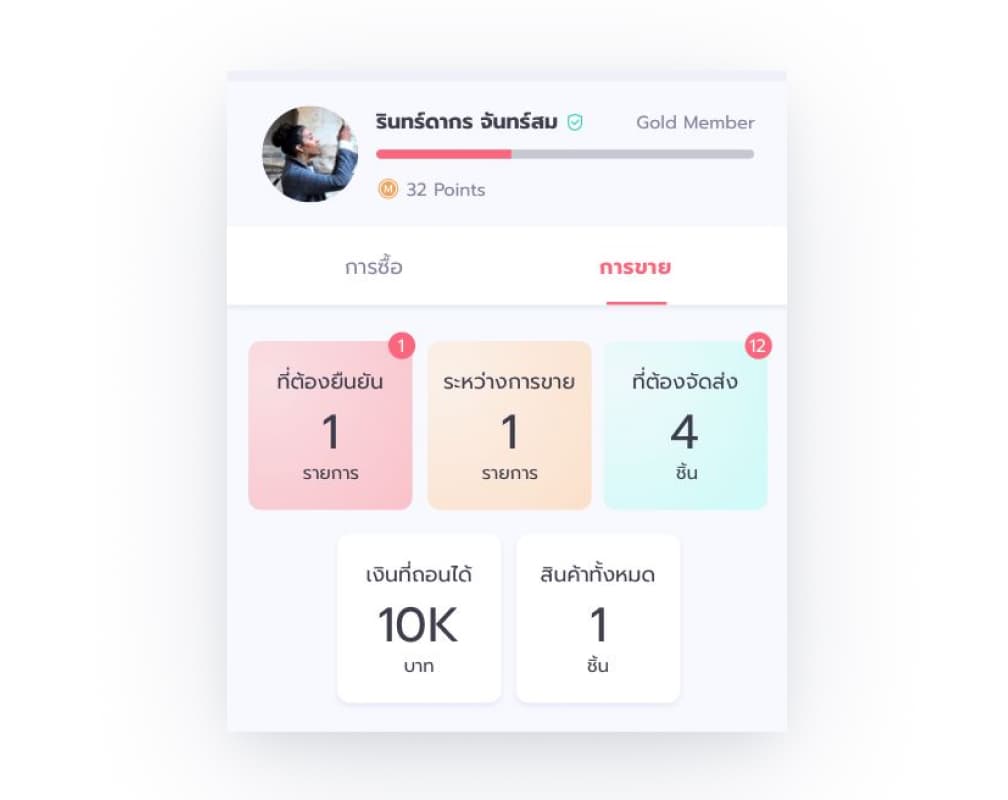
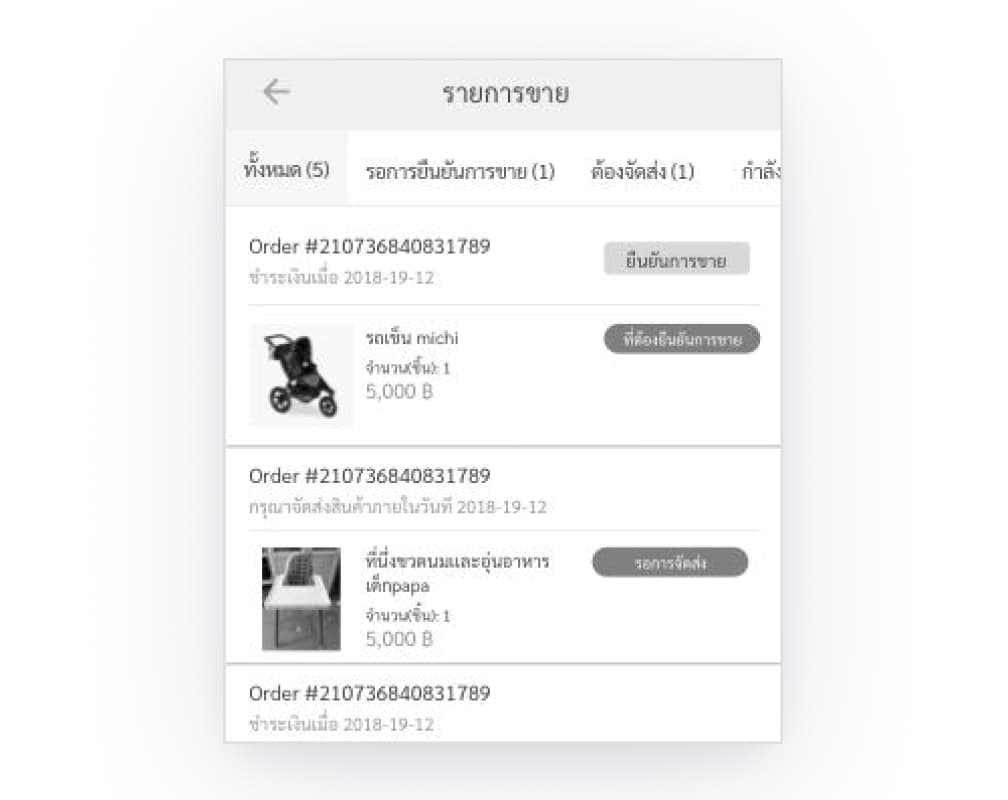
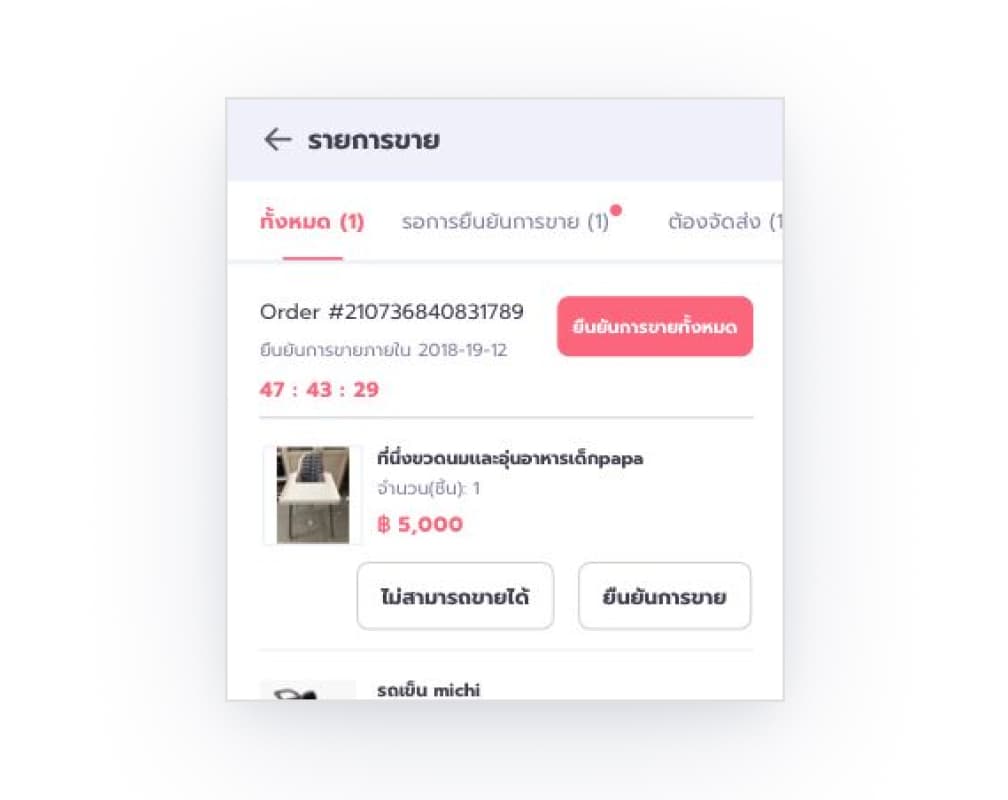
When a buyer placed an order, sellers were expected to confirm it — but most missed this step entirely. The action wasn't visible enough to register.
We solved this in 2 ways. We added a notification indicator with a bright color to draw attention to pending actions, and a countdown banner showing sellers how much time they had left to confirm. This created a clear and urgent prompt that was hard to ignore.
Before: no notification marks
After: include notification marks with number
Before: no countdown banner
After: include countdown banner
After testing, we moved into visual design, expanding the scope to include additional flows and screens.
Due to budget constraints, we weren't able to run a second formal usability test after the visual design phase. Instead, I did informal walkthroughs with colleagues, asking them to move through the updated flows and flag anything that felt off. It wasn't a replacement for real user testing, but it was a practical way to catch UX issues.
Community Features
One of the goals was for MombieStreet to feel like more than a marketplace. It needed to feel like a community of moms who understood each other. This shaped the features I designed beyond the core buying and selling flows.
- Follow sellers: buyers can follow sellers they trust and be notified of new listings
- Product reviews: moms can share written reviews with photos, and other users can like and comment
- Chat with seller: buyers can message sellers directly to ask questions about a product before committing
- "Viewed by X people" badge: a real-time signal showing how many users have viewed a product, creating a natural sense of urgency
- Favorites: users can save products they're interested in and return to them later
Visual Design
Our users are predominantly women, and the emotional tone the product needed to convey was warmth, care, and trust. We chose pink as the primary color because it matched the feeling of the product: approachable, nurturing, and feminine.
For the iOS implementation, I followed Apple's Human Interface Guidelines:
- iOS system fonts for readability and a native feel
- Button and touch target sizes meeting iOS standards
- Bottom navigation kept to 5 items as recommended by the guideline
- Search placed at the top, consistent with iOS conventions
- Used iOS-style lists, modals, and navigation patterns
Design system & hand over documentation
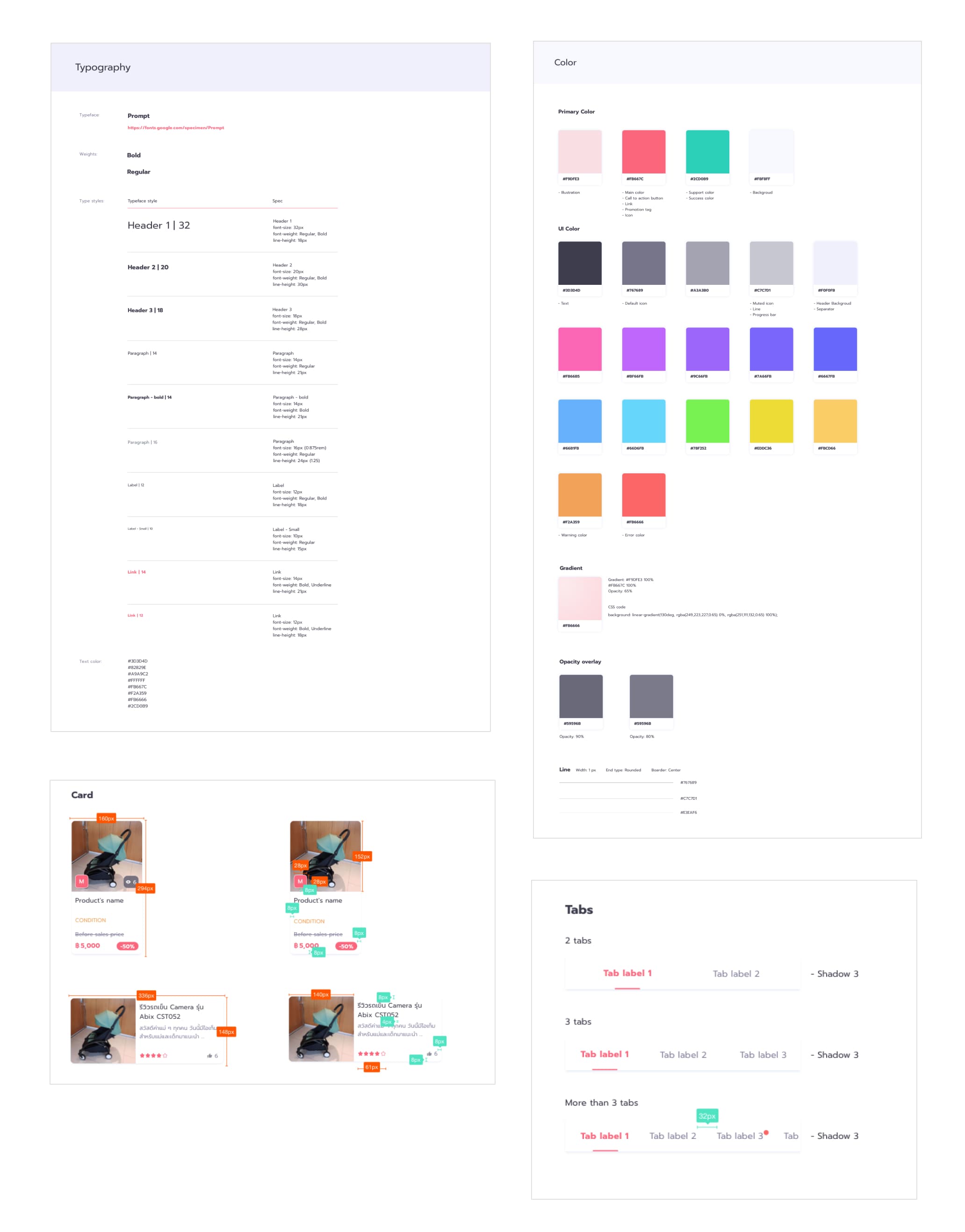
I build an application style guide including usages, design specs, and design variations.
After Launch
Outcome
MombieStreet launched and found its audience. At its peak the platform had grown to 200,000 members, with over 100 new product listings posted every day. Those numbers reflect product-market fit and users’ trust.
Reflection
This was a 0-to-1 project where I work as a sole designer, trying to bring the founders vision to life under budget and time constraints. It taught me how to make confident decisions quickly, how to prioritize what matters most when you can't do everything, and how to design for users whose needs go deeper than just completing a transaction.
If I were to do it again, given more budget, I would have tested again after the visual design phase. The wireframe testing was valuable, but there were features added later that never went in front of real users. I would also reconsider the branding direction. While pink worked well for our primary audience, it may have unintentionally implied that the platform wasn't for fathers. Dads buy strollers and car seats too, and a more inclusive visual direction could have widened the audience.