Code Chingoo — Designing a Kids Coding App from 0 to 10K Downloads
My role
Lead UX/UI designer
My responsibilities
- Participate stakeholders interview
- Information architecture
- Sitemap
- User flows
- Customer journey mapping
- Wireframing
Tools used
- Miro
- Figma
Project info
- 0-1 project
- Design prototype for the discovery phase
- iPad game application for kids (4-10 years old)
- Team of 3
Visit the application
Overview
A Thai startup founder approached us with an idea for a gamified learning app for kids aged 4–10, covering coding, art, and math. Before committing to full development, they needed to validate the concept, so the goal was to go from zero to a clickable prototype in roughly two months.
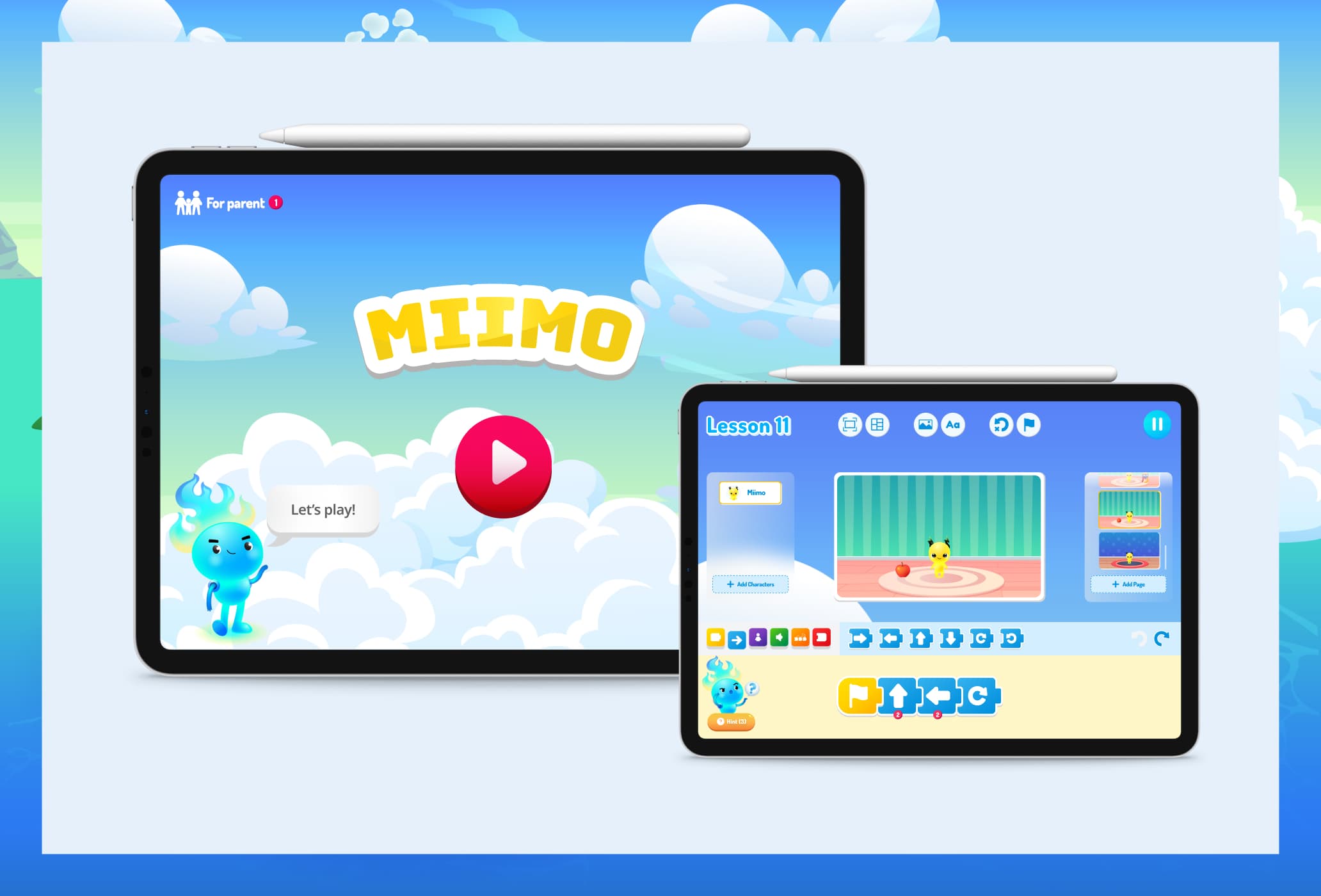
The app has two sides, a kid-facing game experience, and a parent-facing dashboard for tracking progress. The kid side is built around islands, each island represents a learning module (coding, math, art) and has its own monster that kids care for, motivating them to earn more coins. Kids earn coins by completing game levels and spend them in the monster home: buying food, clothing, and furniture to decorate their monster's room.
I led the design as the lead designer, guiding one junior designer across the full discovery and design process, while presenting to the client, and keeping both sides aligned at every stage.
Side note: At the time of designing, the product name was Miimo. Later on, it was changed to Code Chingoo.
Design process
Stakeholders interview
Aligning with the founders on vision, priorities, and business goals.
Research
Understanding our users, the market, and what design patterns work for kids.
Information Architecture
Mapping the full product structure, screens, flows, wireframes, and the emotional journey of both kids and parents.
Visual Design & Prototype
Bringing the product to life with a polished, clickable prototype
01 — Stakeholder Interview
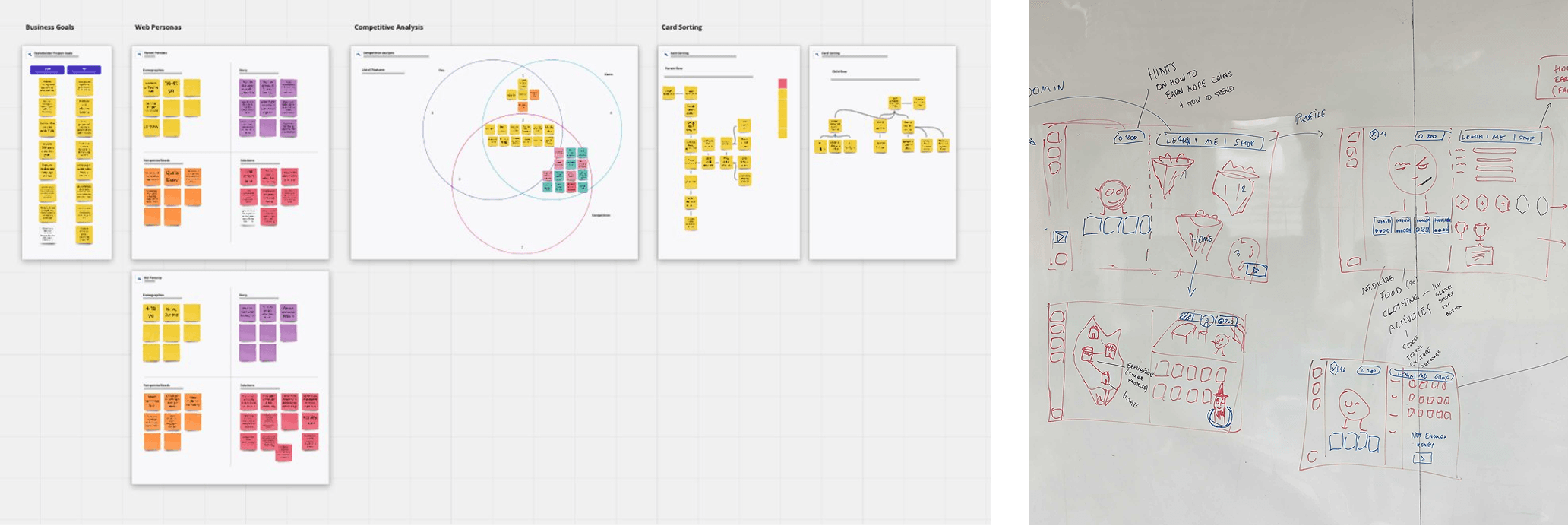
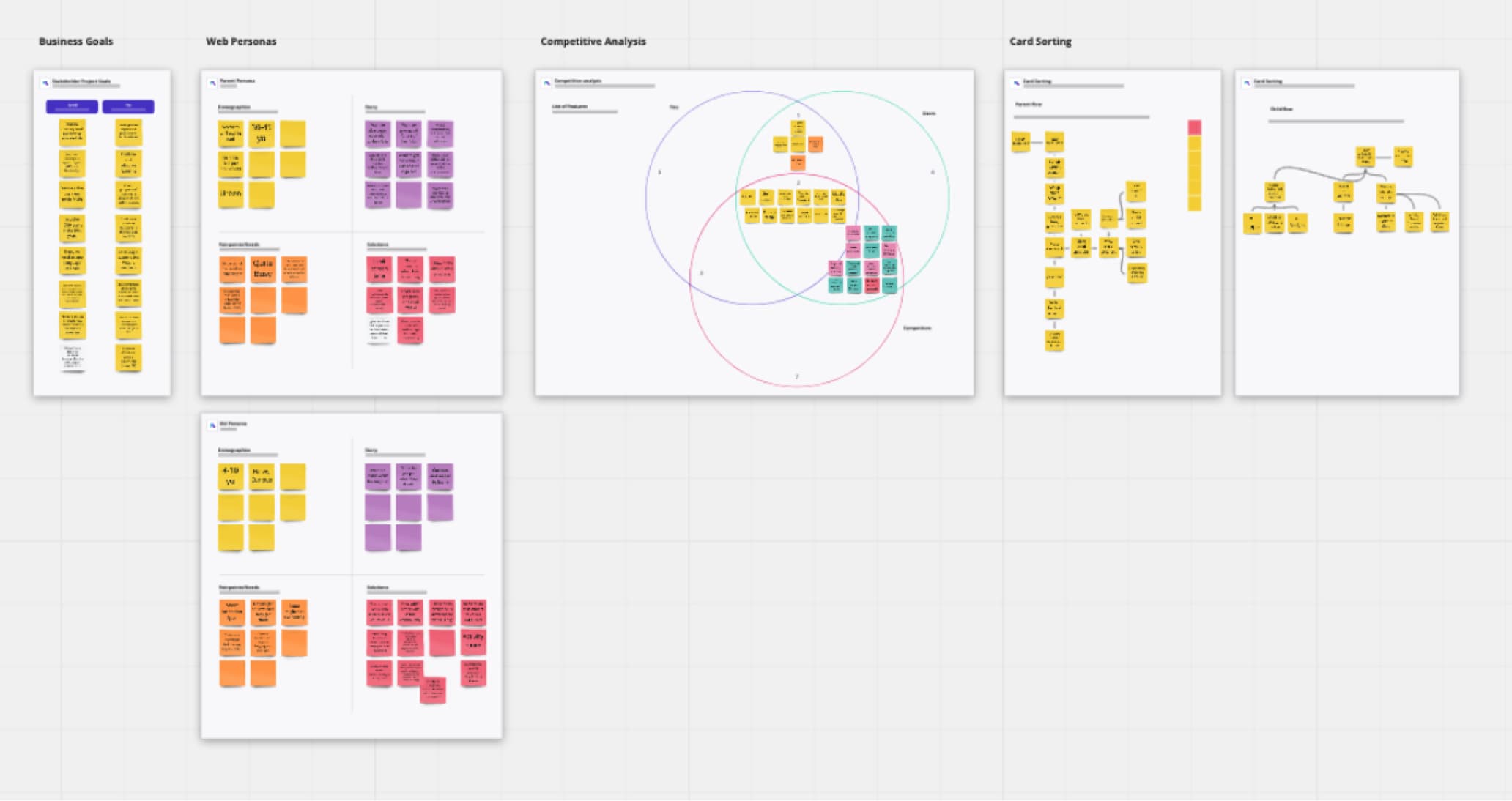
Aligning team understanding is a crucial part of every project. To produce good work, the designer needs to partner with the client. We ran a workshop with the two founders to gather requirements, exchange ideas, and solve problems together. Early-stage products often have a shared vision that lives in the founders' heads but hasn't been fully articulated out loud. This workshop surfaced that.
What became clear by the end:
- Shared vision: what the product should feel and behave like
- Feature priorities: what was core vs. nice-to-have
- The key business value proposition: a guiding principle for design decision that followed
- Alignment: both founders left aligned with each other and with us.
Starting with this alignment help avoid guesswork, which meant we could move fast. The design and the business share the same north star from day one.
02 — Research
User Research
The challenge
Kids aged 4–10 are one of the hardest user groups to design for. And I had no prior experience designing for them.
What I did
With no budget for formal user research, I had to be resourceful.
- I read Design for Kids: Digital Products for Playing and Learning by Debra Levin Gelman, a great book covering kids' mental models, behaviour, and design best practices.
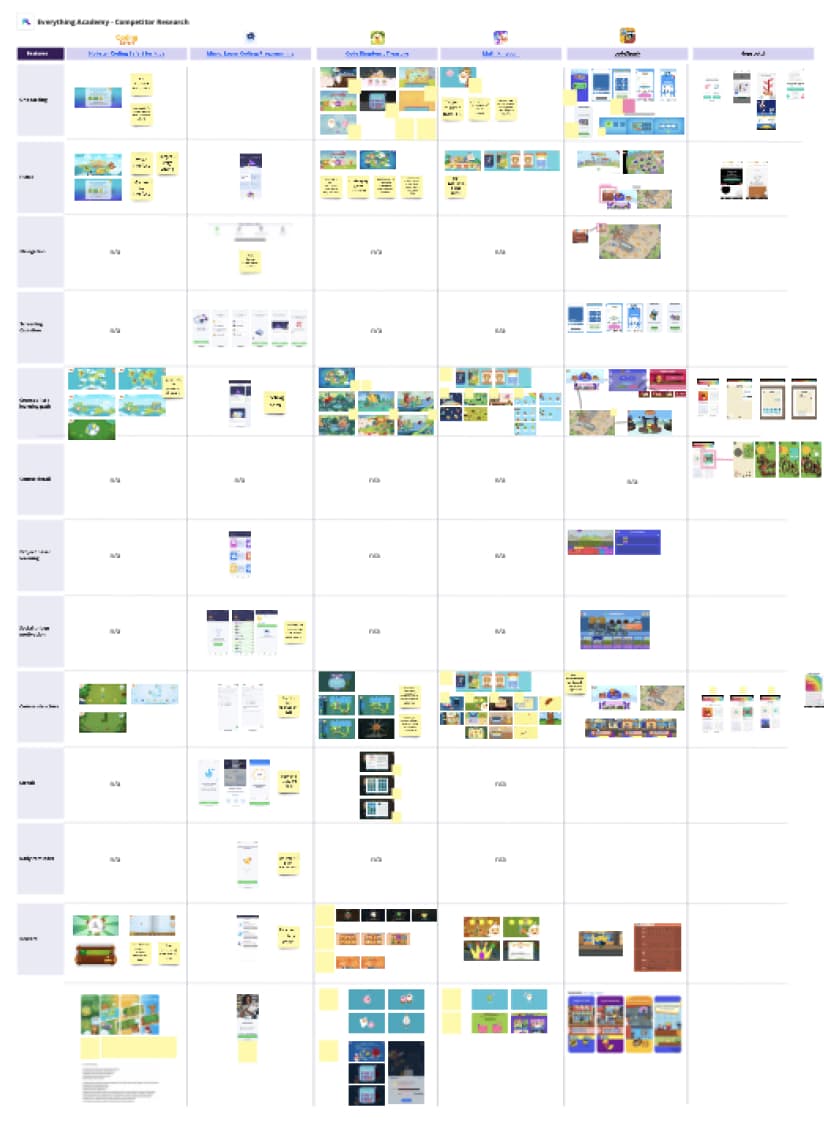
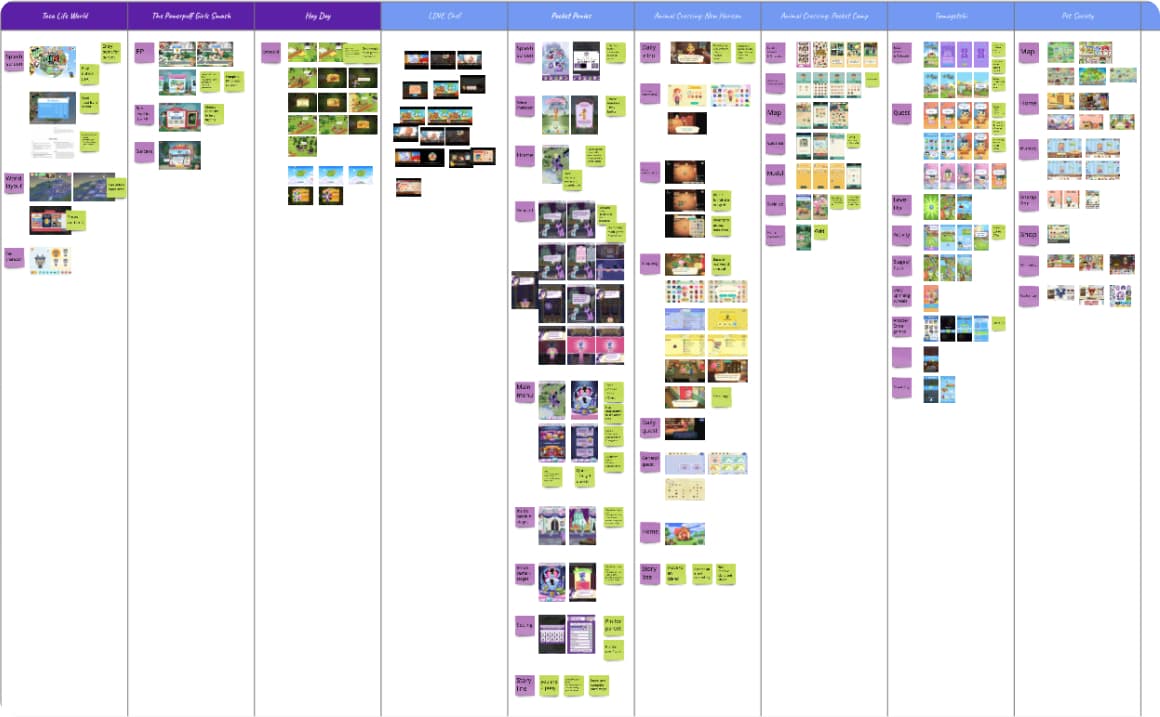
- I also tried out a large number of kids' games myself, documenting what worked, what didn't, and specific design decisions that stood out.
- For parent insight, I spoke informally with parents in my office. It’s enough to understand their core concerns: Will this game actually benefit my child? How much screen time will this involve?
Key findings
- Voice interface is essential: Younger kids might not be able to read yet and don't understand common UI symbols. We couldn't rely on text alone. That’s why a lot of kids product incorporated voice interface.
- Bigger touch targets: Young kids don't have precise finger control. The standard 44px target isn't enough.
- Short attention spans: Everything (copy, tasks, flows) needed to be concise. If it took too long, they’d gets bored or frustrated.
- Age makes a big difference: A 5-year-old needs more support and tends to get frustrated easily. A 9-year-old wants independence and gets bored quickly. The design have to balance between the need of the two user groups.
03 — Information Architecture
Sitemap
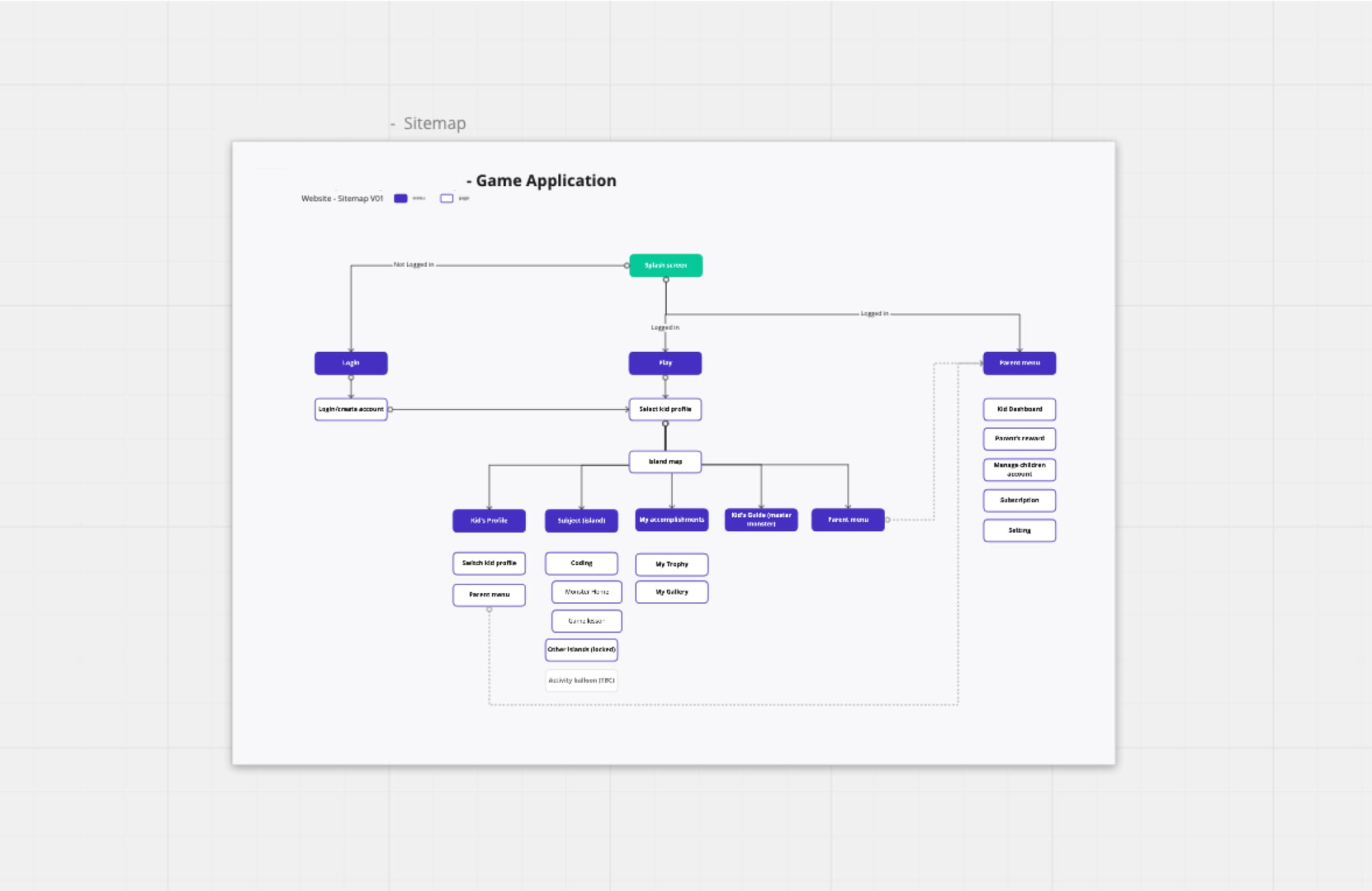
Starting from the high-level sitemap built with the founders in the workshop, I developed a more detailed, structured version, covering both the kid-facing side (gameplay, monster home) and the parent-facing side (progress tracking, account management).
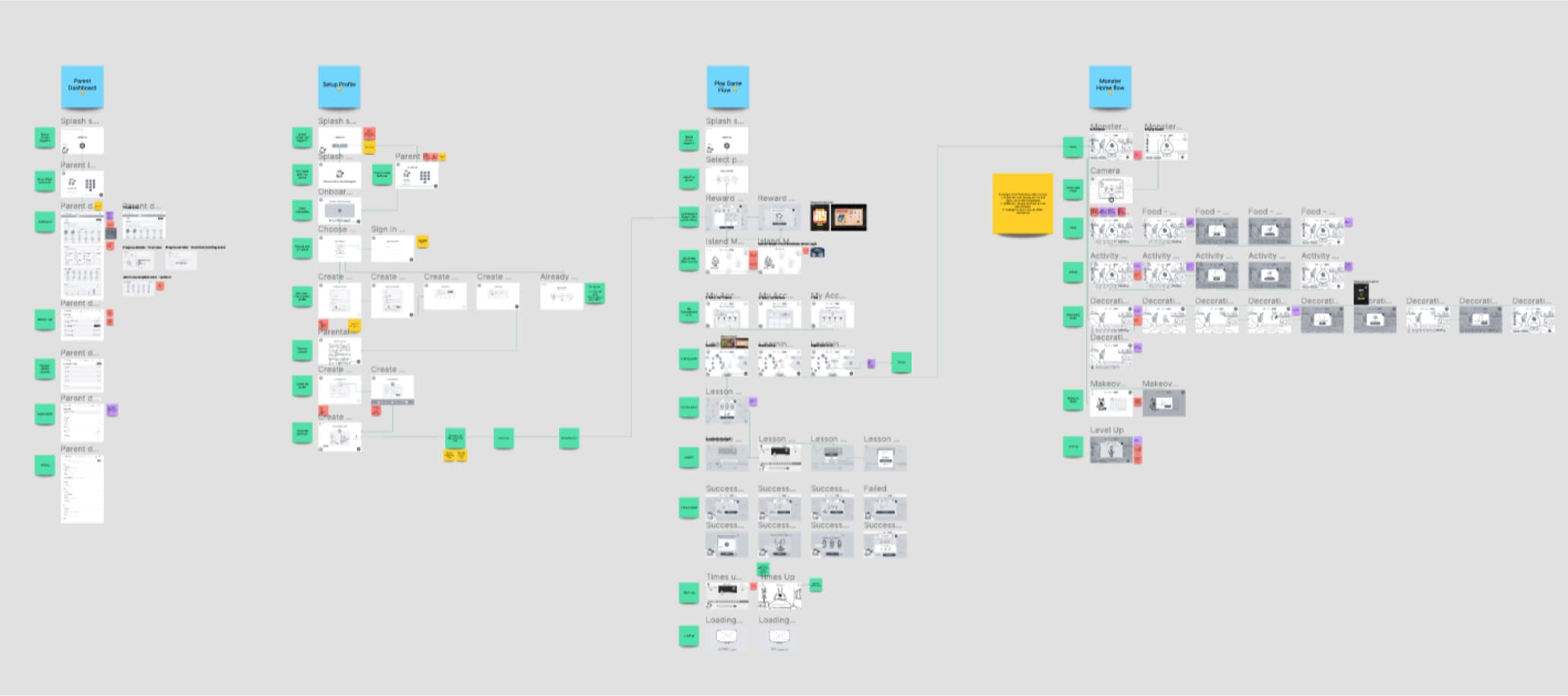
User Flows
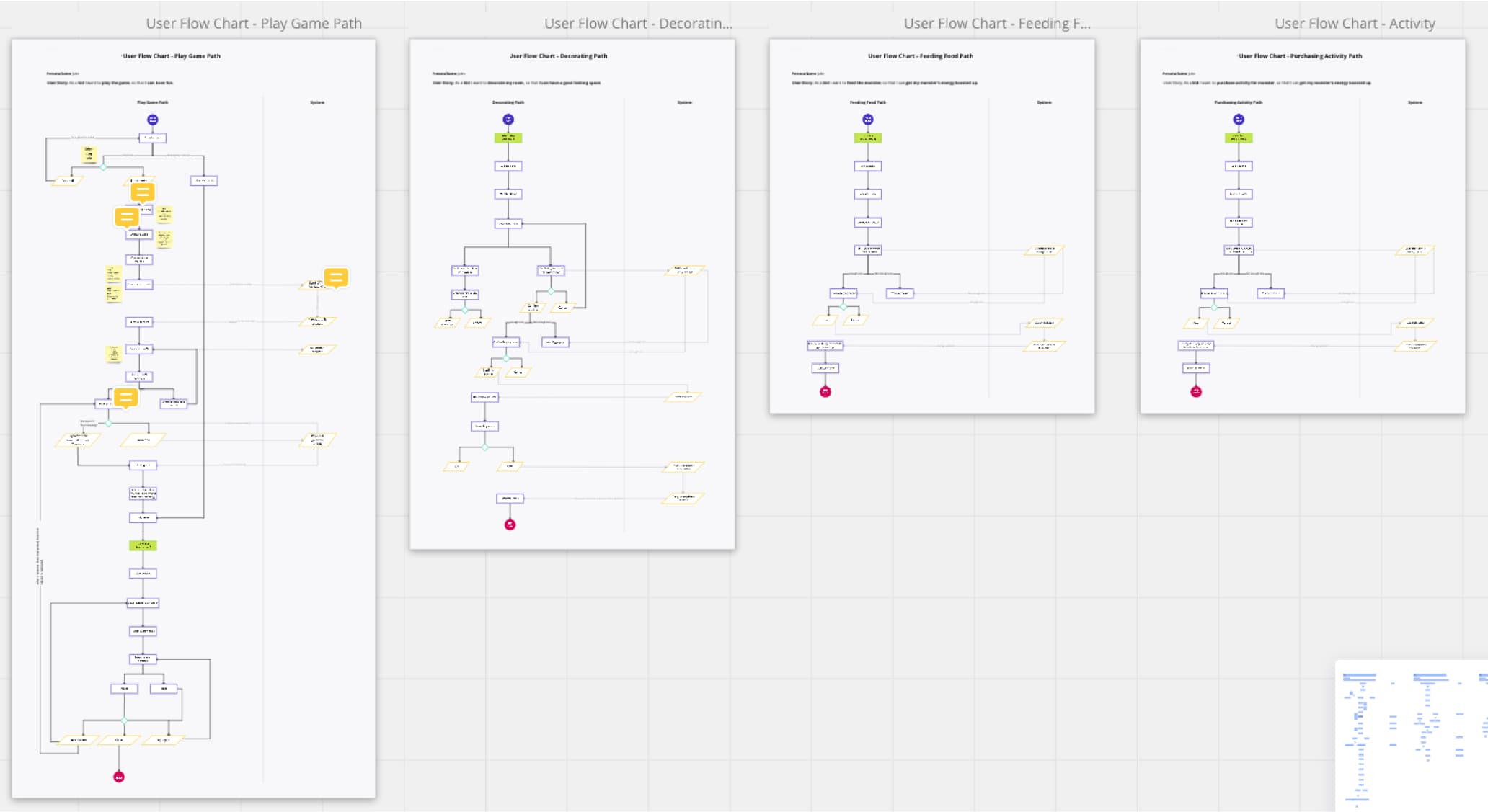
I mapped 4 main flows: play game path, monster home decoration path, monster feeding path, and monster activity path.
Mapping the flows helped uncover validation states and unhappy paths. For example: what happens when a kid doesn't have enough coins to buy food for their monster? These edge cases directly informed how many screens we needed to design and what states each screen had to account for.
Customer Journey Mapping
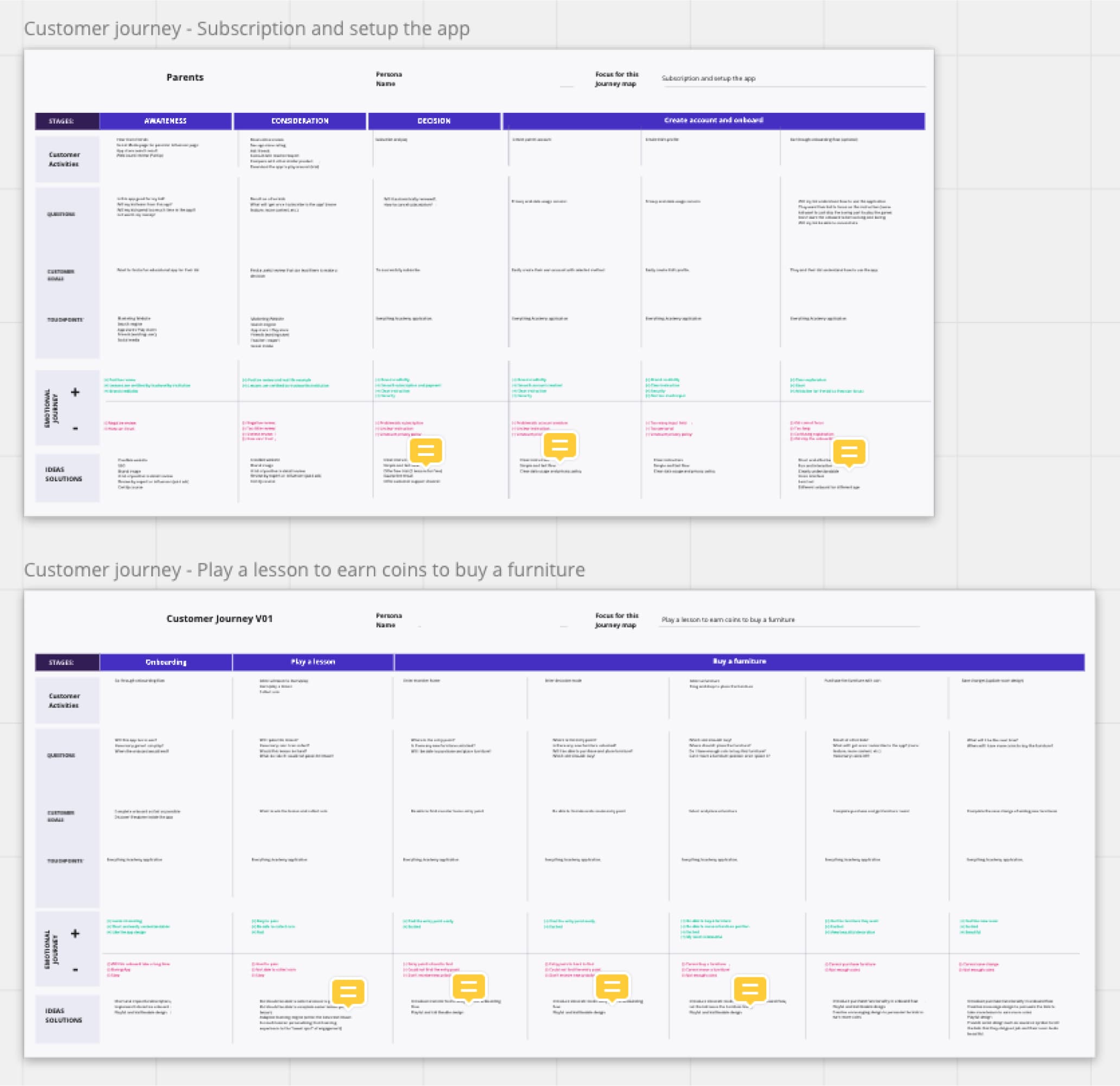
I created journey maps for both user types, focusing on the first impression emotional experience.
Parent journey - from discovery to subscription
The most critical moment is the parent's decision to download the app. Parents are asking: Will this benefit my child? How much time will they spend on it? Is this appropriate? The design had to answer those questions before the parent ever hands the device to their kid.
Kid journey - from onboarding to first decoration
Onboarding had to be short, fun, and interactive. A long or boring onboarding means a kid loses interest before they've even started. First game had to be easy enough to win. A kid who earns coins on their first try feels happy and wants to play more. A kid who fails or gets frustrated may never come back.
Wireframe
With the structure in place, I moved into wireframes, translating flows into screens.
Profile setup
Parents set up the app on behalf of their kids. A simple birth year input at the start identifies the parent and separates the adult setup experience from the child-facing one.
Play game flow
Learning topics are separated by island. Each island has a learning path kids follow at their own pace. Completing level checkpoints earns coins and trophies.
Monster home
Each kid has a companion monster they care for. Coins earned from games can be spent on food, clothes, and furniture. This create a loop between learning and play.
Parent dashboard
Parents can track their kid's progress, see strengths and areas for improvement, and monitor time spent in the app.
Wireframe Iterations Worth Highlighting
Several screens went through multiple rounds of exploration before we landed on the right direction
1. Navigation simplification
Early designs had too many tabs. The navigation was cluttered and too complex for young kids to process. Through iteration, we stripped it back, leaning heavily on icons and illustrations with text as a secondary label only.
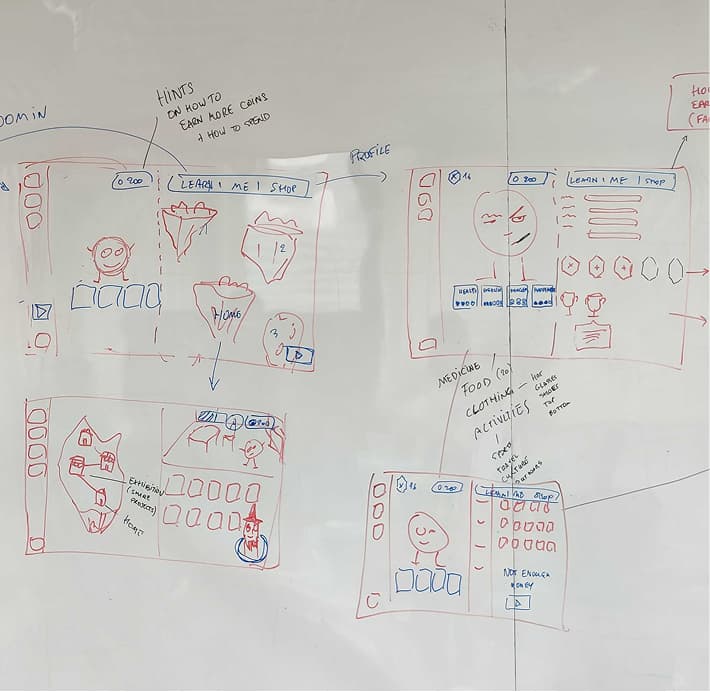
2. Home island (the homepage)
I explored 3 concepts:
- Concept 1 - All islands visible: All learning modules are visible on screen. The monster house is tucked in the corner as a button. Simple and easier to implement.
- Concept 2 - Immersive world: Islands spread out more across a the screen. Traveling between islands triggers a boat animation. The monster house lives in the nav bar. More engaging but more complex.
- Concept 3 - Carousel: Larger illustrations of each island, witch means we can add details like progress bars showing learning progression. Still easy to navigate and more visual, but requires scrolling effort.
- Result: We went with a mix of concepts 1 and 2. An immersive world where islands scattered across the screen like an adventure map. Each one is a new challenge to explore. Each island has its own monster house and monster to care for, keeping kids engaged across multiple learning modules (one monster house fills up fast). Each monster is named after a real-world legend relevant to the subject, for example, Pascal for the math island.
3. Learning path
I explored 2 concepts:
- 2-level navigation: The first page shows levels and the second page shows lessons within that level. Kids see the bigger picture, understand where they are, and have a strong sense of goal and accomplishment.
- Continuous path: All levels blend into one scrollable path. The next level unlocks when the previous one is finished. It’s easy to navigate, but goals feel less concrete.
- Result: We went with the continuous path. For young kids, ease of navigation outweighs the need for a concrete goal structure.
Balancing the Needs of Young and Older Kids
One of the design challenges was that our audience spanned kids aged 4–10. Their needs differ dramatically. A 5-year-old needs guidance and gets frustrated fast. A 9-year-old wants independence and gets bored just as fast. Here is how we addressed it:
💡 Hint button
For younger kids, getting stuck on a game level can be very frustrating. So I added a Hint button they can tap whenever they need a nudge.
👋 Friendly guide character
We also included a friendly guide character on every screen. When kids tap on it, the character suggests what to do next.
📝 Starting level test
Before beginning any subject, kids take a short test to find their starting level. This prevents older kids from being bored by content that's too easy.
🏆 Trophy collection
Older kids need goals and a sense of achievement. Earning trophies after finishing game checkpoints will give them give them something concrete to work toward.
🏂 Play at their own pace
Kids aren't forced to tackle levels in order. They can choose to play any level they want. This helps reduce pressure and frustration
04 — Visual Design & Prototype
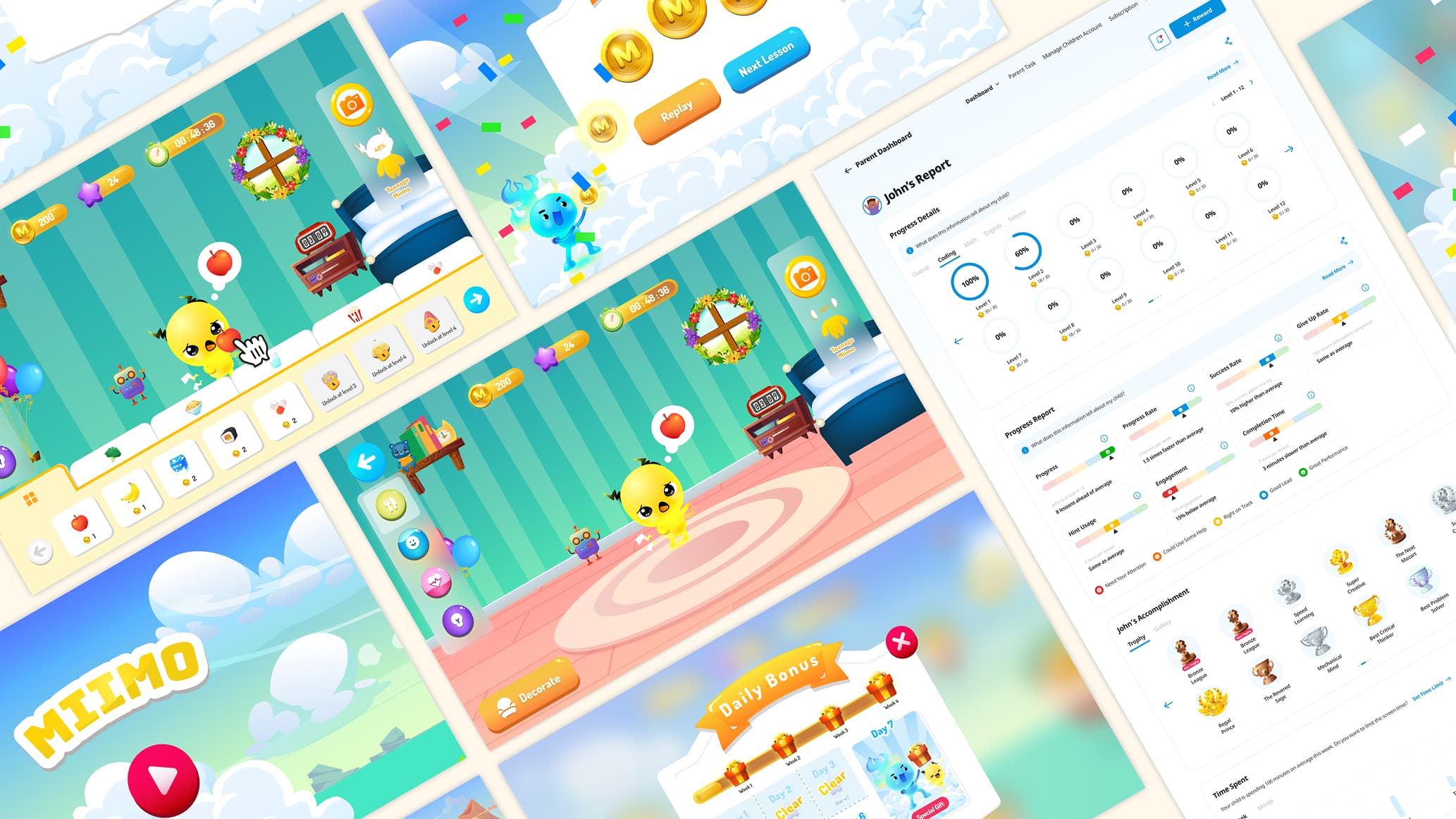
With the structure in place, I work on the visual design while coordinating with the branding team who provided illustrations. Some key visual decisions:
- High contrast and bold colour: For accessibility and engagement for young kids.
- Large touch targets: Applied to all clickable elements, accounting for imprecise finger control.
- Consistent component visual and behaviour: For example, navigation buttons use one fixed design throughout. In-game action buttons use a distinct style. Kids always know what mode they're in.
After Launch
Outcome
Code Chingoo launched and continues to operate until today.
- Google Play: 4.8 stars - 218 reviews - 10,000+ downloads
- App Store: 4.8 rating - 94 ratings
By the end of the project, we shaped an early-stage idea into a structured, user-centric product. With a validated concept, a prioritised feature set, and a foundation built for future growth, localisation, and scale.
Reflection
What I'd have done differntly if there were no timeline and budget constraint
- Preliminary research with real kids and parents: Observing how kids engage with electronic devices and interact with games firsthand would have given me much better insight than reading alone.
- Involve a developer earlier: No developer was involved at this stage. Looking back, having one in the room early would have answered a lot of feasibility questions. I wonder if some design decisions might have been shaped differently.
- Usability testing with real kids: An observation of kids using the prototype would have surfaced interaction issues early so I had a chance to improve it.