From Data Overload to Decision Confidence: Redesigning a Derivative Warrants Platform for a Thai Financial Institute
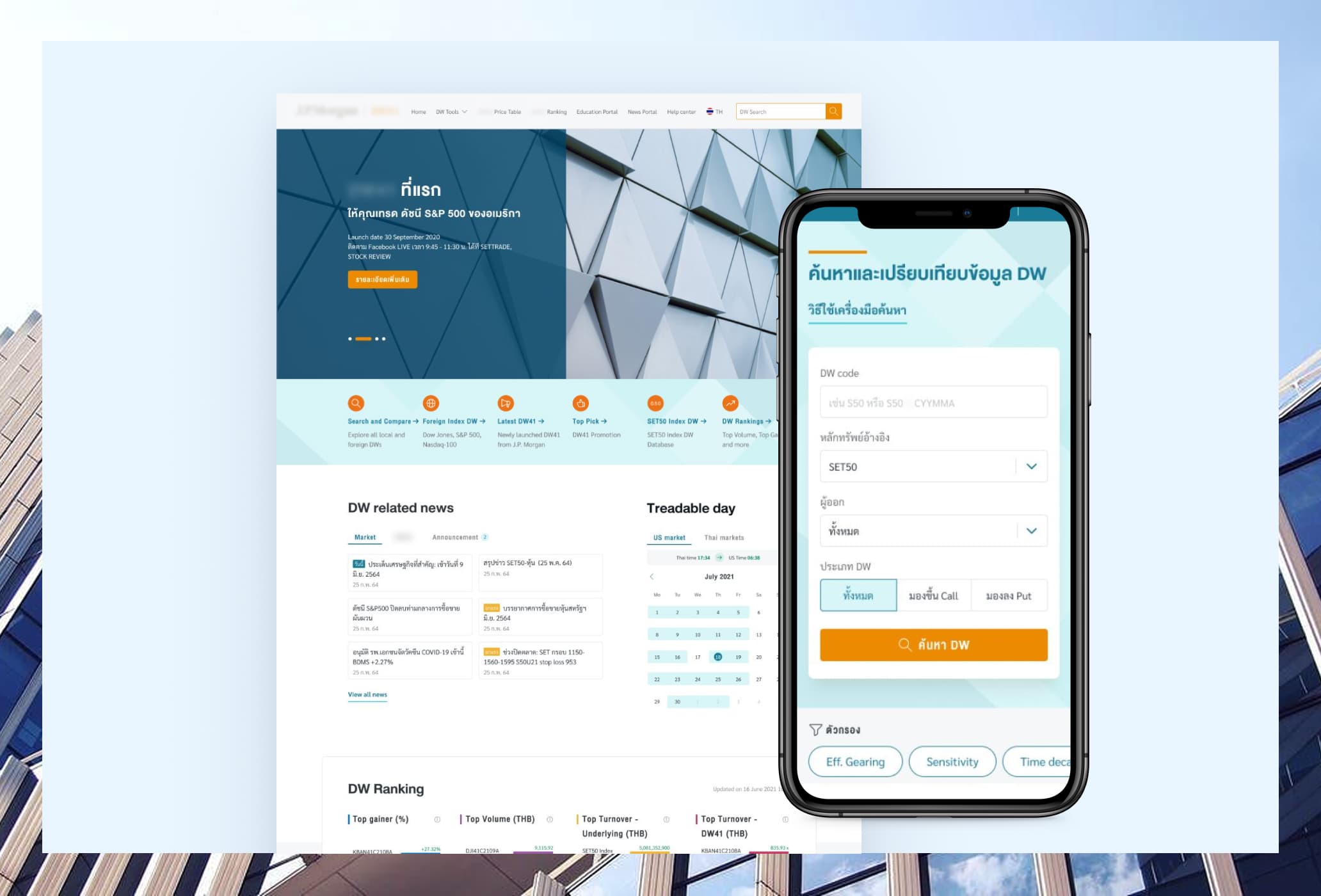
My role
Lead UX/UI designer
My responsibilities
- Synthesizing research information
- Information architecture
- Sitemap
- Wireframing
- Concept design
- UI design
Tools used
- Miro
- Figma
- Lookback
Project info
- Responsive website redesign
- Team of 3 (UX researcher, Junior designer, and I)
Overview
The project
A leading Thai financial institute approached us to redesign their derivative warrants (DW) website. The existing site was visually outdated, information-heavy, and difficult to navigate.
The goal was not simply a visual refresh. The real challenge was: how do you design a single website that guides a beginner investor who has never traded DW, while simultaneously respecting the sophisticated trader who finds guidance patronizing?
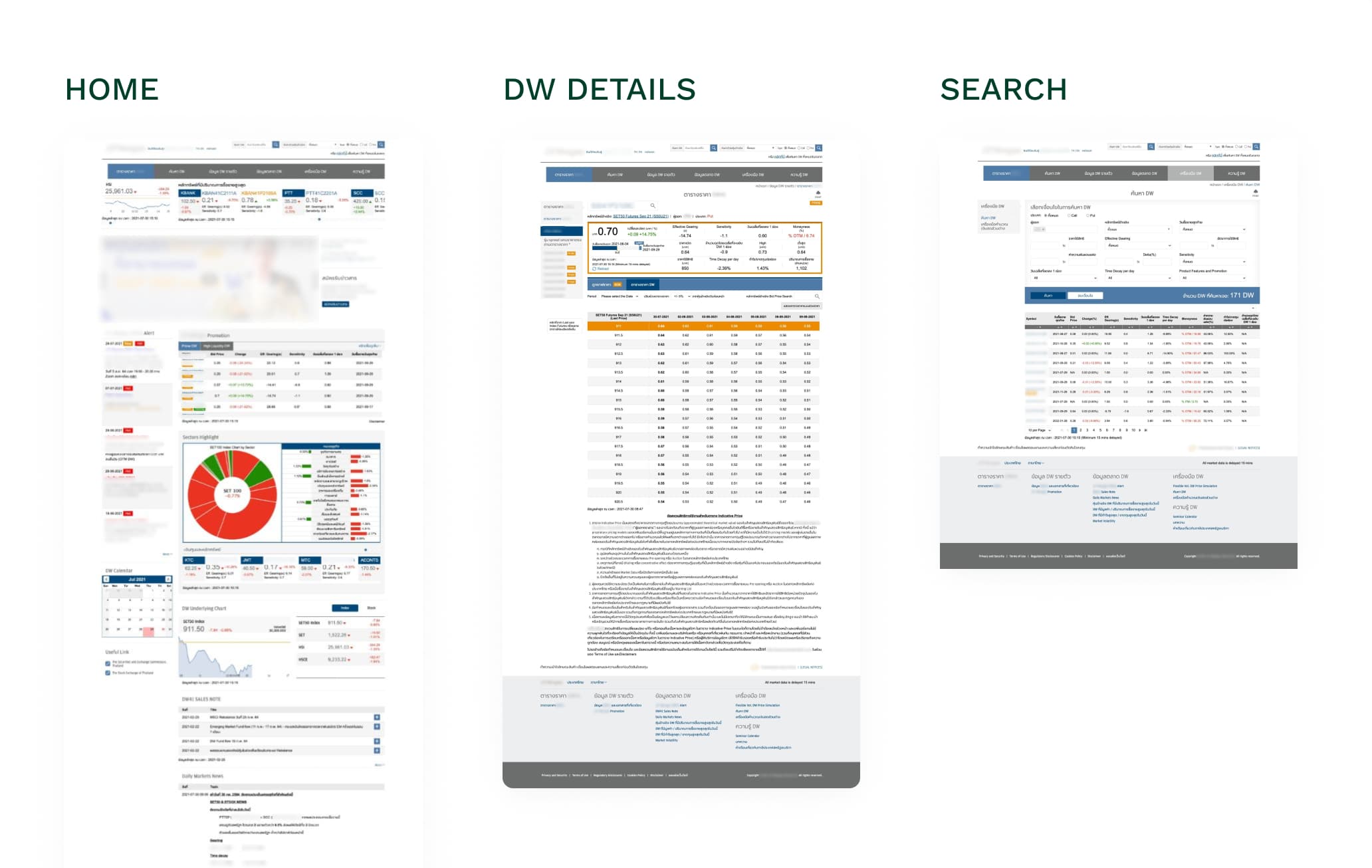
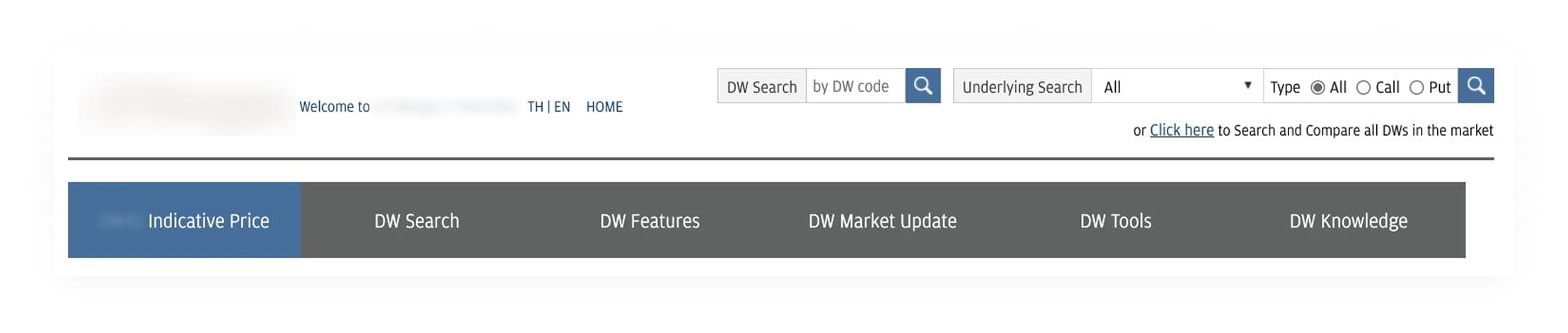
Existing website:
What Is a Derivative Warrant?
A Derivative Warrant (DW) is a type of financial derivative instrument that gives investors the right to buy or sell an underlying asset (such as a stock or index) at a predetermined price within a specific time period.
How DW works
- Each DW is linked to an underlying asset (e.g., a stock).
- It has a strike price (the agreed price to buy/sell).
- It has an expiration date (limited lifespan).
- When the market moves in the expected direction, investors can profit from the price difference. Investors use “call DW” when expecting the price to increase, and use “put DW” when expecting the price to decrease.
DW’s value doesn't just depend on the underlying asset's price. It's also affected by time decay, sensitivity, and leverage, making them harder to understand than regular stocks. Their leverage amplifies both gains and losses, while time decay reduces value as it gets closer to expiry, meaning investors can lose money even if the market moves in their favor. Even experienced traders find DW complex.
The Challenge
- A complex product: Derivative warrants is not a straightforward financial product. It involves multiple technical variables (time decay, sensitivity, effective gearing, underlying asset movement) that even experienced traders need time to interpret. Designing for this product meant we couldn't simplify to the point of inaccuracy, but we also couldn't present raw complexity and expect users to navigate it confidently. The design had to make something difficult to feel more approachable without dumbing it down.
- The user literacy gap: Newbie traders has limited knowledge of how DW works. Yet the product itself demands an understanding of financial concepts like time decay, sensitivity, and underlying asset movement. Design that work for experienced traders, dense data tables, technical terminology, raw numerical values, are intimidating for a beginner encountering DW for the first time. But we also couldn't strip out the complexity that experienced users depend on. Every content and UI decision had to account for this gap, either by adding context that helps beginners orient themselves, or by ensuring that added context never slows down the users who don't need it.
Design process
Stakeholder Workshop
Workshop with the client to gather requirements and establish shared vision.
User and Influencer Interviews
Interviewed DW traders and industry influencers to build user understanding from scratch.
Information Architecture
Reorganized the site structure using competitor research, sitemap, and wireframes.
Visual Design
Designed UI screens incorporating branding from the client's branding team.
Prototype & Usability Testing
Built a clickable prototype and tested with real users to validate design decisions.
01 — Stakeholder Workshop
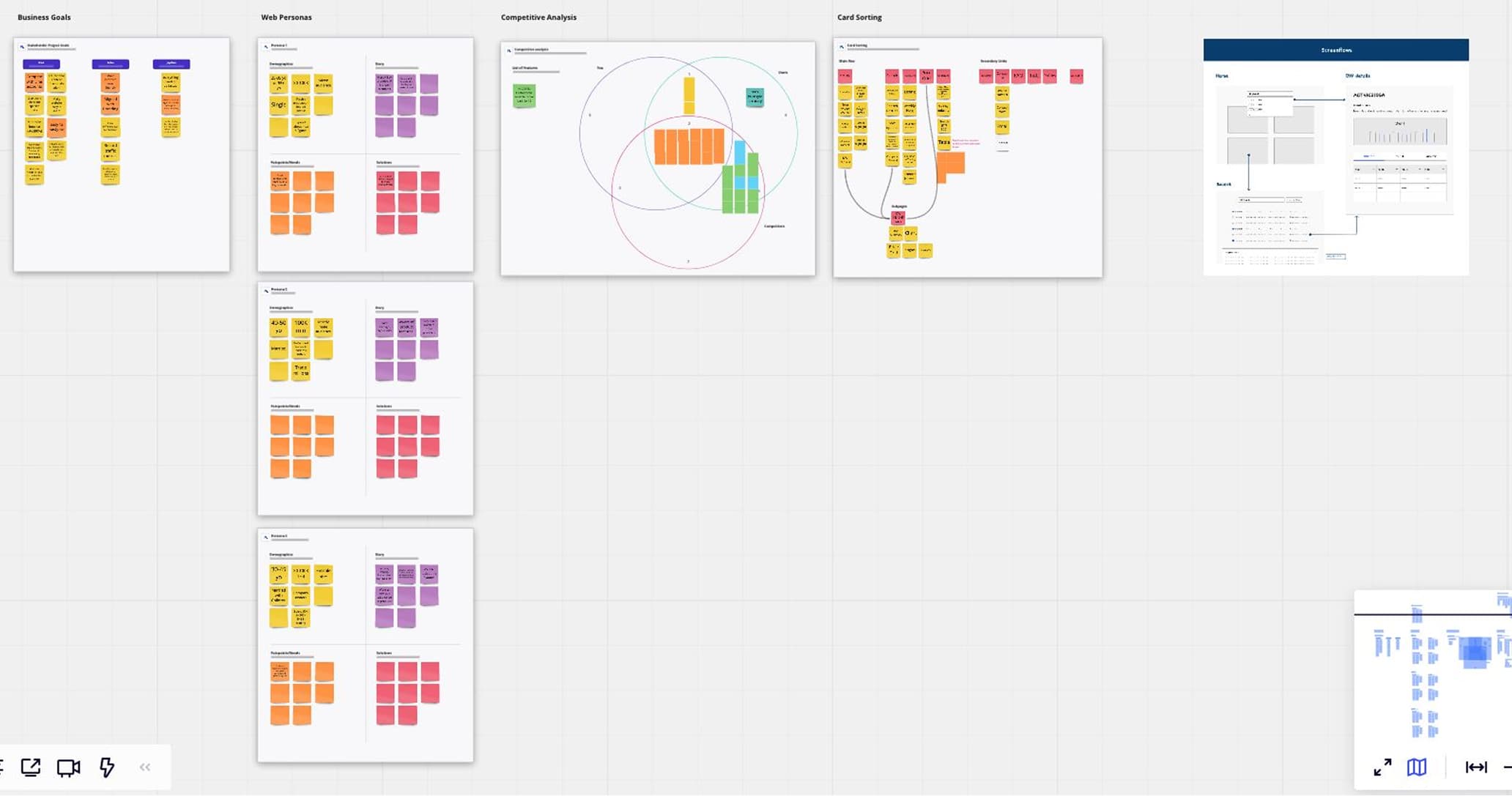
We ran a workshop with the client to gather requirements, align on project goals, and sketch high-level wireframes together to visualize ideas. These were rough structure-level sketches, but they established a shared vision.
02 — User and Influencer Interviews
I collaborate with the UX researcher to conduct the interview to get a better understanding of the users. We interviewed both active DW traders and influencers who specialize in DW analysis.
The user interviews revealed how differently each group makes investment decisions. Despite different levels of experience, they all felt the existing website gave them too much information and too little guidance on what actually mattered.
The influencer interviews gave us a unique perspective into user needs. As people who regularly communicate with and receive questions from DW investors, they had firsthand insight into what users struggle with, what they ask most, and what they actually need from the product.
Here are the key findings:
- Information overload: Too much data on screen at once made it hard to identify what actually mattered. Users flagged this as a key pain point with the original site.
- Users make investment decision differently: Users had to open multiple tabs just to compare options from different issuers on the same underlying asset.
- Educational content is crucial: Newbies trust people (financial experts, influencers). Middle users trust cross-referenced data. Sophisticated users trust only themselves.
- Users want to compare DW across issuers: Multiple users sited courses, analyst opinions, and broker content as their source of information.
There are 3 user groups:
Newbie Investors
These users think of themselves as non-experts and actively seek out specialists, such as a trusted broker, an investment guru on Facebook Live, or an analyst, to guide their decisions. They want analysis and context that helps them feel confident, not to be told what to do directly.
"I listen to Investor Guru live one Facebook before making decision. Their opinion influenced my action around 80%, quite significant."
"I’m not expert, I want to see the opinion of the analysts for the trend, doesn’t have to be for specific DW. For example, what are the effect of the currency on each stocks, so that I can decide on DW of those stocks"
Design implication: These users need some guidance or visual cues without the site making direct recommendations.
Middle-Experience Investors
These users have been burned by following a single source of information. They now cross-reference multiple sources, actively monitor their positions, and adjust strategy as conditions change. They want analysis and context, not instructions.
"We need to have many sources of information to get the complete picture. One source of information is never enough. I won’t take action solely on what is told be single person."
"I want to see the real time update, chart and if possible the tools. Yes we can see it in Streaming (trading platform), but I don’t make decision right away, I look for information first, I might not have opened Streaming (trading platform) yet."
Design implication: These users need complete, accurate, real-time data that lets them build their own picture. They get frustrated by information overload but are equally frustrated by oversimplification.
Sophisticated Investors
These users have long stopped listening to analysts. They trust their own judgment and use other people's behavior as a market signal not as a guide. They want data that is fast, clean, and free of noise.
"I stopped listening to Analysis for a long time now. Their point of view is not mine, it will only make me doubt my own judgement hearing from them."
"I follow investors group chat to see what others are thinking, but I won’t follow them. Instead, I want to know their action so I can make my own plan."
Design implication: These users need a fast, efficient interface that surfaces the data they need without friction. Anything that feels like hand-holding is a barrier.
03 — Information Architecture
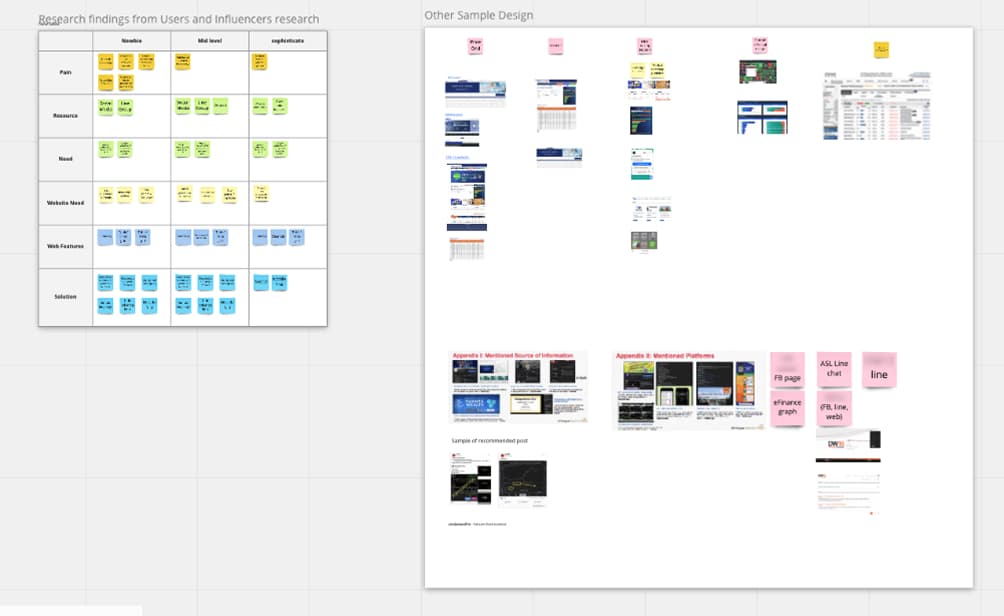
With user insight established, we conducted competitor research and ran an ideation session to align direction with the client.
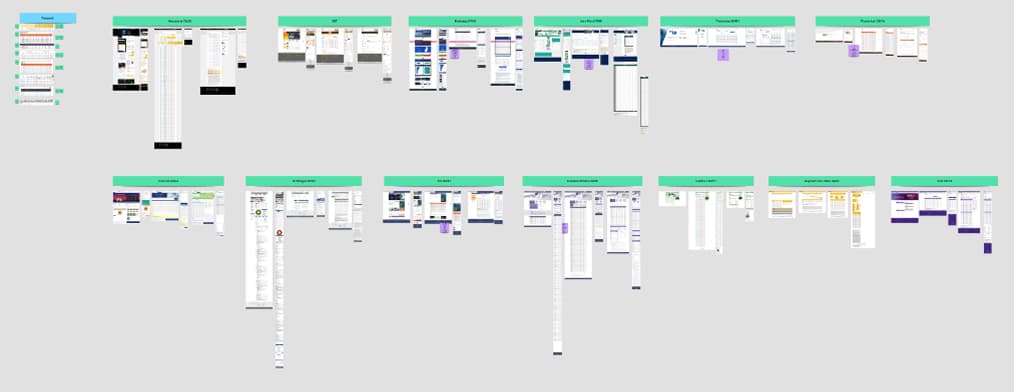
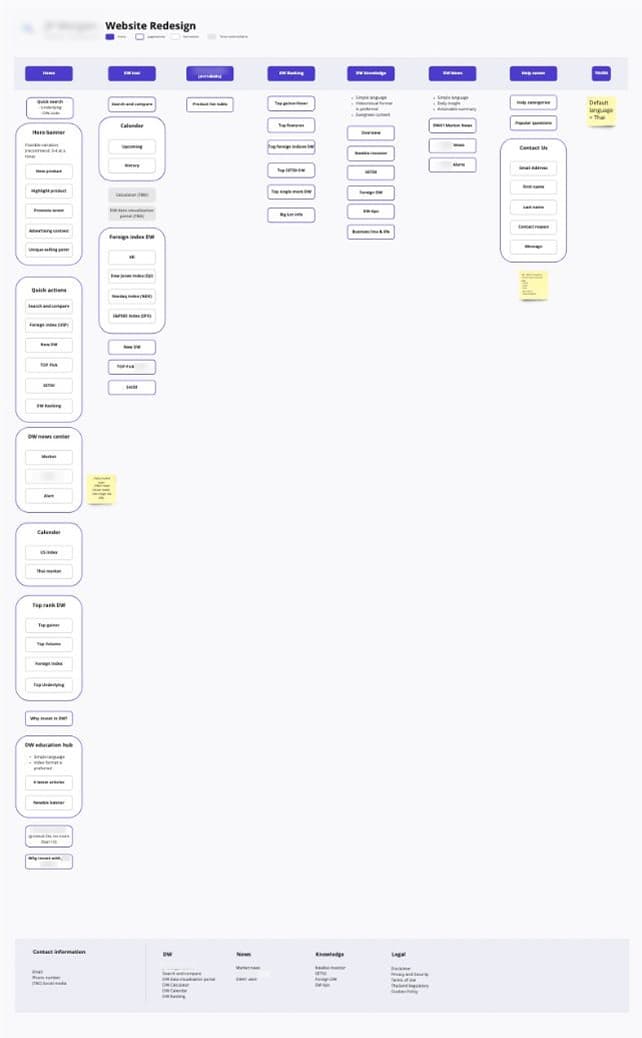
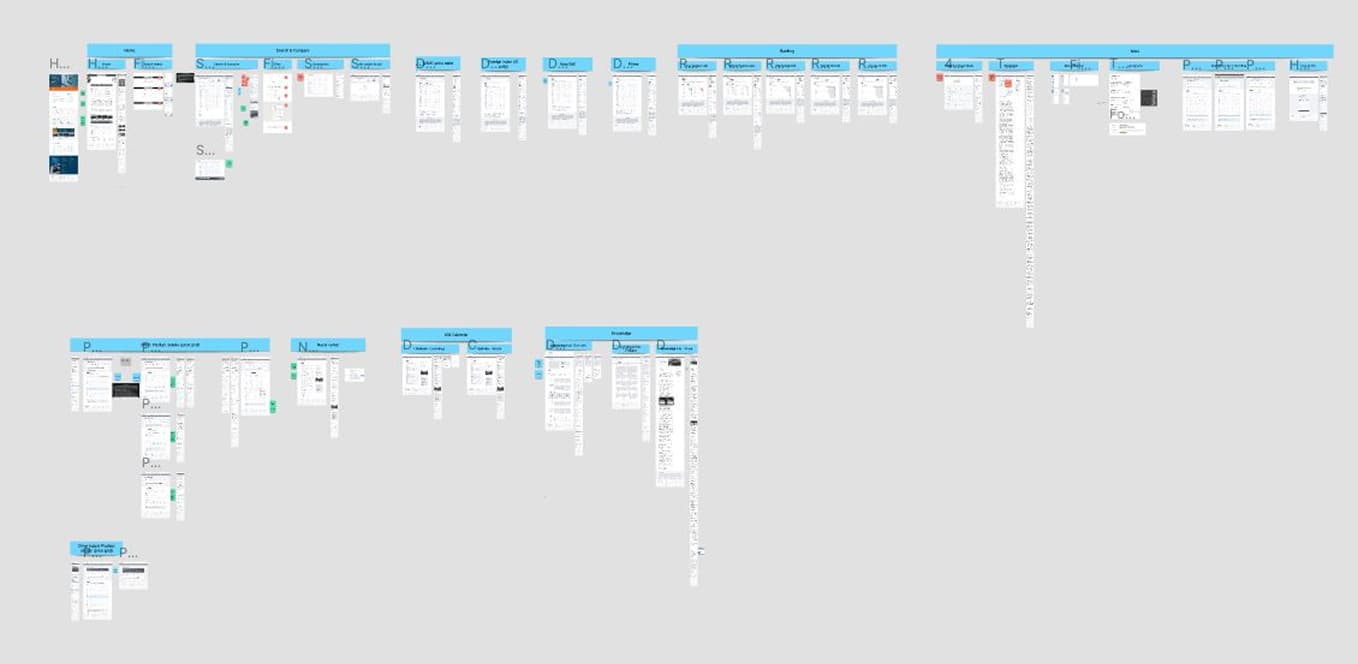
We then synthesized the data and created the sitemap and wireframes based on our findings.
Key Design Decisions
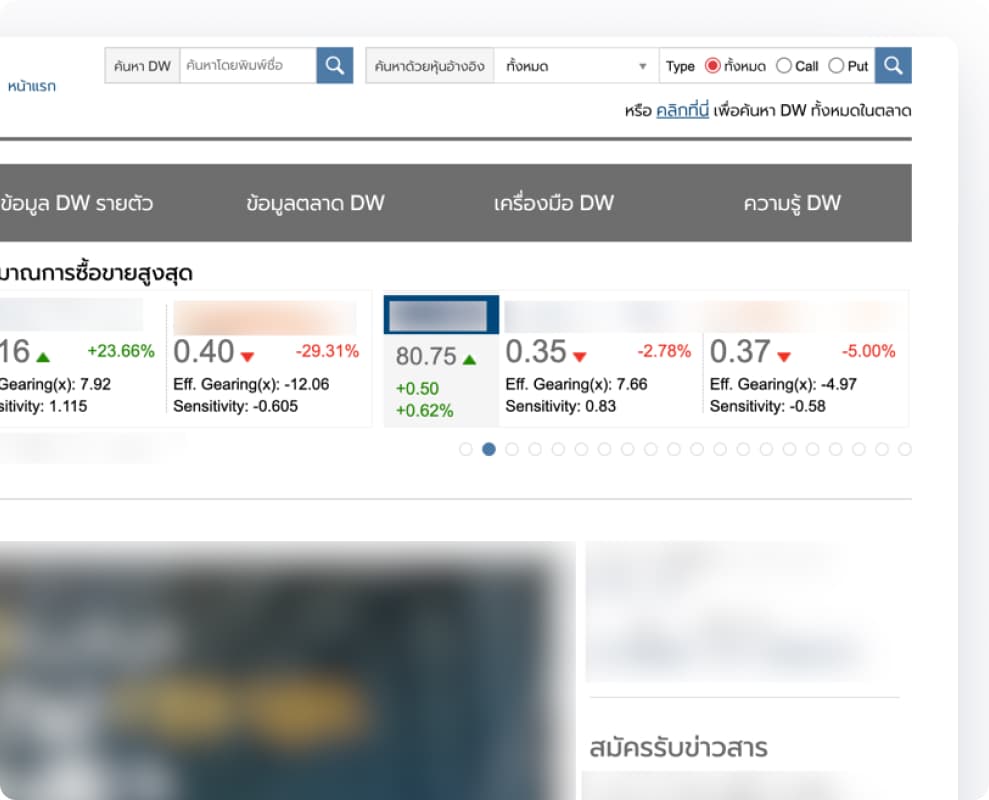
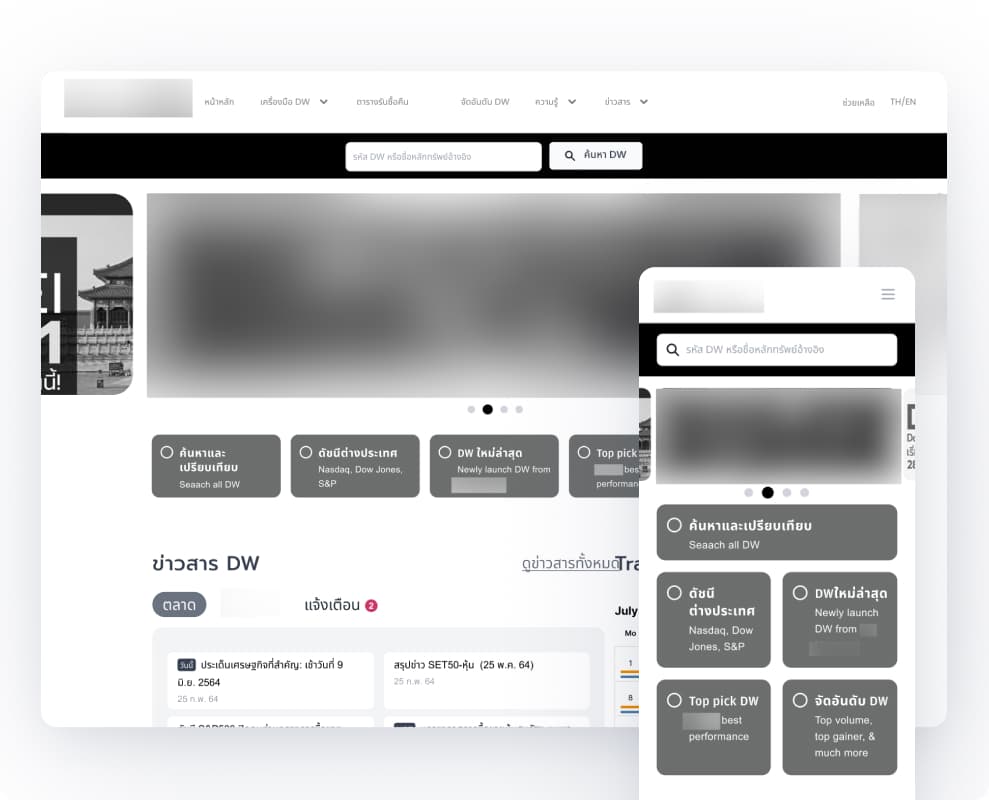
1. Prominent Search Bar: Every user group said search is the first thing they look for on a DW website. On the original site, search was buried in a cluttered navigation bar with too many competing elements. I cleaned up the navigation structure and simplified the section below it, so the search bar could stand out as the clear primary action of the website. Autosuggest was added to reduce friction for users who may not know the exact DW code (DW codes are 10-digit long).
Before: Homepage
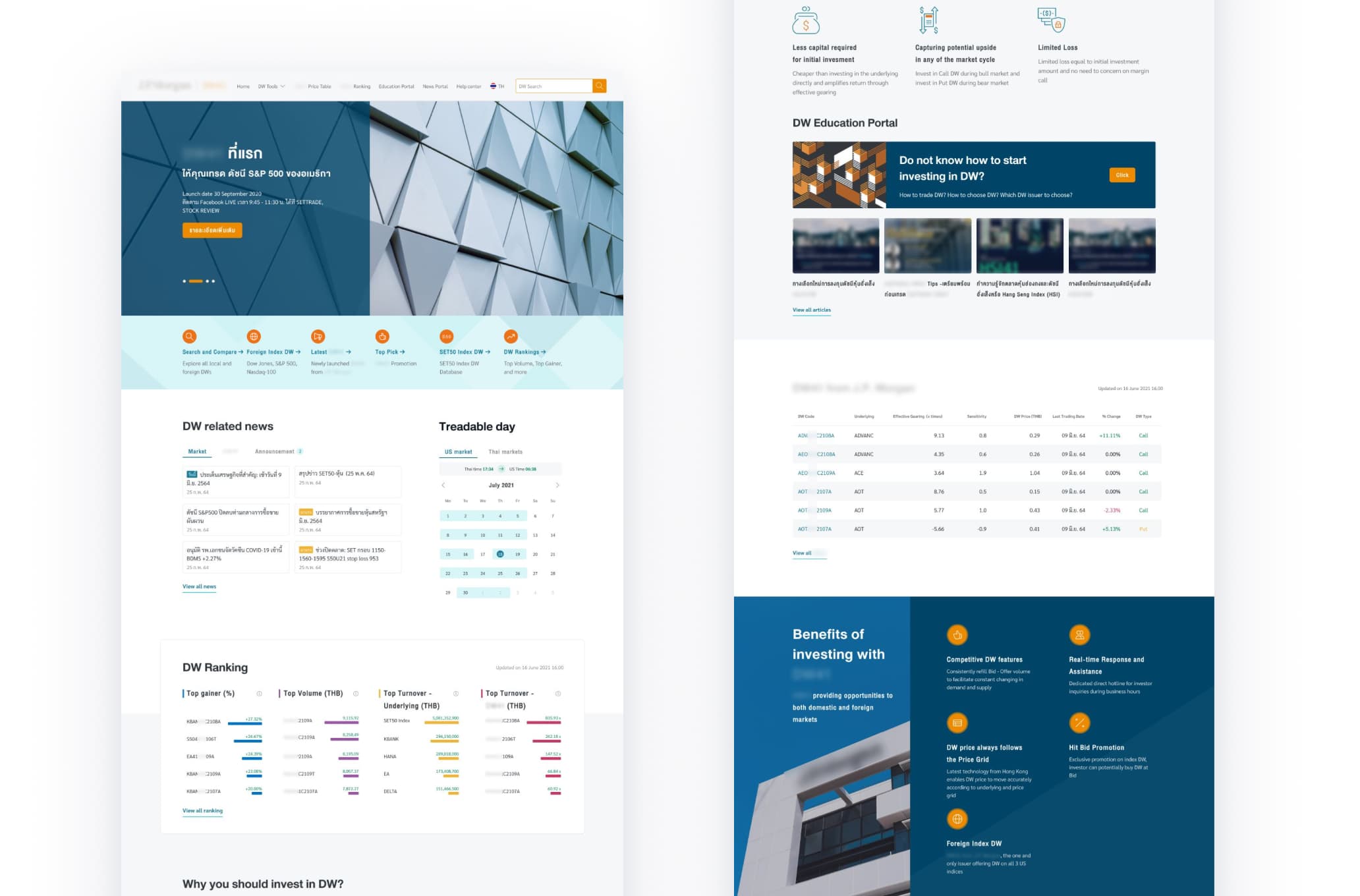
After: Homepage
2. Visual Signal: Research showed that newbie investors rely on brokers, gurus, and analysts to guide them. To facilitate decision making on the website, I included icon indicator in the DW table. Each icon signal a market condition or DW’s property, for example, New DW, Top Pick, Low Time Decay, Hit Bid, Overpriced, Nearly Expire. These icons allow users to make their own judgment with more confidence and less time spent interpreting raw data. For a beginner, this is the guidance signal they were looking for. For a sophisticated user, it is a fast data filter they can choose to use or ignore.
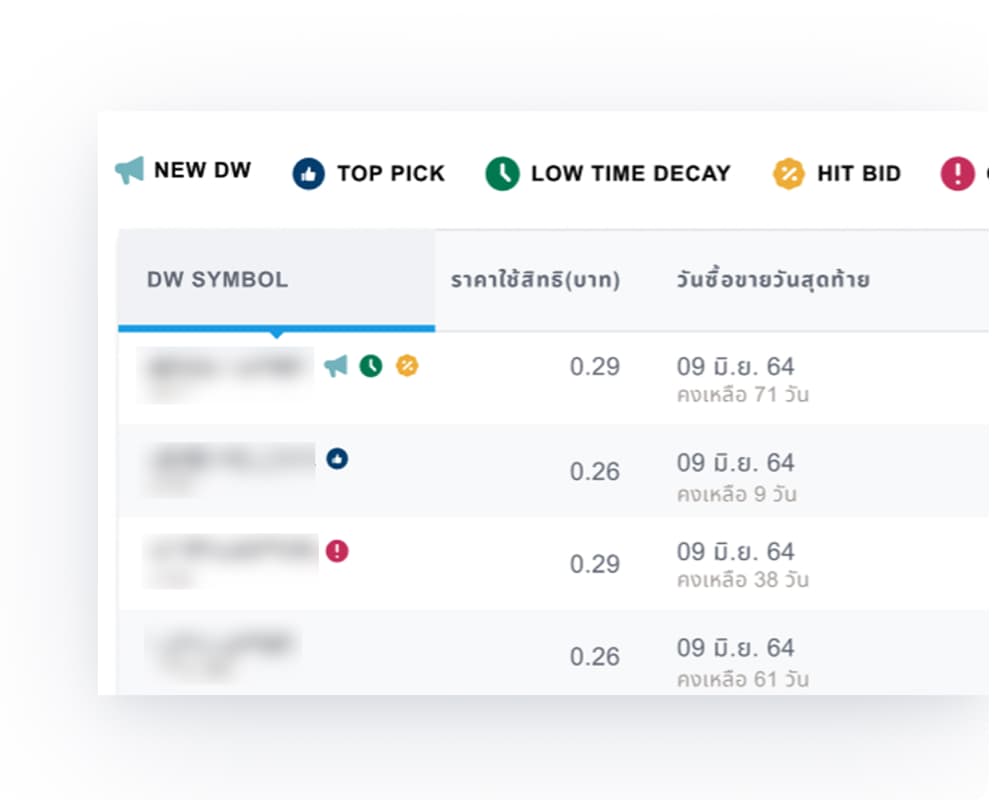
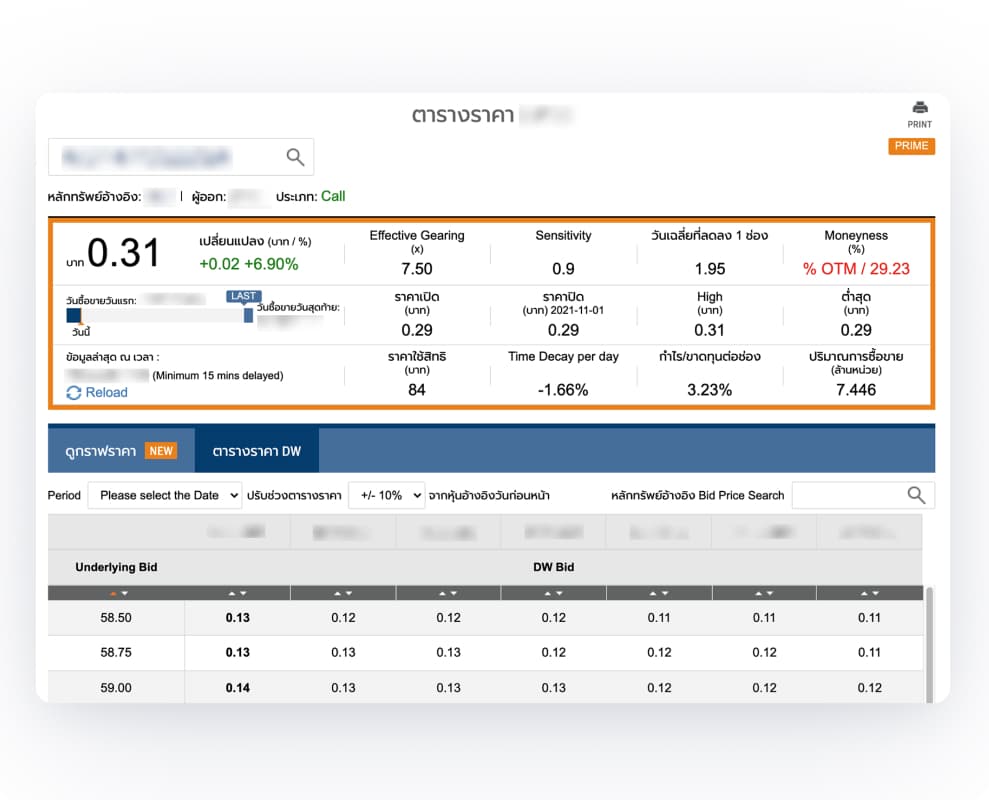
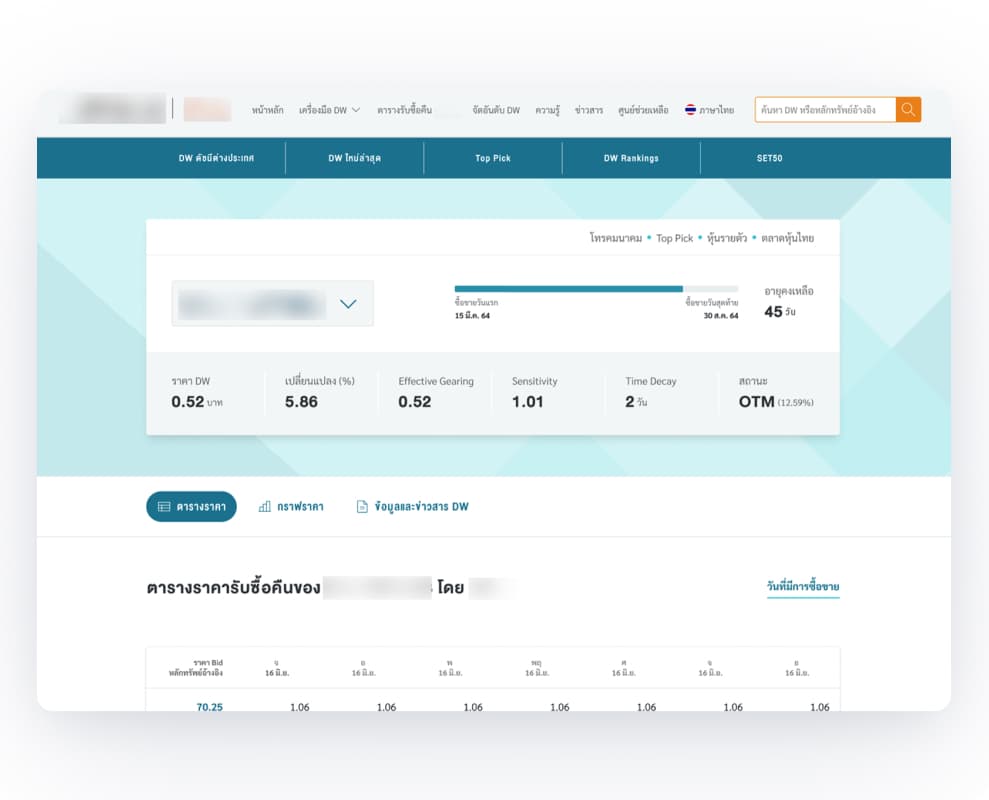
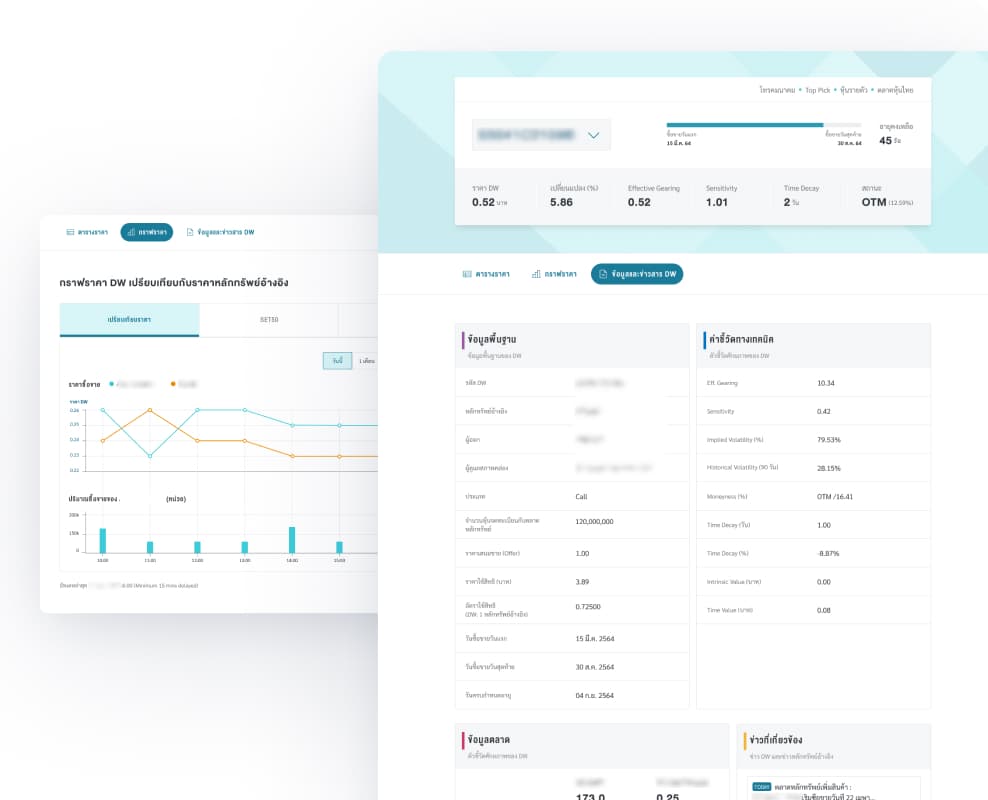
3. Information Reduction & Progressive Disclosure: Across every interview, the most consistent feedback was: there is too much information on screen. The original site presented all available data with no hierarchy. We looked at the existing website and cut/move anything that not useful, based on what users said they actually use to make decisions (price, sensitivity, and time decay). Secondary and supporting information was moved into expandable sections, tabs, or the detail page. The result is a cleaner table and a homepage that surfaces what matters, with a clear path to more detail for users who want it.
Before: DW details page
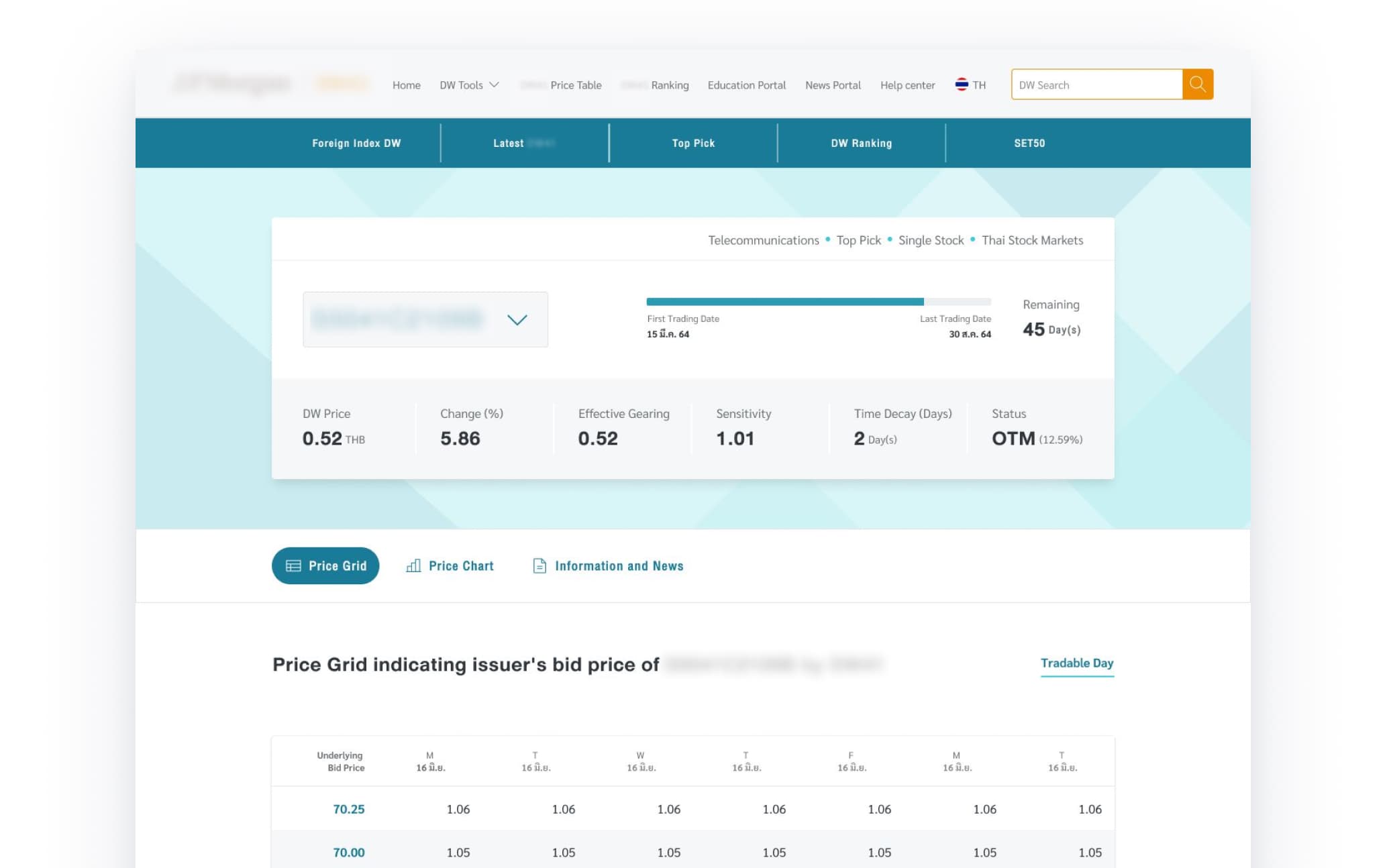
After: DW details page
Before: Search Module
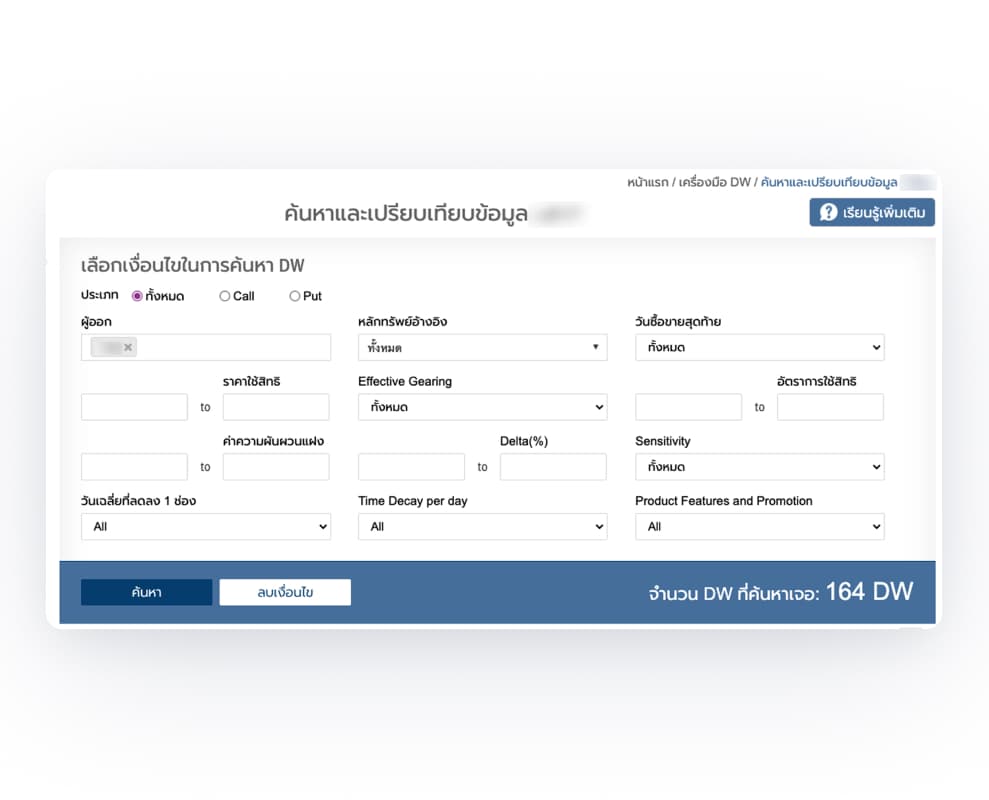
After: Search Module
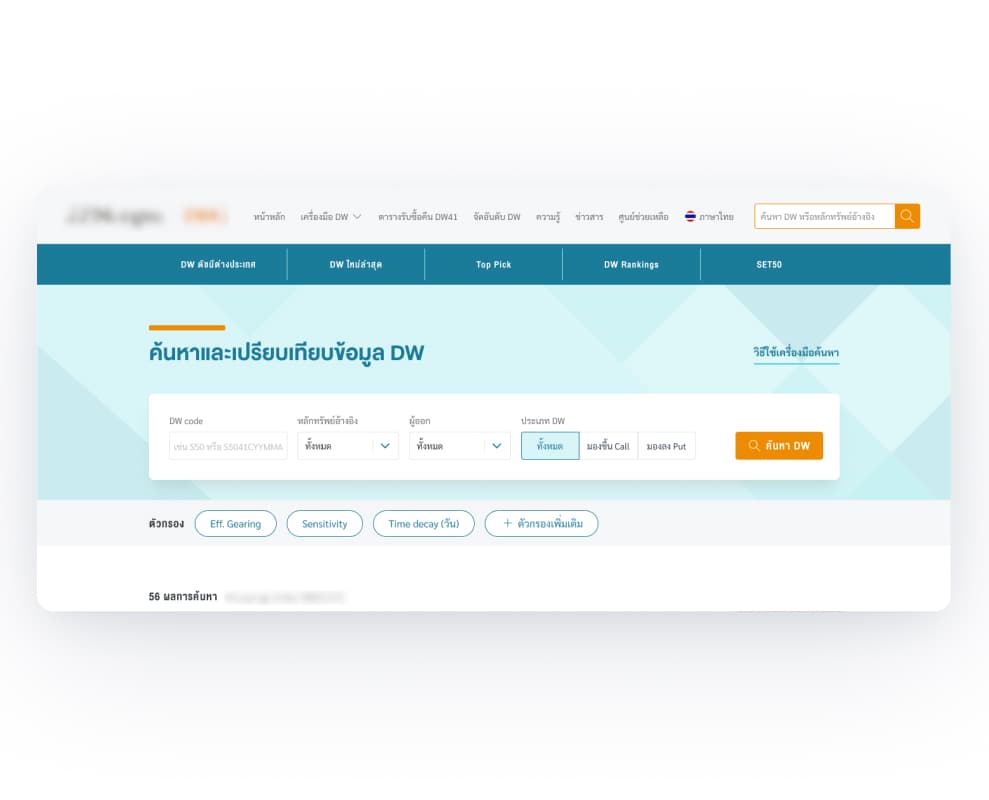
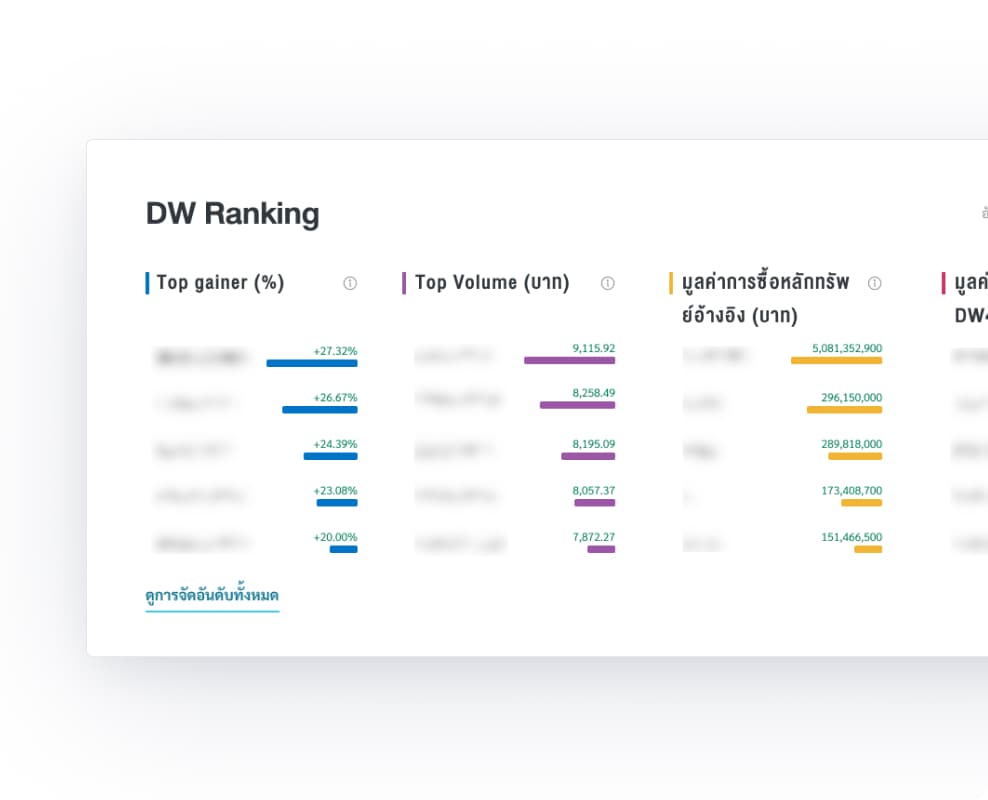
4. Visual Data Formats: To reduce the time and cognitive effort, we use visual formats wherever appropriate:
- Progress bars in the DW Data Summary section to show key values proportionally
- Bar charts for DW ranking to make relative performance instantly readable
- Colour coded badges to distinguish between the 2 types of DW (Put and Call) making it faster to scan the table
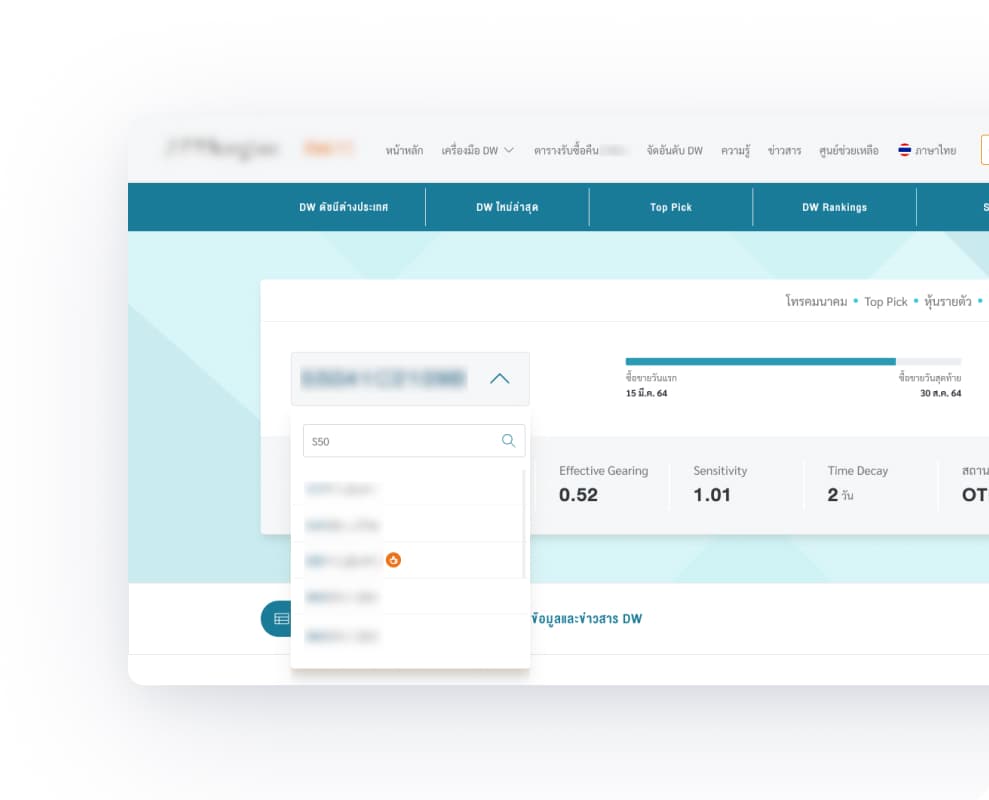
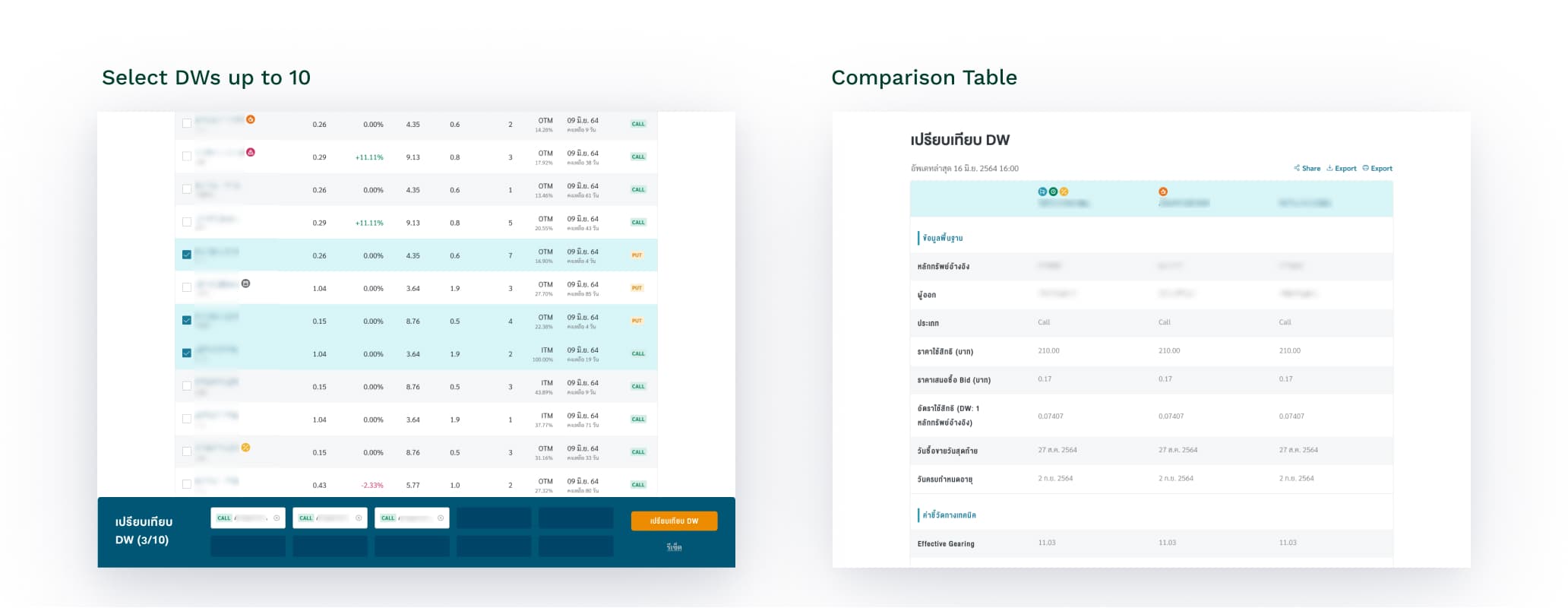
5. Easy DW Comparison: Research showed that users want to compare DW options and find it frustrating to open multiple tabs across multiple websites just to compare DW options. Here’s how I address this
- Put search directly on the DW detail page so users can move between DWs fluidly without having to go back to the search page and start over every time.
- Added a related DW section at the bottom of DW detail page showing other DWs with the same underlying asset to keep users exploring within the site rather than bouncing to competitors.
- From Search& Compare page, users can select and compare up to 10 DWs side by side, putting all the information they need in one place instead of switching between tabs.
Search Within the DW Detail Page
6. Balancing 3 User Groups:
- Visual indicators and contextual cues support the newbie without being distracting for sophisticated user
- Complete technical data for the middle and sophisticated user is accessible without overwhelming newbie.
04 — Visual Design
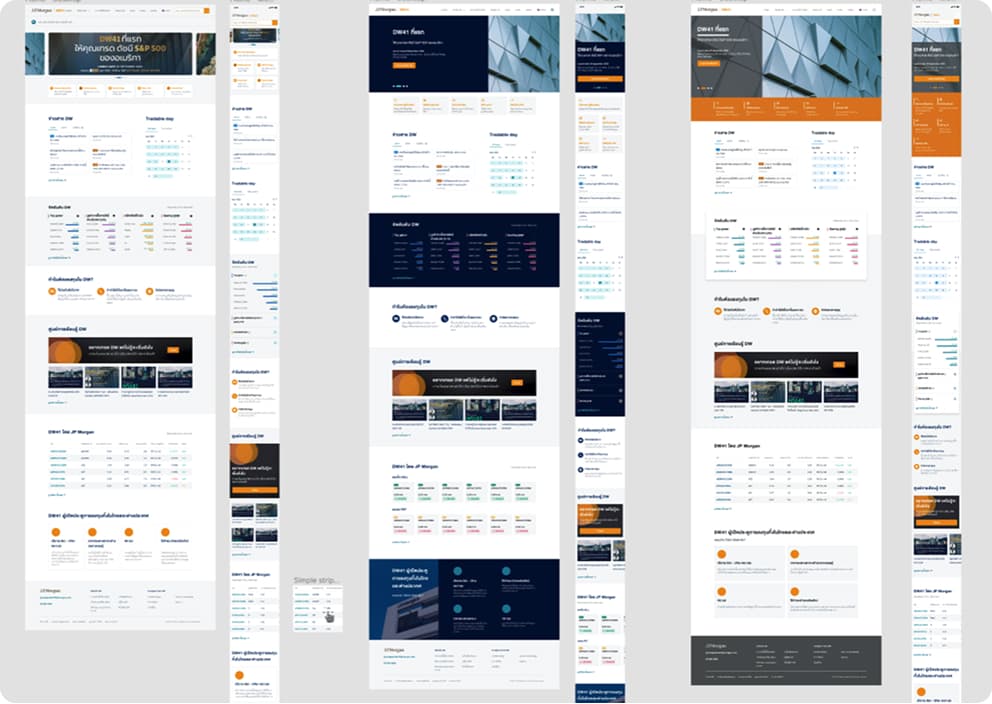
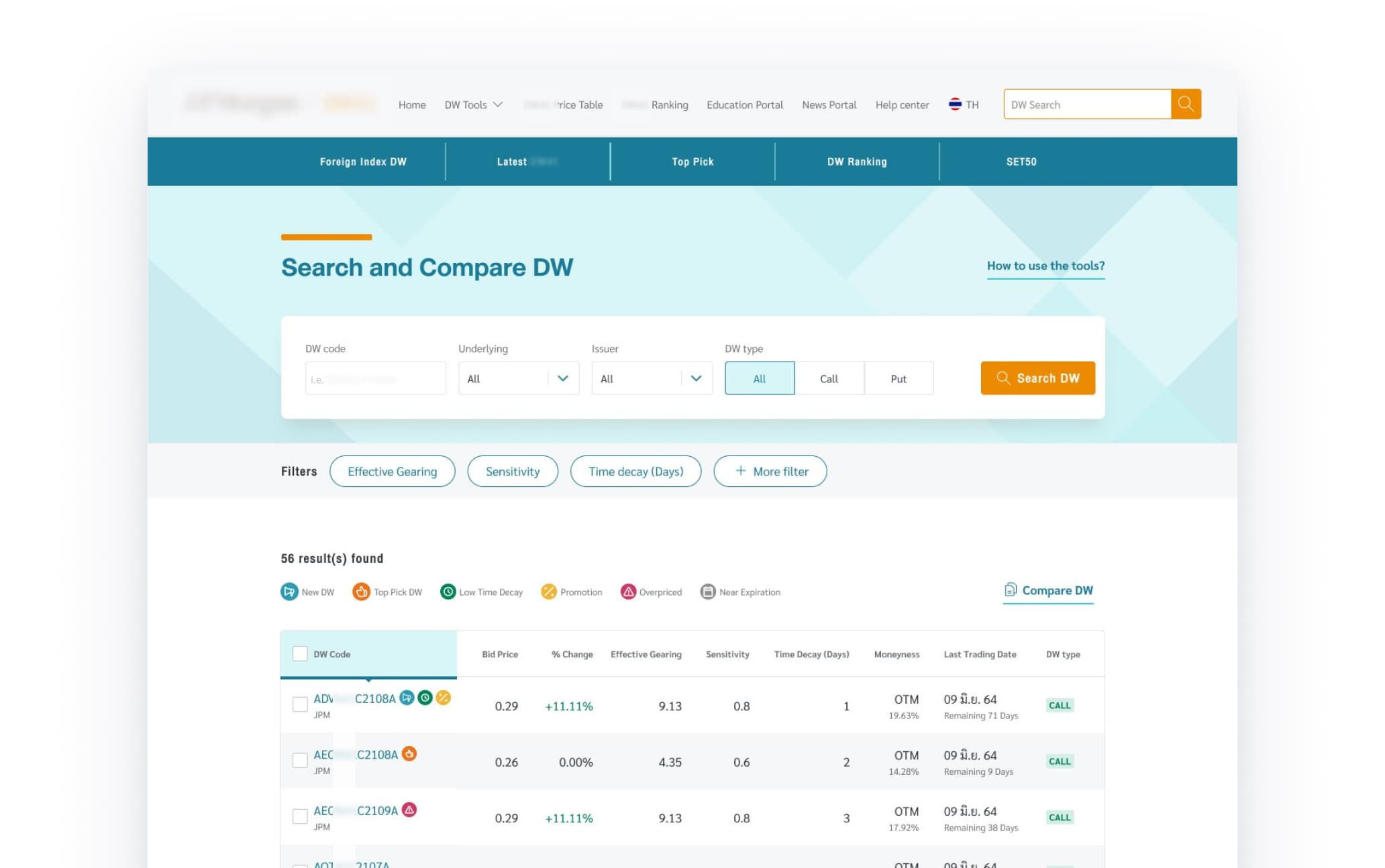
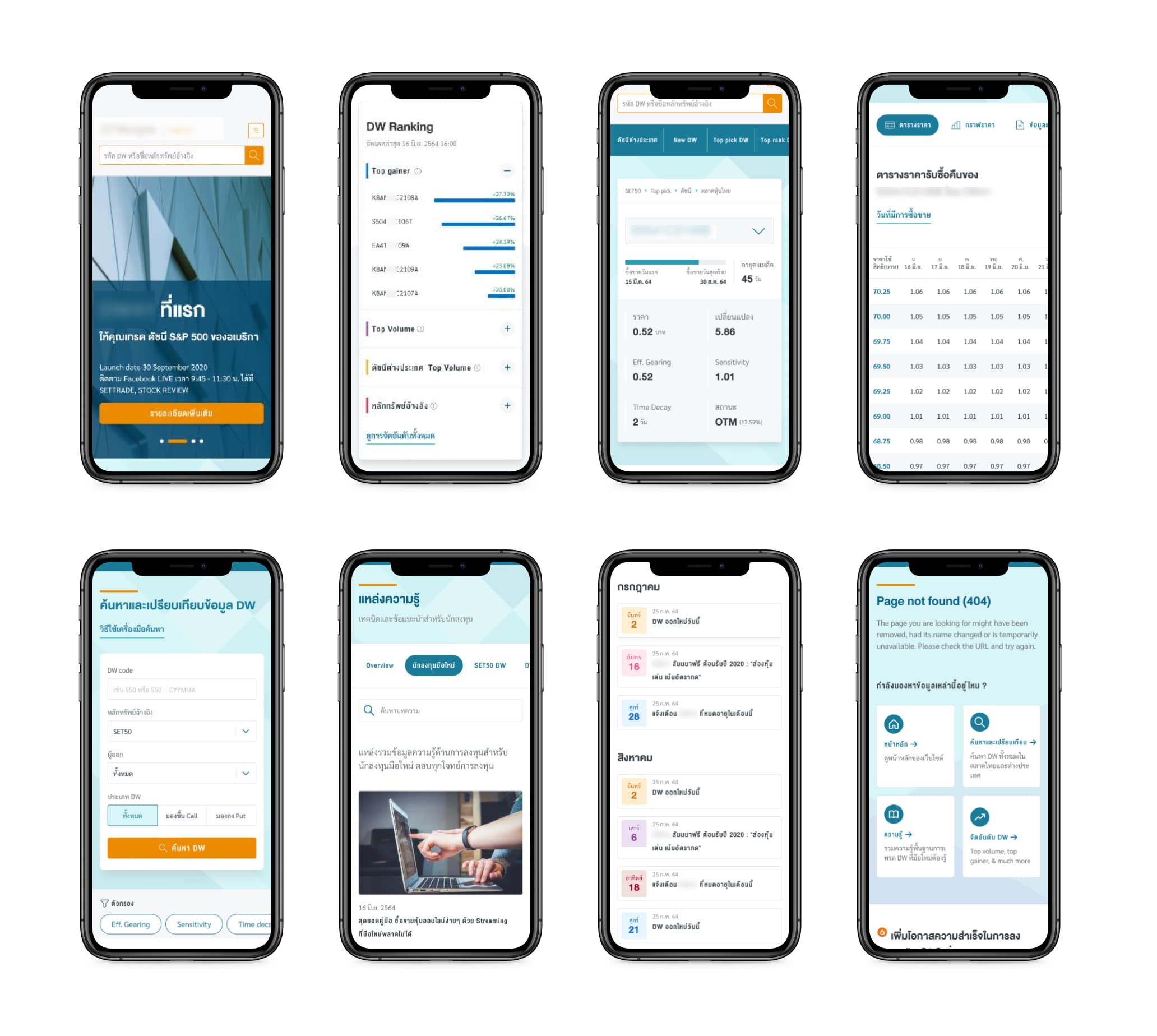
With the structure in place, we moved into UI design. Working within the client's branding guidelines, I explored a few visual directions before landing on the final approach.
The other directions leaned more corporate closer to the company’s parent website, which worked for credibility but could be perceived as cold, intimidating feel. The chosen direction leaned toward something more playful and energetic while still embodying trustworthiness. The design needed to balance between newer, younger investors and experienced traders.
Some of the early UI explorations
05 — Usability Testing
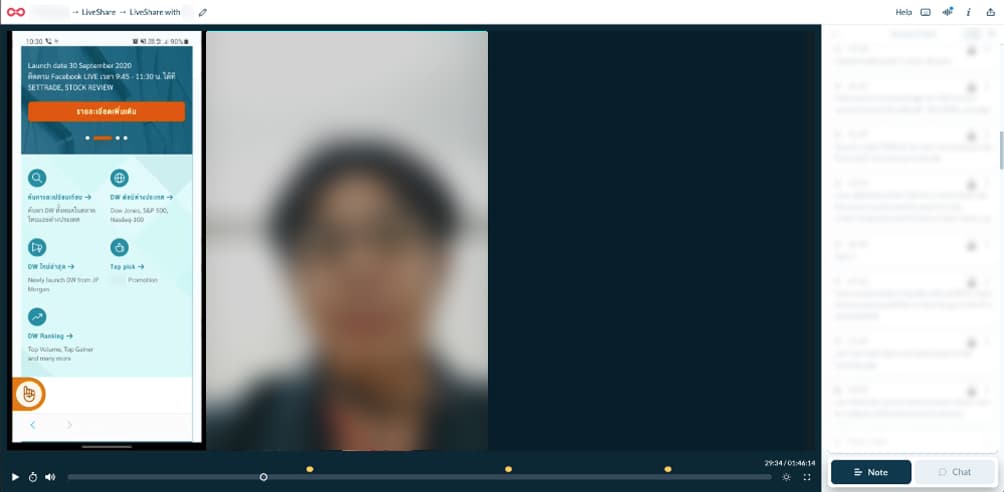
We tested the prototype with 5 participants: 1 newbie investors, 2 middle-experience, and 2 sophisticated investor. I moderated all sessions.
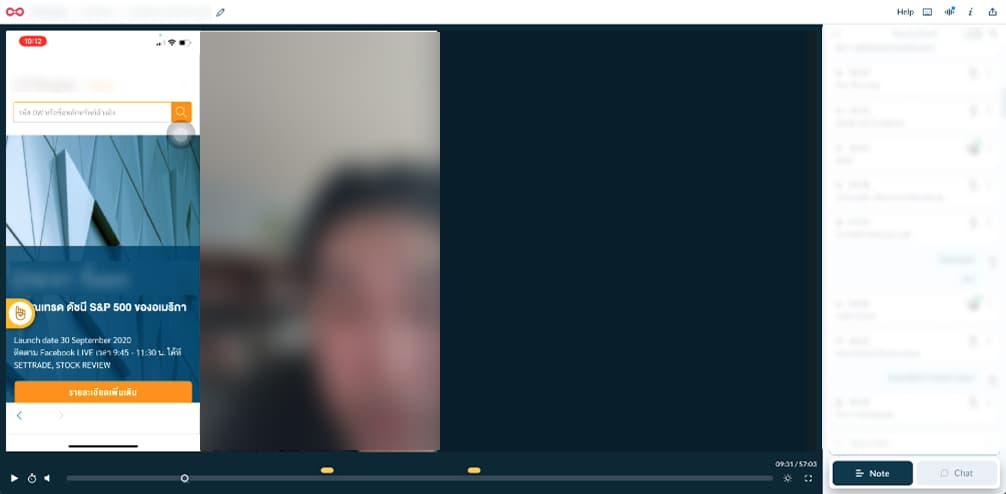
Each session was conducted remotely using Lookback and followed 3 tasks:
- Task 1 - Explore the homepage and understand what the site offers
- Task 2 - Search for a DW, read the product list, and view a DW detail page
- Task 3 - Use the DW comparison feature
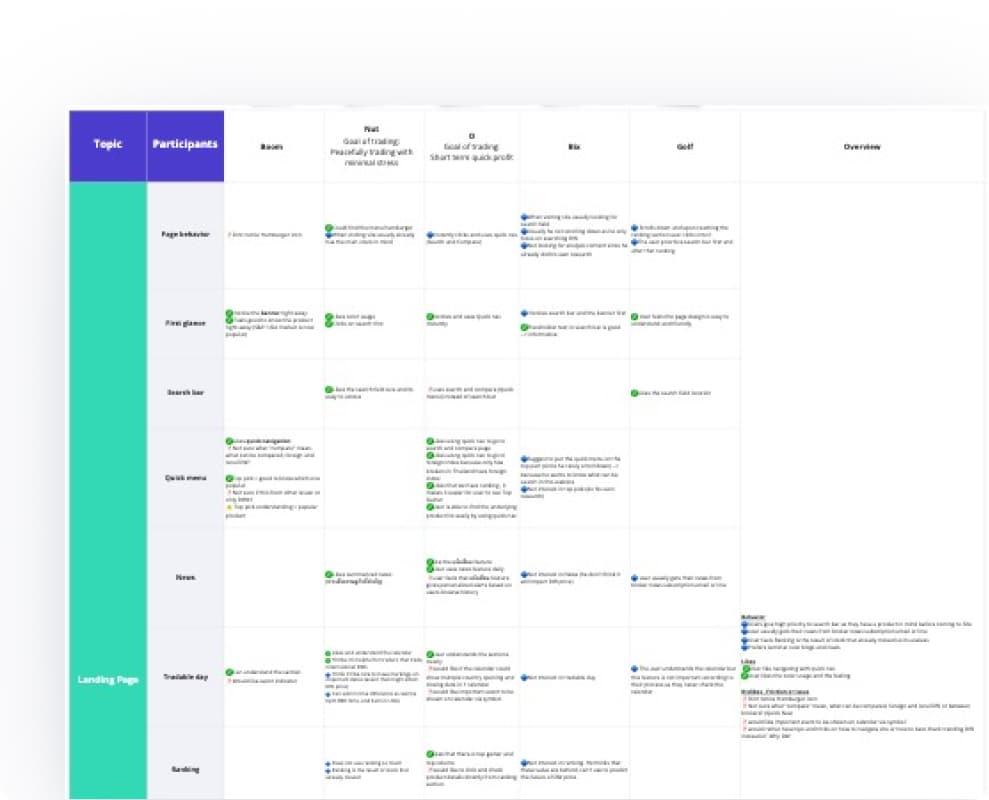
After each session, findings were synthesized in Miro and grouped into themes.
Synthesized in Miro
What worked well
- Search bar and search module: All 5 participants found the search bar prominent and easy to locate, and the autosuggest function was well received. Testing also confirmed that users arrived with a DW already in mind and went straight to search. Nobody needed to be guided there.
"Other websites provide too many search options. I like the simplicity of this search module. It's clear. For filter, it's convenient to use." - Middle Experience user - Icon indicators: All 5 participants found the icon indicators useful. They helped users scope down their options and make decisions faster without having to interpret every number in the table.
"What I like the most in the website is the symbol. It helps me save time. I can take a look on the symbol and make a decision." - Middle Experience user - DW Summary section: All 5 participants found the summary section contained all the information they needed without feeling cluttered. The layout was described as well organised and easy to read at a glance.
- DW detail page: 4 participants found the detail page easy to navigate. 3 participants found the DW graph useful particularly the price comparison between DW and underlying asset, and the volume bar chart.
- Compare feature: 4 participants were able to discover and use the comparison feature. Once they understood how it worked, they found it easy to use.
- Overall visual design: Users described the design as trustworthy, easy to read, and not cluttered
“The design looks trustworthy, easy to read, and easy to the eye” - Newbie user
What we learned and fixed
- Icon labels needed clearer language: added descriptions and refined writing for Hit Bid, Top Pick, and Overpriced
- Compare popup empty state was confusing: redesigned with explicit next step guidance and first-time user onboarding. Also updated the flow so users will never find the compare popup empty.
- Autocomplete list needed better visual differentiation between result types (DW and underlying asset): added label describing type of result.
After Launched
Outcome
Usability testing validated our core decisions across 3 user groups. The client confirmed the redesign met their goals of simpler navigation, reduced information overload, and a more friendly experience for newer investors.
The most telling moment came from a middle-experience user who unprompted told us: "The website is easy to understand. Because first it provides things that users are looking for. Second, it provides keyword and important news. Third, analytic tools for traders."
Reflection
This was my first time designing for a complex financial product in a heavily regulated industry. I'm proud that I was able to lead the project, get up to speed on a completely unfamiliar subject, and still deliver an outcome that worked for users and met the client's goals. Managing the complexity while keeping the team moving and the design focused is what I'm most proud of. Seeing users respond positively in testing, and hearing the client confirm we hit their goals, made it worth it.